


From zero to vibe-coding
A guide to running open AI models from the depths of GitHub
In AI, a new current has emerged in which decentralisation and open source let users step beyond popular commercial products. Local LLMs allow private data handling, flexible tuning for specific tasks and full control over the runtime environment. Launching such models, however, demands familiarity with the basics—from repositories and model weights to cloud runtimes and hardware specs.
In this ForkLog guide we explain how to start exploring autonomous AI models at no cost, which resources suit beginners and what developers of OS solutions provide.
First steps
Two main platforms serve developers of open AI models: GitHub and Hugging Face. The former is the traditional home for source code, documentation and install scripts; the latter has become a global hub for model weights, datasets and ready-made ML solutions. Hundreds of thousands of trained neural networks appear on Hugging Face, from tiny on-device language models and alternative media generators to specialist algorithms for researchers and hobbyists.
Community-activity metrics help you choose: on GitHub look at star counts, frequency of commits and time to resolve issues.
It is also vital to check provenance and repository authenticity. Popular OS builds regularly lure cybercriminals who spread malware disguised as well-known AI tools.
The next step with local AI models is hands-on testing. For users without powerful hardware, there are free and freemium cloud platforms.
The most popular option is Google Colab, a cloud environment that offers access to GPUs in the browser. The free tier typically runs on an Nvidia Tesla T4 for two to four hours depending on load. Alternatives include Kaggle Notebooks and Hugging Face Spaces; the latter lets you interact with models via ready-made web interfaces such as Gradio or Streamlit.
There is also a legal angle to federated solutions. Many popular projects use classic licences such as MIT or Apache 2.0, allowing commercial use with minimal restrictions.
Some vendors take a different tack. Meta distributes its flagship models under the Llama 3.1 Community License, which requires special permission if a service’s monthly audience exceeds 700m users.
Strict copyleft licences such as the GNU General Public License also appear, obliging developers to open-source any derivative works.
My own ChatGPT
Among the many autonomous general-purpose LLMs (akin to ChatGPT or Gemini), independent rankings based on blind testing and performance metrics—such as Open LLM Leaderboard and Chatbot Arena—help you choose.
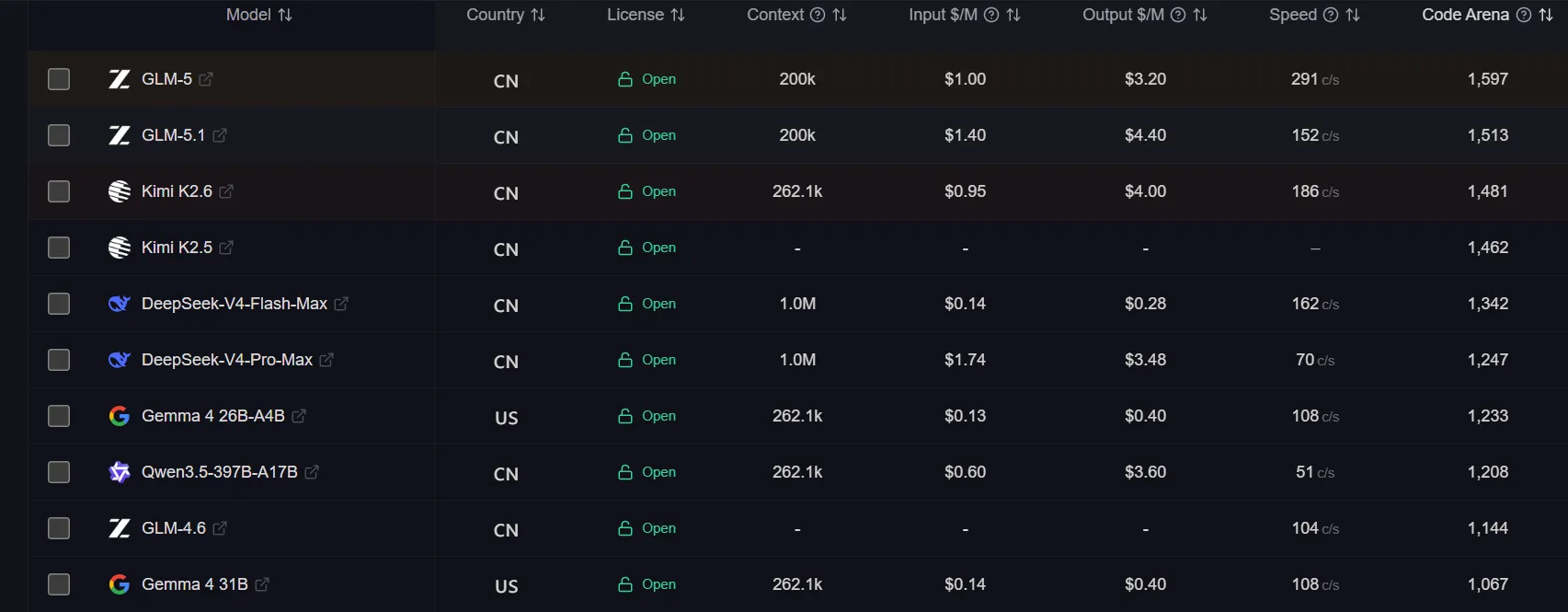
The gold standards are Meta’s Llama family and Alibaba’s Qwen. They handle long context, multi-step prompts and are apt for vibe-coding and programming. Thanks to the open Ollama framework, installation is a one-liner.
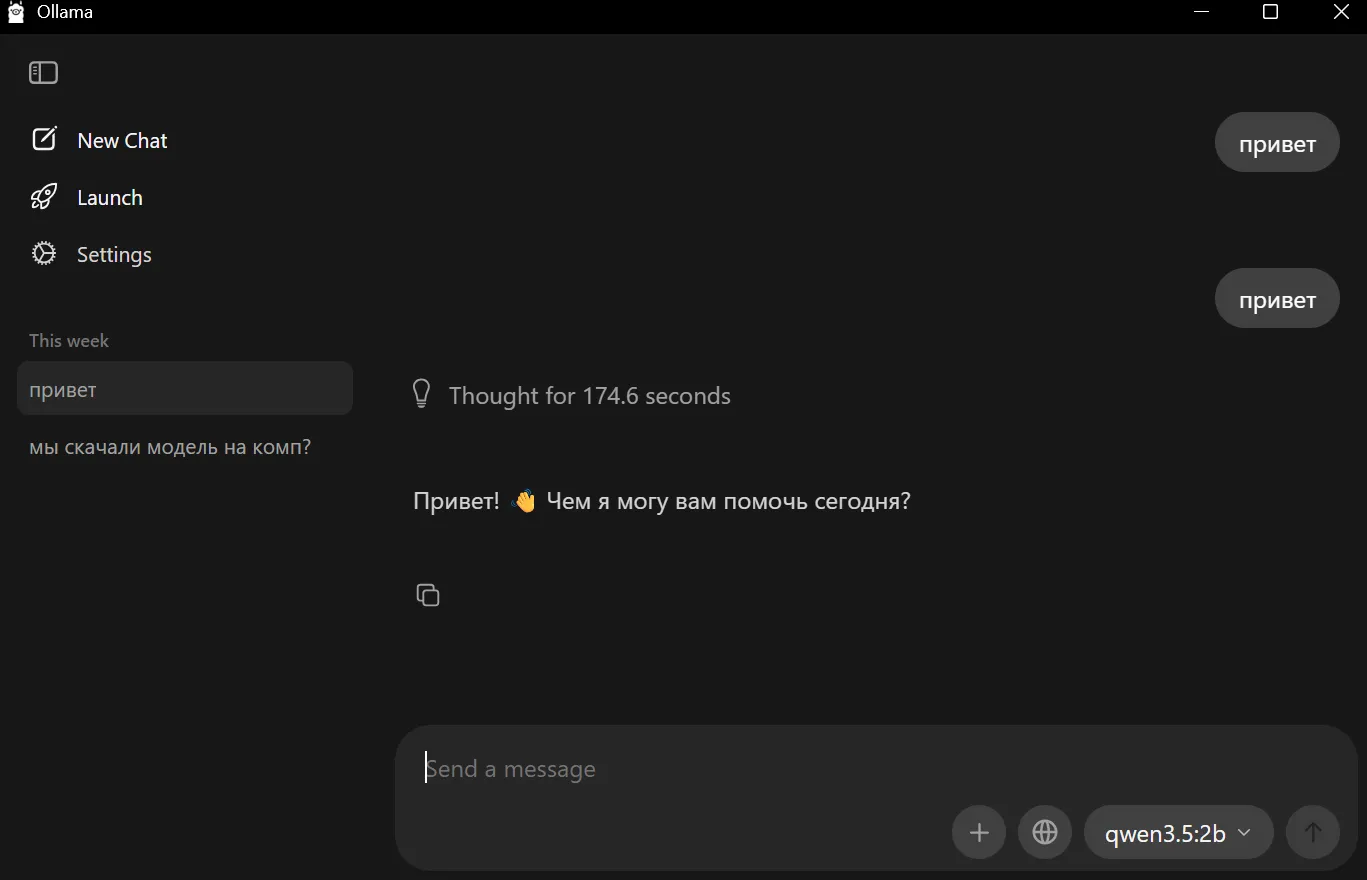
In tests for this article, the qwen3.5:2b model ran on a laptop with no discrete GPU, a Core i7, 8GB of RAM and an SSD, after closing heavy apps such as messengers and browsers.
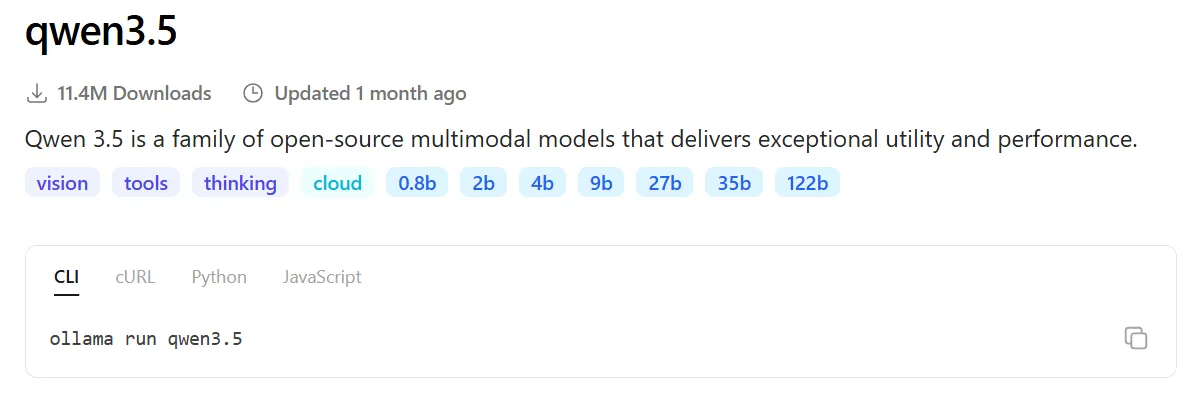
“2b” denotes 2bn parameters. The higher the number, the more intricate the relations a network can capture. A 2b model will learn basic grammar and simple commands; a 122b one will recall facts from quantum physics, nuances of legal documents and plan ten steps ahead.
Each parameter consumes disk space and, crucially, RAM. The 2b model used roughly 4–5GB of RAM and was the upper limit for that machine. Even a simple “hello!” took nearly three minutes to generate.
An approximate breakdown of models:
- 0.5b–2b. Fast; can run on old laptops and smartphones. Ideal for simple tasks (command routing, basic summarisation, short code autocomplete). Prone to hallucinations on harder prompts;
- 3b–4b. A balance of speed and quality. Good for mobile devices, smart homes and automation. For instance, a chatbot can be asked to dim the lights, switch on the AC or raise a barrier gate;
- 7b–9b. Need about 6–8GB of free RAM. Capable models with contextual understanding and deeper reasoning; suitable for programming and long-form text.
In a recent study of vibe-coding in Web3, Vladimir Sliper found that on a MacBook Air with 16GB of RAM the following fit: qwen2.5-coder:7b, qwen3:8b, llama3.2:3b, deepseek-r1:8b. More powerful models demand a beefy PC with high-end GPUs or rental servers.
Private data processing, 3D printing and user protection
Ways to use open AI models vary with user skill and hardware. Some projects ship as friendly installers (.EXE) or mobile apps that work out of the box. Others are abandoned GitHub repos where installation becomes hours of wrestling with stale-library conflicts.
Applied AI today goes far beyond text generation. Even a cursory scan of the ecosystem reveals dozens of specialised tools for specific tasks.
Video and 3D:
- CogVideoX. An open model from Zhipu AI for text-to-video generation. It can create realistic short clips, ships with open weights and runs in environments such as Jupyter or Colab given sufficient VRAM;
- DepthCrafter. A tool for extracting depth information from video. Useful for VFX and 3D-modelling specialists, it produces high-precision depth maps for every frame of a dynamic scene;
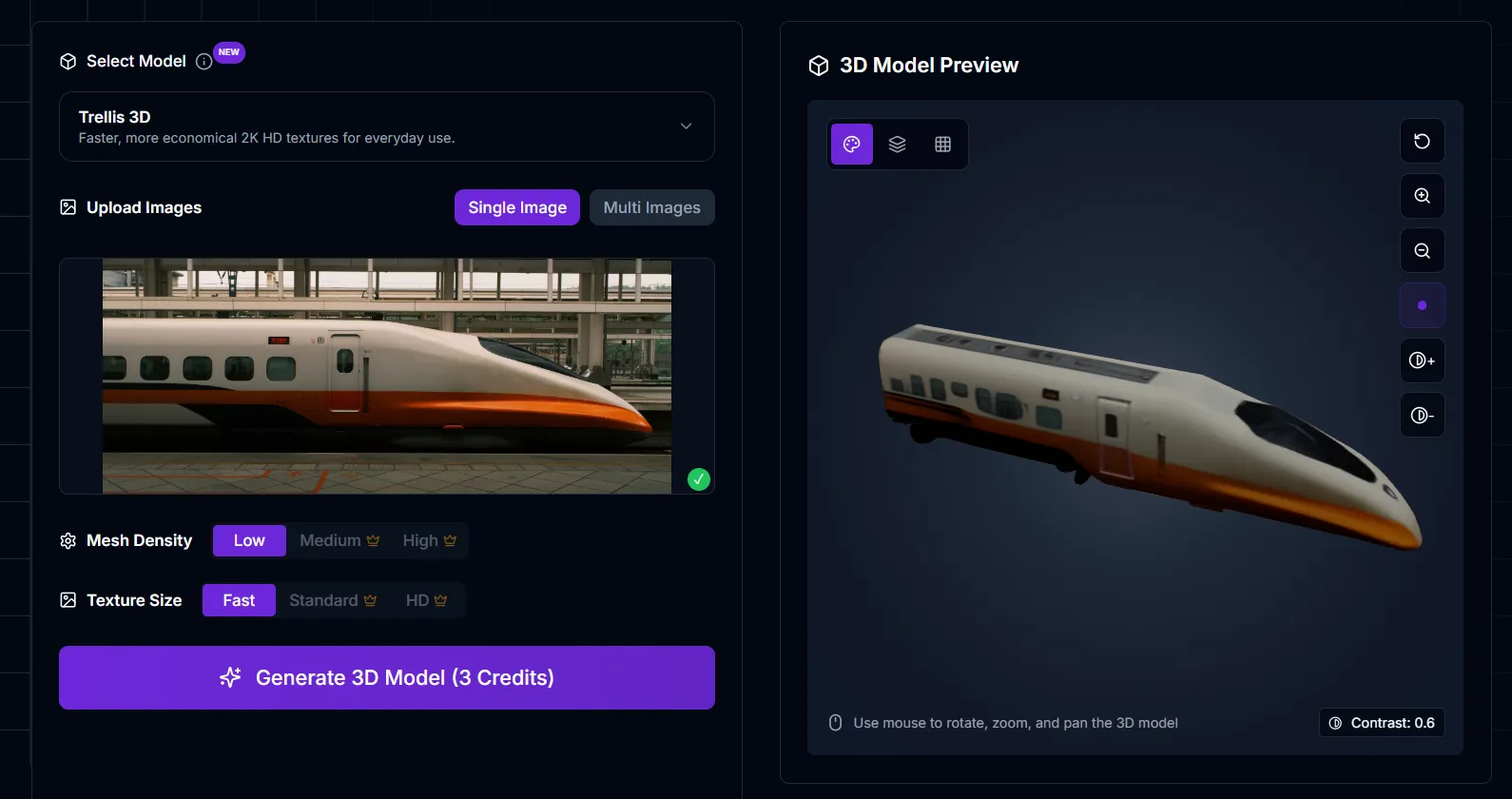
- TRELLIS (Morfx 3D). A cutting-edge system for generating 3D assets. It produces high-quality 3D models from images or text prompts and optimises them for game engines.
Audio and recognition:
- CosyVoice. A multilingual text-to-speech model with voice cloning. It generates realistic audio, preserving the source speaker’s intonation and emotional tone;
- Whisper-WebGPU. An implementation of OpenAI’s speech-recognition model rewritten to run directly in the browser using the WebGPU API. Transcription happens locally, ensuring full privacy without uploading audio to third-party servers;
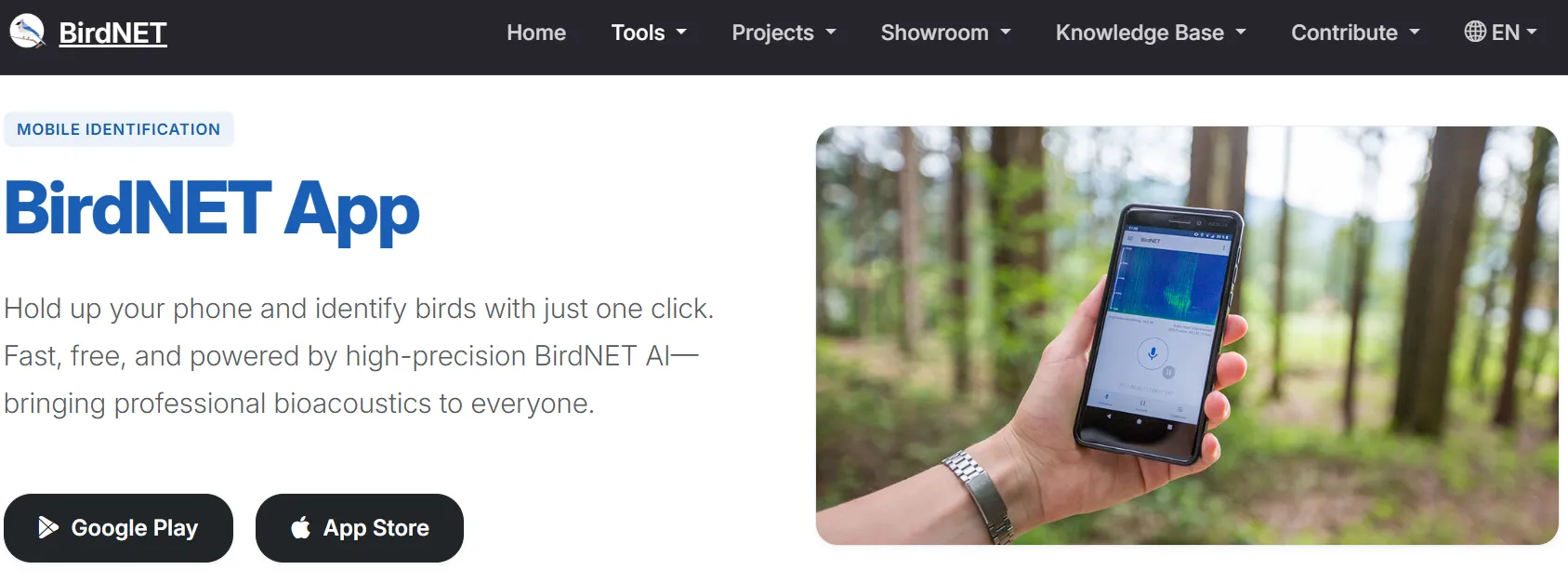
- BirdNET-Analyzer. A neural network from Cornell University that identifies bird species by song. Unlike the popular Merlin Bird ID app, which relies substantially on cloud processing for some functions, BirdNET-Analyzer gives full local control and can batch-process gigabytes of field recordings.
Programming and user protection:
- Screenshot-to-Code. A utility that converts a screenshot of a web page or mobile app into clean HTML, Tailwind or React code. Although it often works with paid APIs (Claude, GPT-4), the architecture supports open multimodal models;
- MinerU/Magic-PDF. A project for accurate extraction of structured data from PDFs. It recognises text, maths and tables, converting complex layouts into Markdown;
- Fawkes. Applies imperceptible changes to images to thwart facial-recognition systems. It installs locally on a PC via an .EXE and can be used for social-media avatars;
- Nightshade. “Poisons” image pixels to confuse models trained without permission. Ask for a “dog” and the model may output a cat.


Wrangling libraries, then a first win
After installing AI models with clear UI/UX, the next question was how easily a heavy repository could be deployed in the cloud for free.
FLUX.1 from the startup Black Forest Labs is a leading image-generation model that competes with corporate Midjourney and Nano Banana. With the right hardware it can run fully offline and sidestep censorship.
The test used the lightest free variant, FLUX.1 Schnell. To simplify work with open solutions, developers build target frameworks such as Ollama. For image generation, ComfyUI and Forge are popular GUIs.
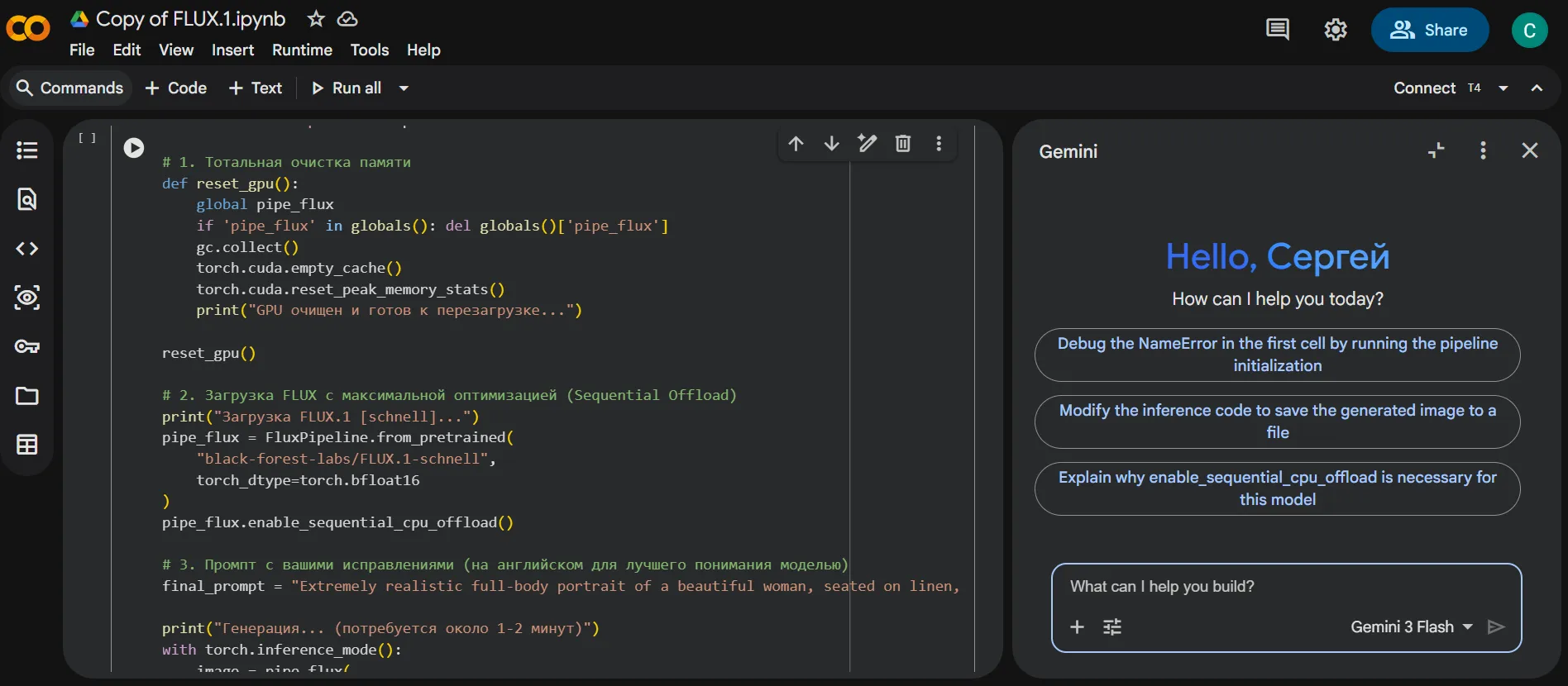
Attempts to install the Forge implementation—cagliostro-forge-colab—consumed an entire Google Colab GPU session. The culprit was a classic rookie error: mismatched Python, cloud runtime and model versions. Four hours of vibe-coding with Gemini 3 Flash still yielded no success.
In the end, the framework was dropped in favour of deploying FLUX.1 directly, in the next free session on a different day.
In practice, free Google Colab is easier to use at weekends: the platform often grants longer sessions then.
The model itself took roughly 34GB on the cloud SSD. All ancillary install processes eventually pushed usage to about 86GB.
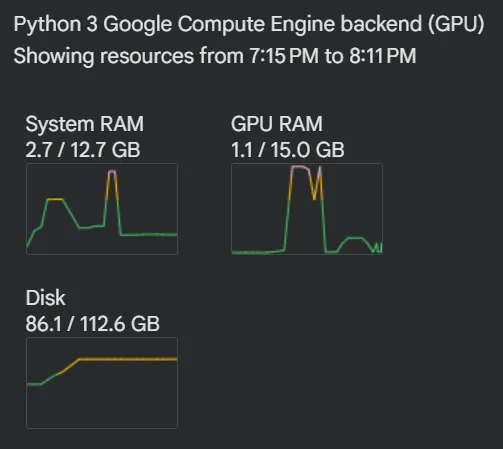
Initially FLUX.1 Schnell ran out of VRAM on the Nvidia Tesla T4. The unadapted setup hit GPU limits until a few simple code experiments—and help from Gemini 3 Flash—introduced staged loading and memory cleanup. As a result, only about 3GB of the available 16GB VRAM was used during generation.
Each image took around seven minutes to produce. For a free, open model, the results were pleasantly surprising.

When asked several times to draw rock singer Marilyn Manson in a Victorian style, FLUX.1 Schnell likely failed to detect the reference to a specific person and produced only a generic visual template.

Ambitious and unlikely
Open neural networks now serve not only text and image generation but narrower, quirkier tasks. A striking example is GameNGen, a model able to recreate DOOM gameplay in real time.
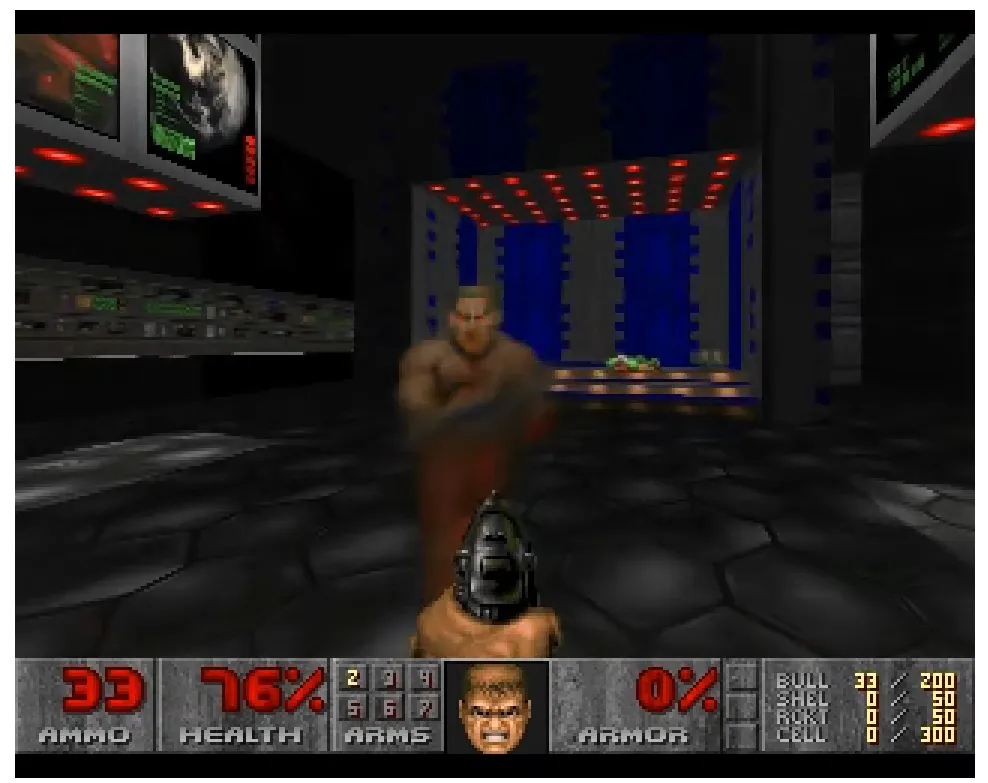
GameNGen does not simulate the game in the usual sense; it generates video frame by frame. The model predicts what the next frame should look like after a user action (a movement or a shot). Enemies, objects and scene changes are not computed by an engine but rendered as the most probable outcome.
Among autonomous systems, Voyager stands out—an AI agent for Minecraft. It explores the world, gathers resources and learns continuously.
Academia is adapting open AI too, for instance to decode history. Researchers from Tel Aviv and Munich universities trained the Akkademia model to translate ancient Akkadian cuneiform directly into English, enabling the processing of thousands of damaged clay tablets and accelerating archaeological work by orders of magnitude.
Another curiosity is MinD-Vis. It analyses fMRI data and attempts to reconstruct the images viewed by a subject during scanning—that is, it generates an interpretation of what a person sees from patterns of brain activity.
Such initiatives show AI has become a universal instrument for understanding and modelling reality. The shift from closed corporate APIs to open source is creating a new technological paradigm. Today any researcher, developer or enthusiast can deploy infrastructure that only a few years ago would have required multi-million-dollar server farms.
As the ecosystem matures, user experience improves: intuitive interfaces and automated deployment replace brittle scripts. Tools such as Ollama and Forge show that privacy, the absence of censorship and high performance can coexist in one package. The future of the AI industry now depends on how strong, scalable and independent the open ecosystem remains.
Рассылки ForkLog: держите руку на пульсе биткоин-индустрии!