




This material is for information only. ForkLog bears no responsibility for readers’ investment decisions and does not guarantee receiving a drop after completing the actions described.
Hype around liquid staking and restaking shows no sign of fading. The TVL of EigenLayer has already surpassed $15bn. The project ranks second on DeFi Llama, behind only Lido.
The liquid restaking niche is also expanding fast, with platforms offering extra yield and broader capital efficiency. Using such protocols typically means earning EigenLayer points and other scores that may increase the odds of an airdrop.
One such project is Swell Network. CoinGecko experts offered tips on how best to prepare for an upcoming governance-token distribution.
- Swell Network is an Ethereum staking protocol that leverages EigenLayer to provide liquidity and rewards for deposited ETH.
- In a funding round led by Framework Ventures and IOSG Ventures, the project raised $3.75m.
- Users can join Swell’s Voyage programme to earn ‘pearls’ (Pearls), which can later be exchanged for SWELL tokens.
Swell and ‘pearls’
Swell Network is a non-custodial, decentralised Ethereum protocol that boosts liquidity and offers incentives for staking cryptoassets.
Users can earn passive income by depositing ETH and receiving an equivalent amount of swETH, which can be deployed across other DeFi applications.
The protocol uses EigenLayer to allocate stakeable ETH across the network of actively validated services (AVS). Restaking enables users to earn additional rewards on top of the standard income from staking the second-largest cryptocurrency.
To improve transparency and security, the Swell team integrated Chainlink’s Proof-of-Reserves. This lets users verify in near real time whether swETH is backed by ETH reserves on the Beacon Chain.
Swell has also joined the BUILD programme, significantly strengthening the platform’s security and reliability through advanced services and professional support from Chainlink.
Among other integrations are strategic partnerships with Ethena, Pendle and EigenPie. This allows users to deposit various assets, including USDe, rswETH and mwbETH respectively, further diversifying the project’s offering.
In addition, depositing funds into the layer-2 contract enables users to earn different points and qualify for airdrops from both Swell and L2 projects such as ION Protocol, Ambient Finance and Brahma Finance.
In March 2022 Swell Network raised $3.75m. The seed round was led by Framework Ventures. Other participants included IOSG Ventures, Maven 11 Capital and other venture investors.
According to the project documentation, Swell will launch a native token of the same name. SWELL will be used for protocol governance and to incentivise ecosystem growth.
The final tokenomics have yet to be unveiled. It is known, however, that at least 7% of the supply will be allocated to an airdrop.
Users can join The Voyage programme and earn rewards in the form of ‘pearls’. These will be exchangeable for SWELL during the TGE.
The project will also distribute coins to those who deposit into the L2. Swell’s layer-2 network is slated for full launch in the third quarter of this year.
Step 1: join Swell Voyage
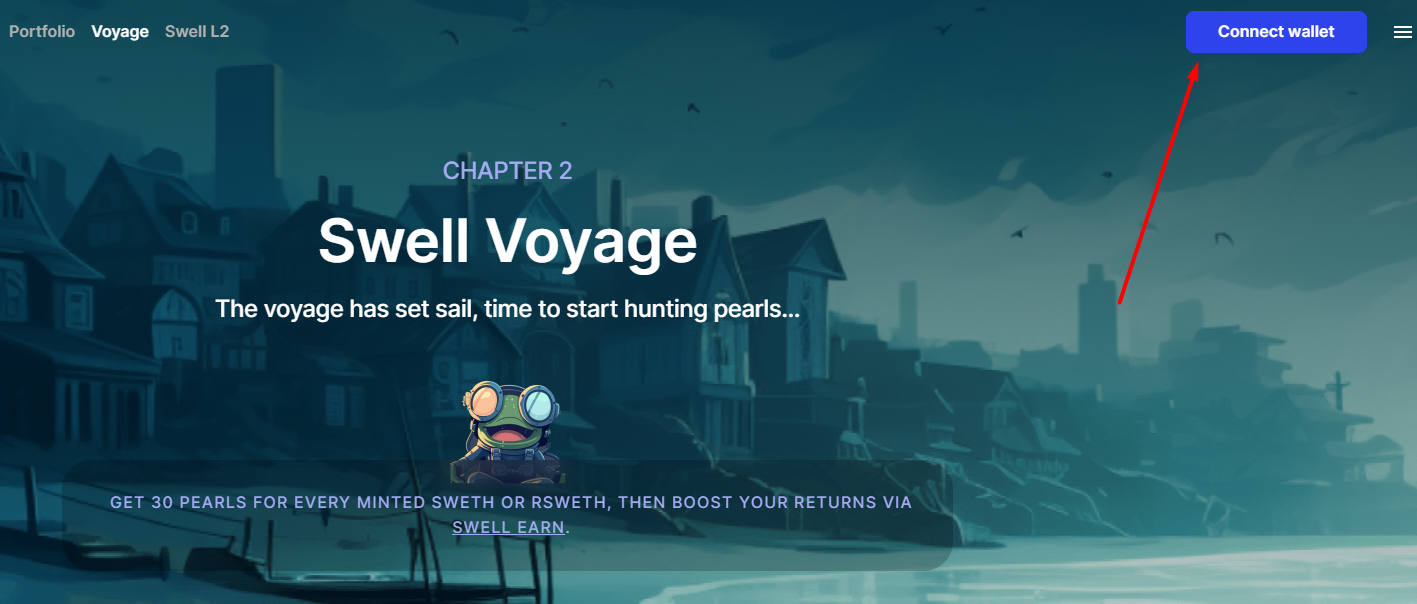
Go to the project’s Voyage page and connect a Web3 wallet in the top-right corner by clicking Connect Wallet.


Select, for example, MetaMask.
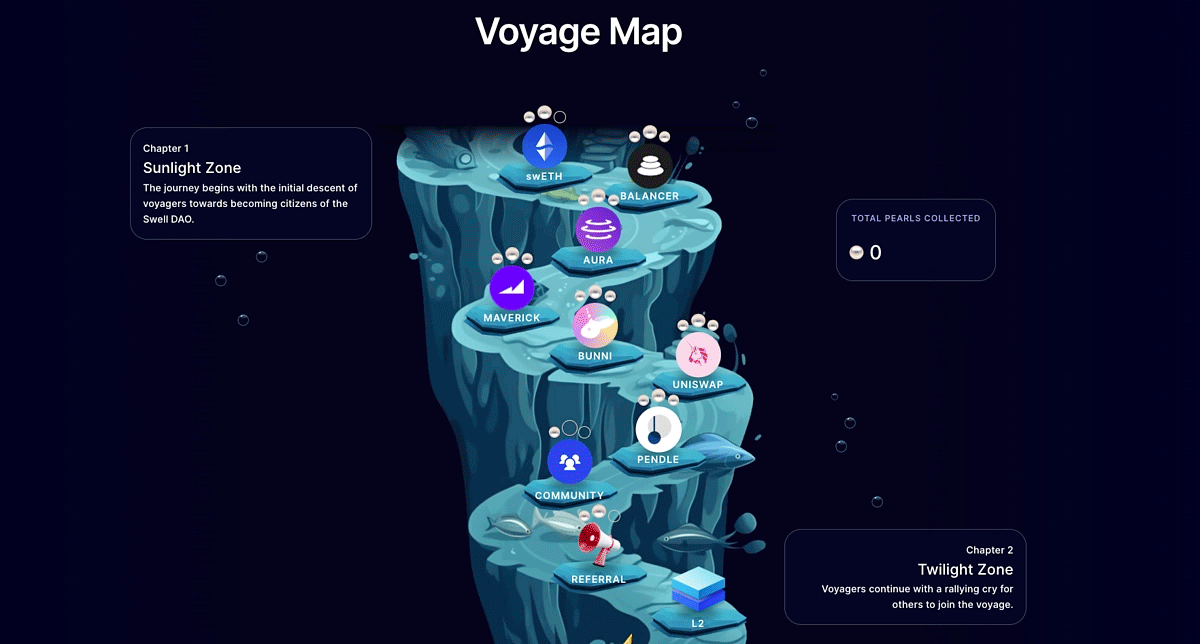
After connecting the wallet, scroll down to view the ‘journey map’. It lists the tasks required to earn Pearls.

Step 2: get swETH
In the top-left corner, or via this link, open the Stake section. Enter the amount of ETH to stake to see the swETH you will receive.

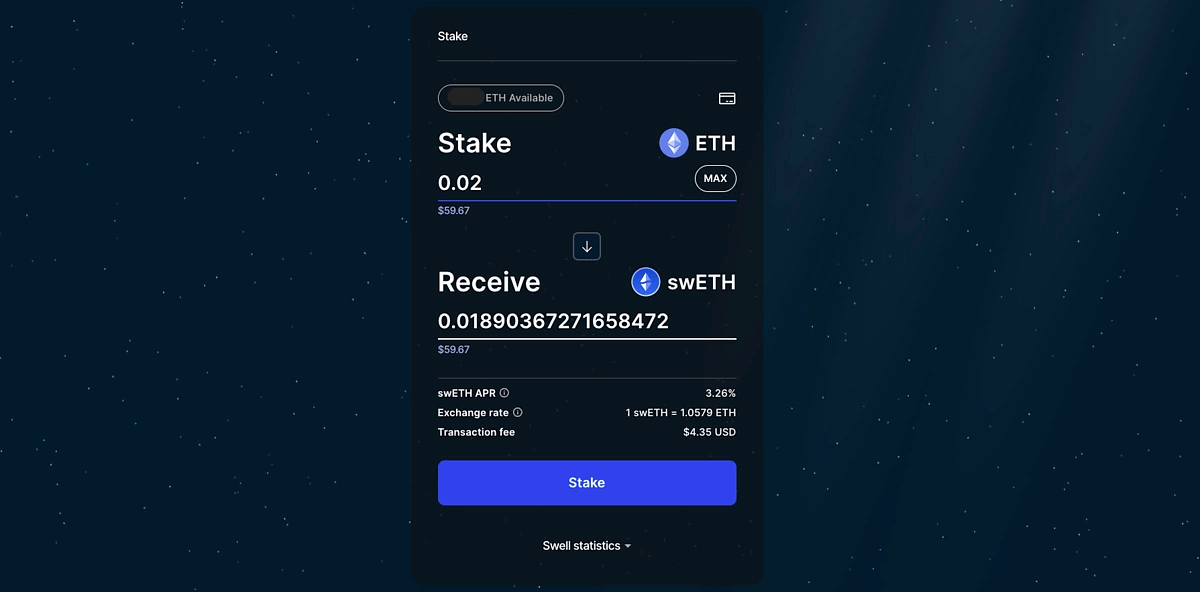
Deposit funds into staking and confirm the transaction in your wallet.
Step 3: provide liquidity on Balancer
To start with Balancer, go to the link and click Connect Wallet.
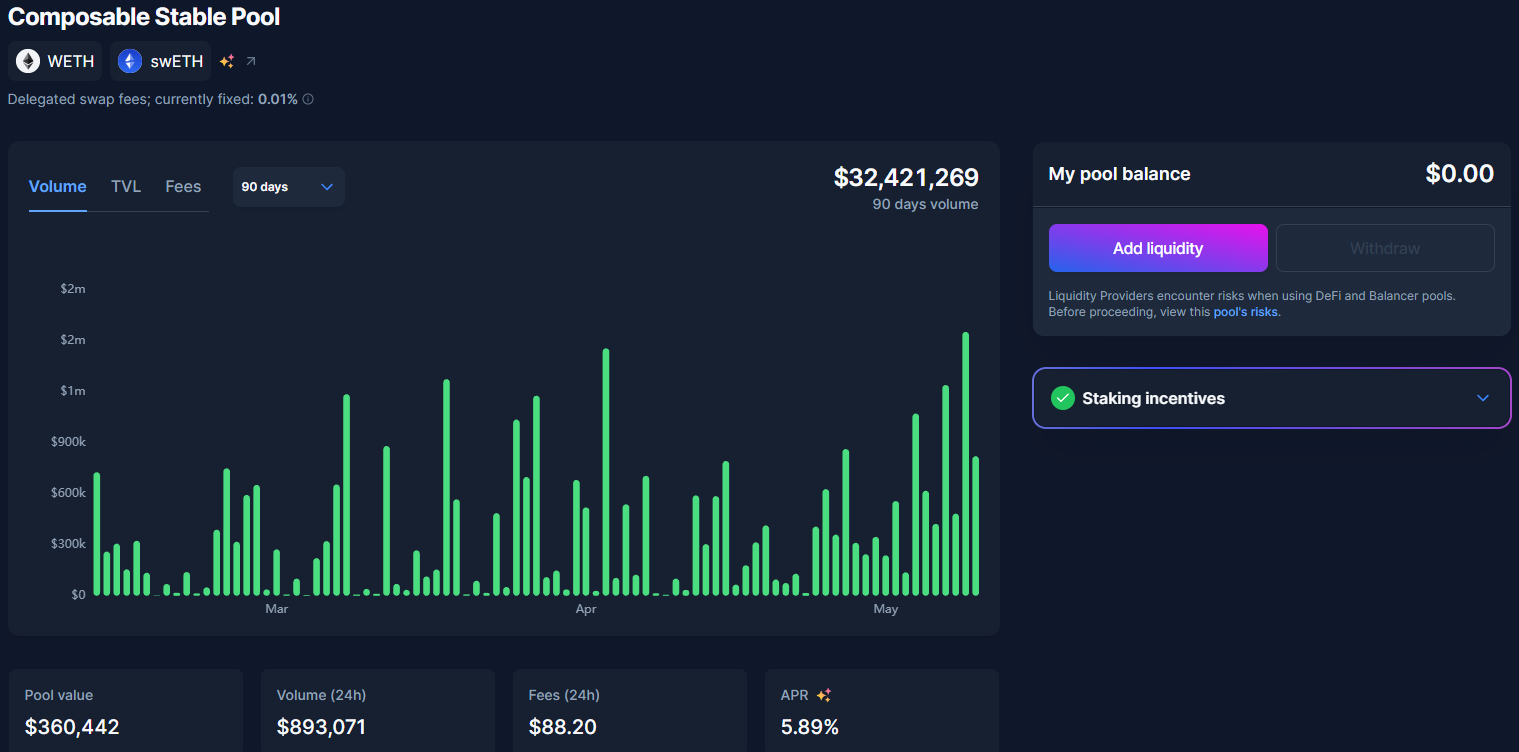
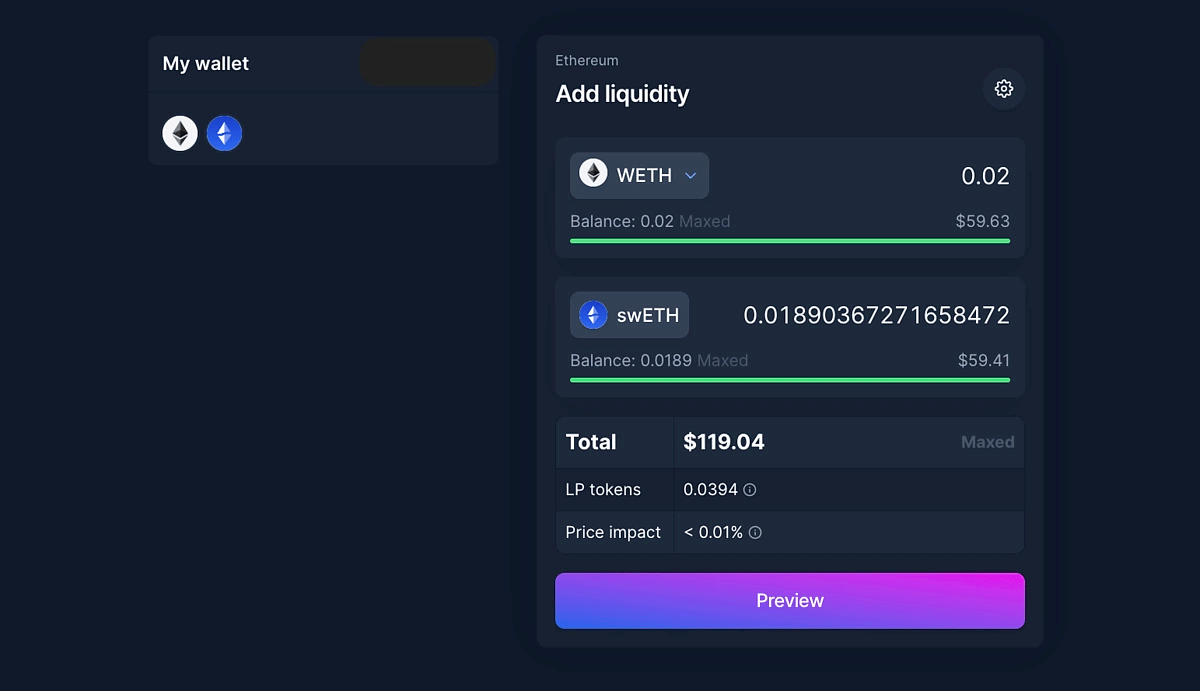
You will need to add WETH and swETH to the pool.

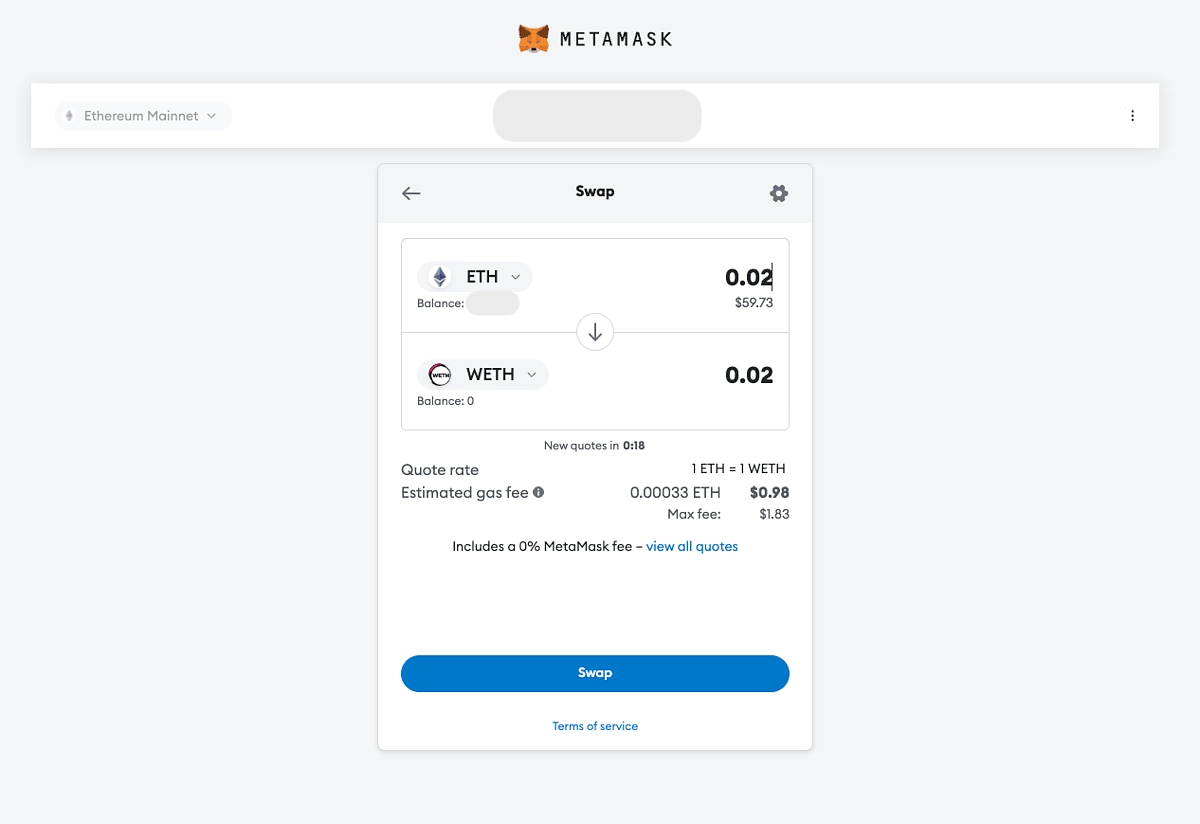
If you do not have WETH, you can quickly obtain it via the Swap function in MetaMask.

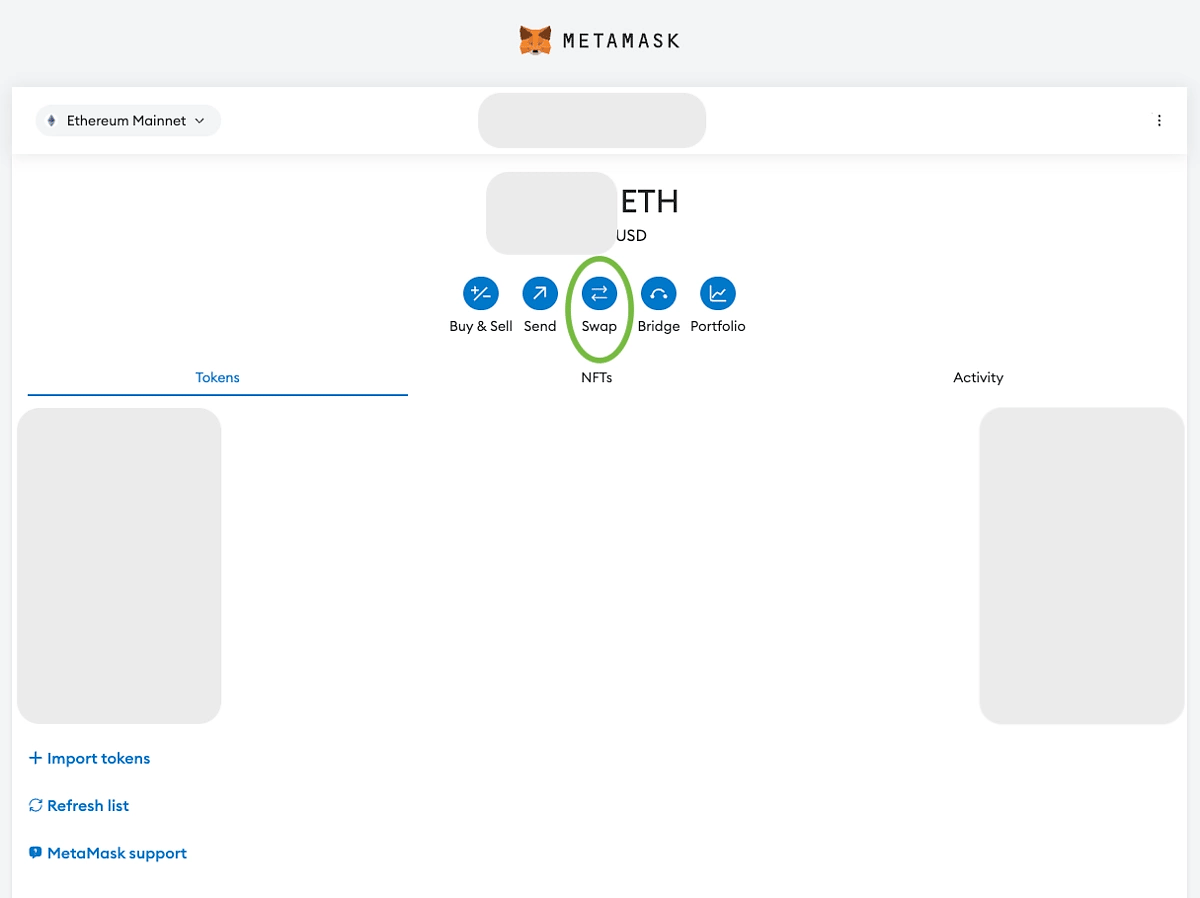
After clicking Swap, you can exchange ETH for WETH on Ethereum mainnet.

Then, in Balancer, choose Add Liquidity and enter the amounts of WETH and swETH you wish to add. Review the values and confirm the transaction in your wallet.

Step 4: add liquidity on Aura
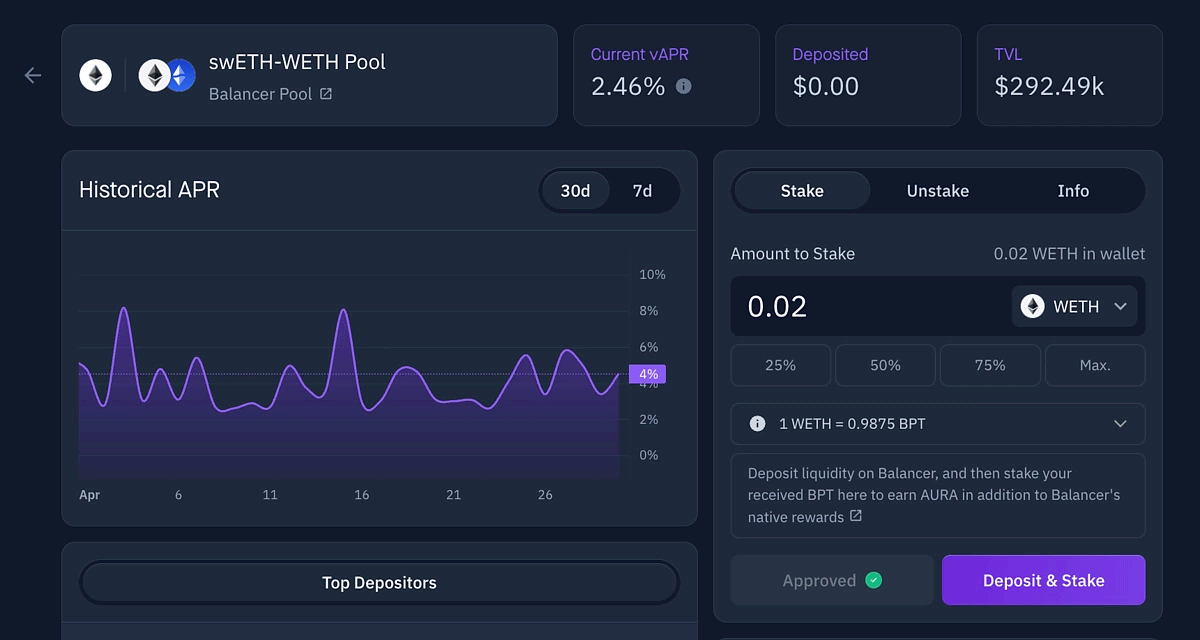
Open this link and click Connect Wallet. As with Balancer, you will need swETH and WETH.

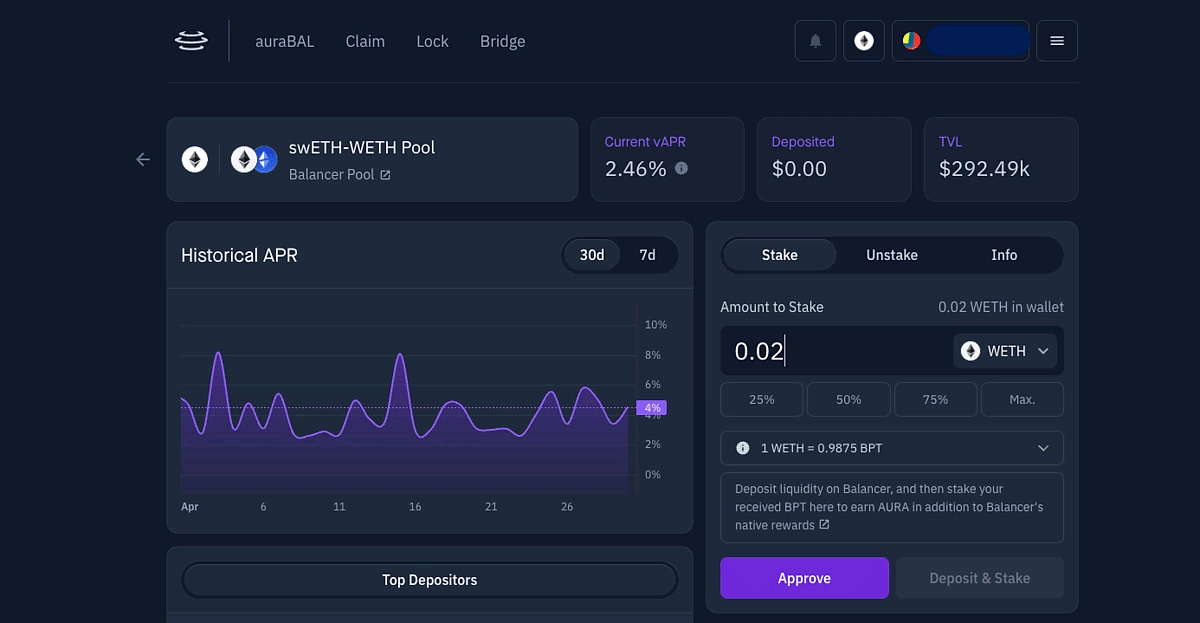
Approve the use of WETH via Approve, then click Deposit & Stake. Do the same for swETH.

Step 5: provide liquidity on Maverick
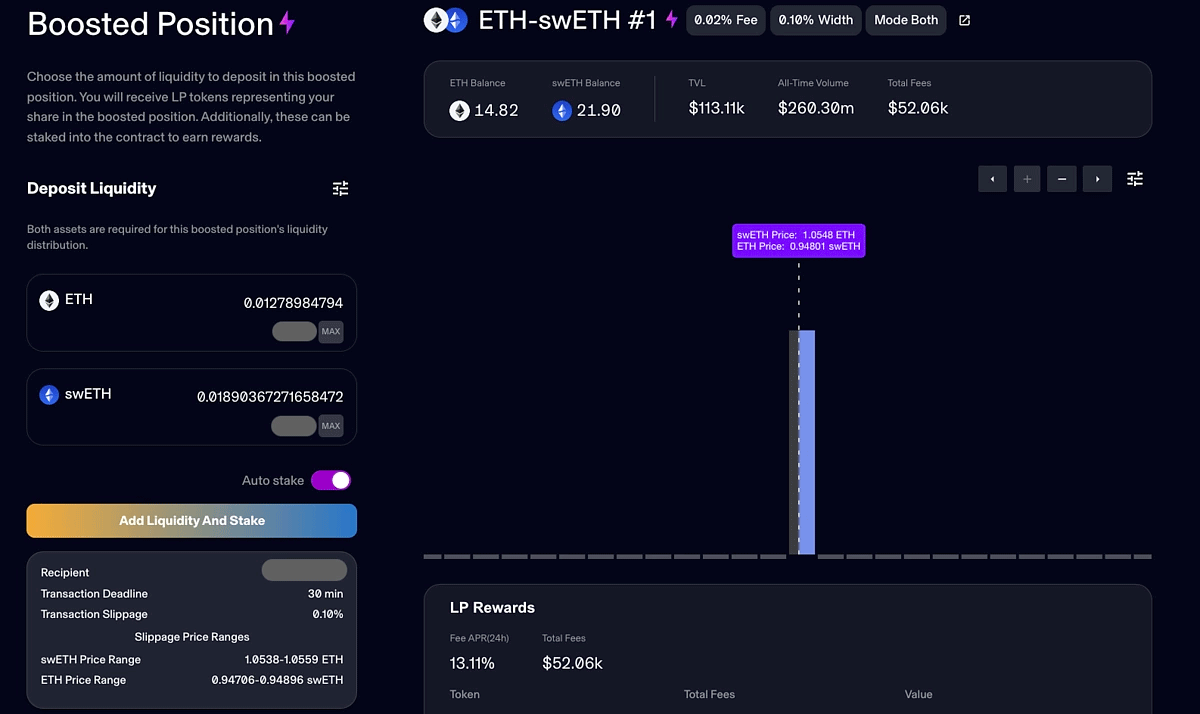
Go to the link and click Connect Wallet.
This pool requires ETH and swETH. Enter the amounts you wish to contribute and click Add Liquidity and Stake. Confirm the transaction in your wallet.

Step 6: provide liquidity on Bunni
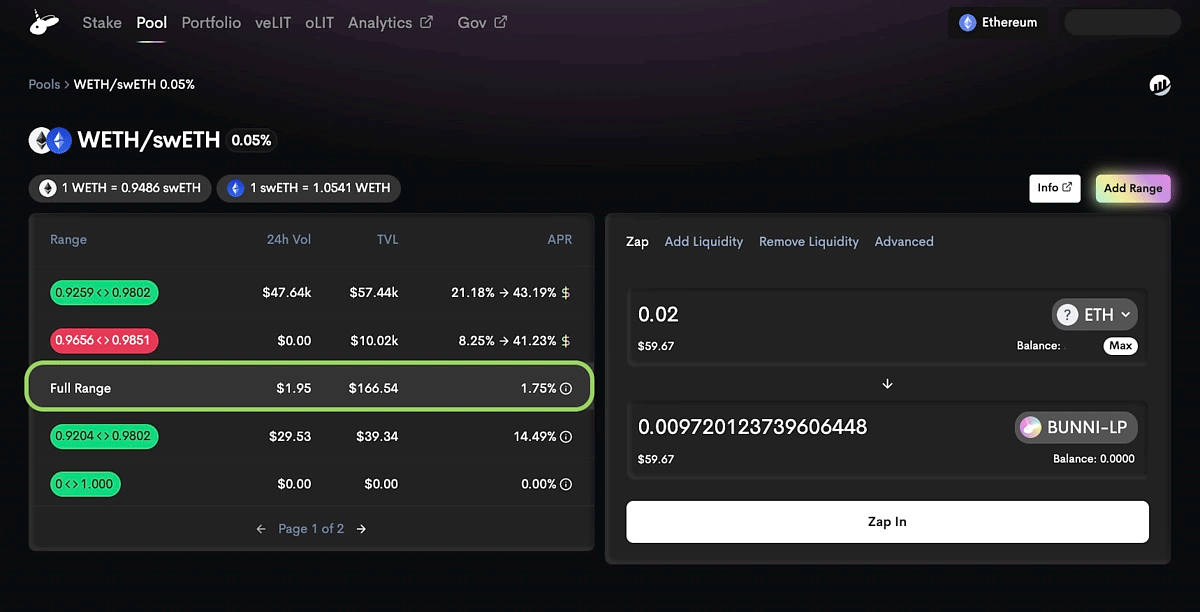
Go to the link and connect your wallet (Connect Wallet) to join the pool.
On the left, select Full Range. On the right, open Zap and choose the assets to provide: ETH, WETH or swETH.
Enter the desired amounts, click Zap In and confirm the transaction in your wallet.

Step 7: provide liquidity on Uniswap
Follow the link and click Add Liquidity.

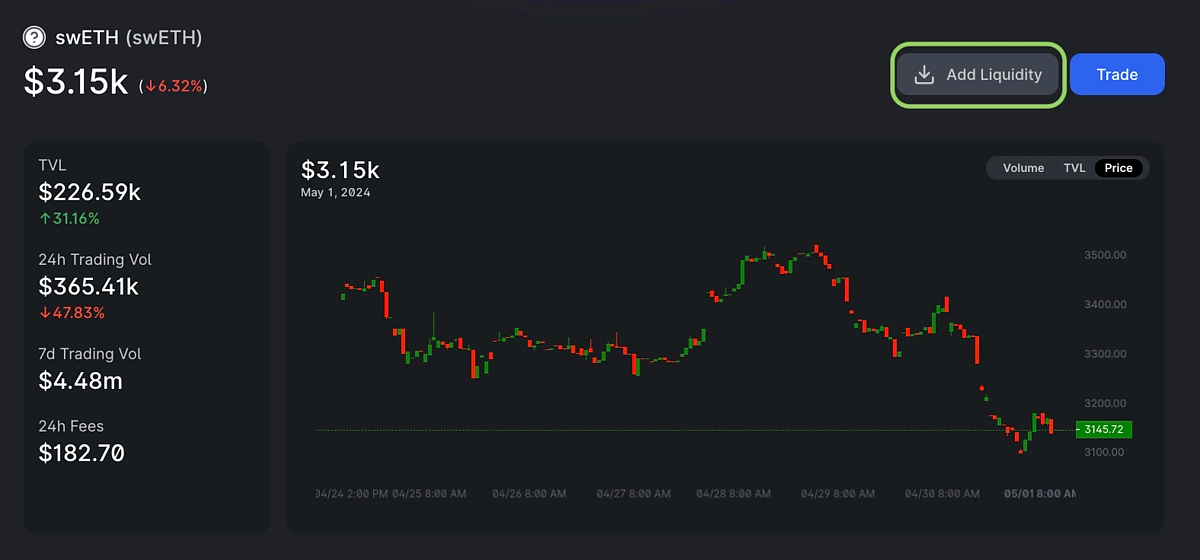
Then select a token pair — for example, swETH and WETH.

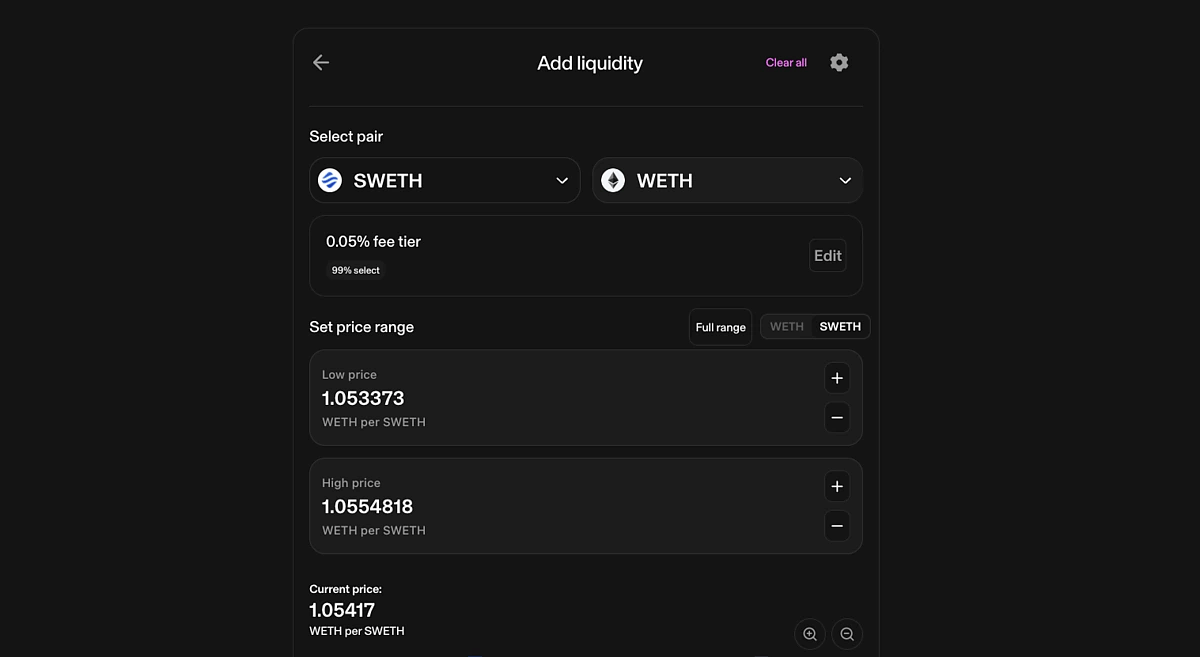
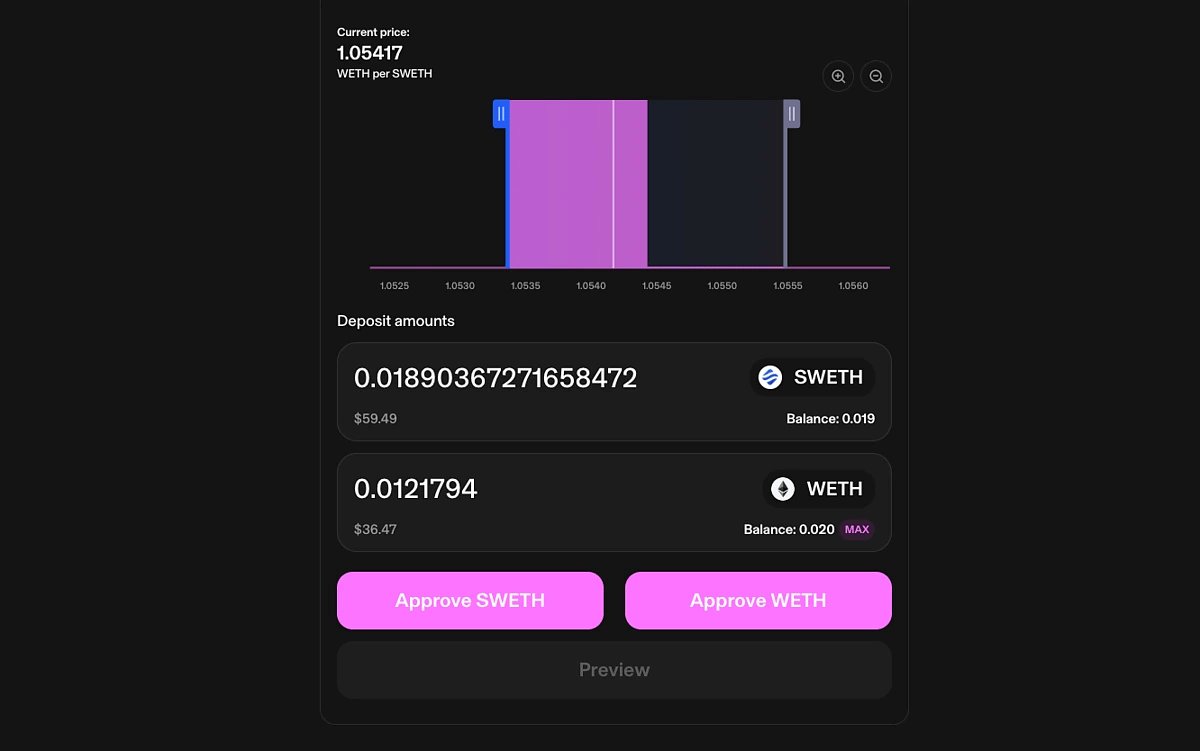
Scroll down and enter deposit amounts. Approve both tokens and confirm the transaction in your wallet.

Step 8: provide liquidity on Pendle
Pendle offers a wide selection of pools. In this example, we use rswETH under the Pendle Points campaign.
Open the pool via this link.

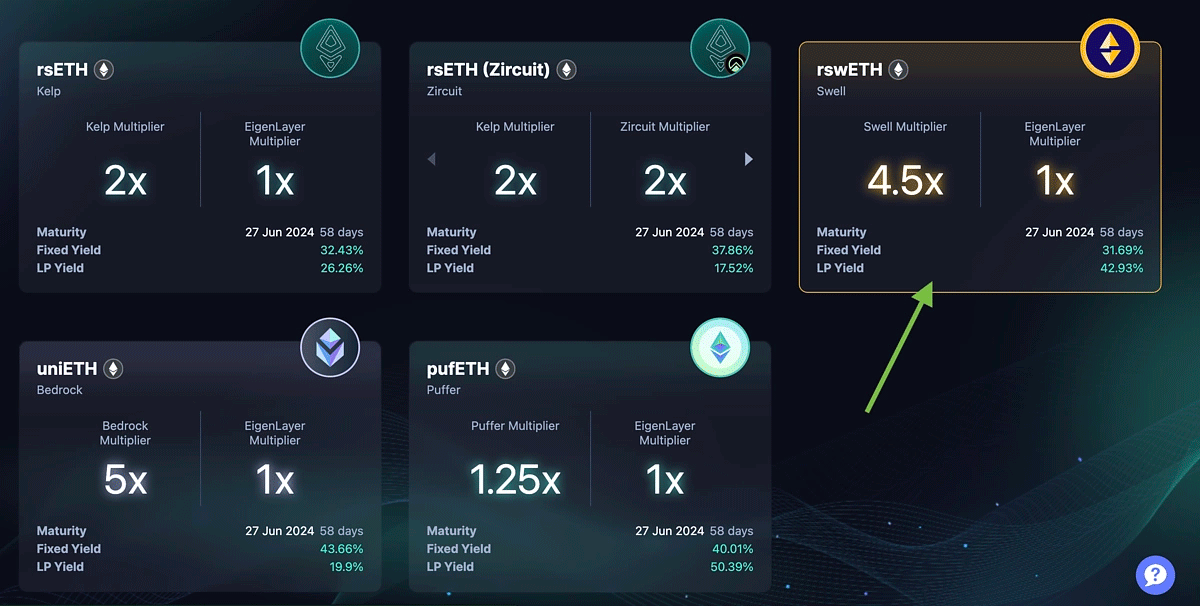
Click Provide Liquidity.

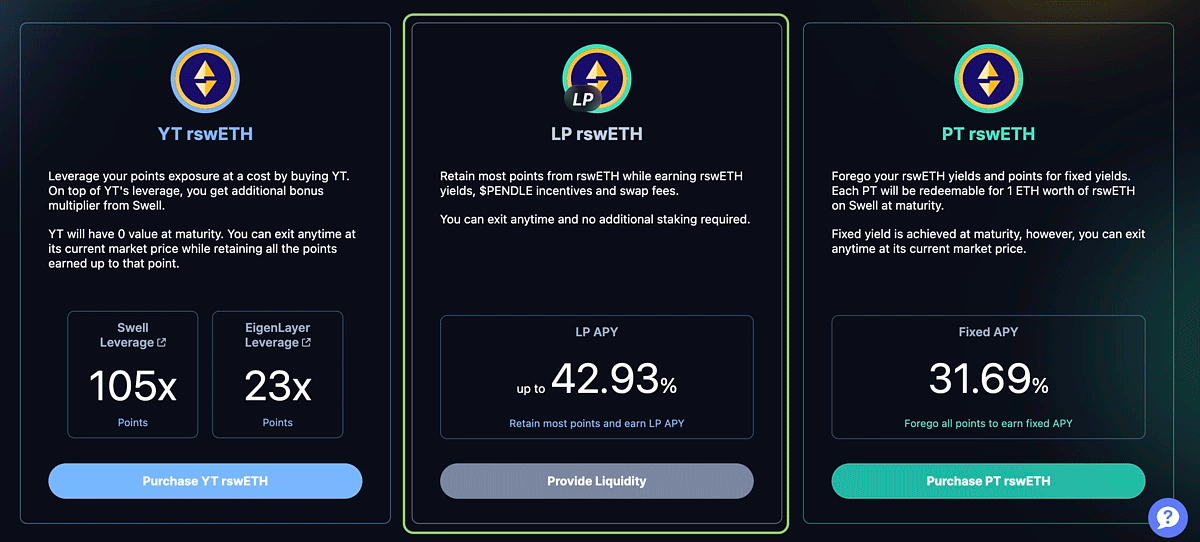
Select tokens from the list — ETH, WETH or swETH. Then enter the amount, click Zap In and confirm the transaction.
Step 9: invite friends
Just above the ‘journey map’ you will find rewards and referral statistics. You can generate your link here and share it with other market participants.

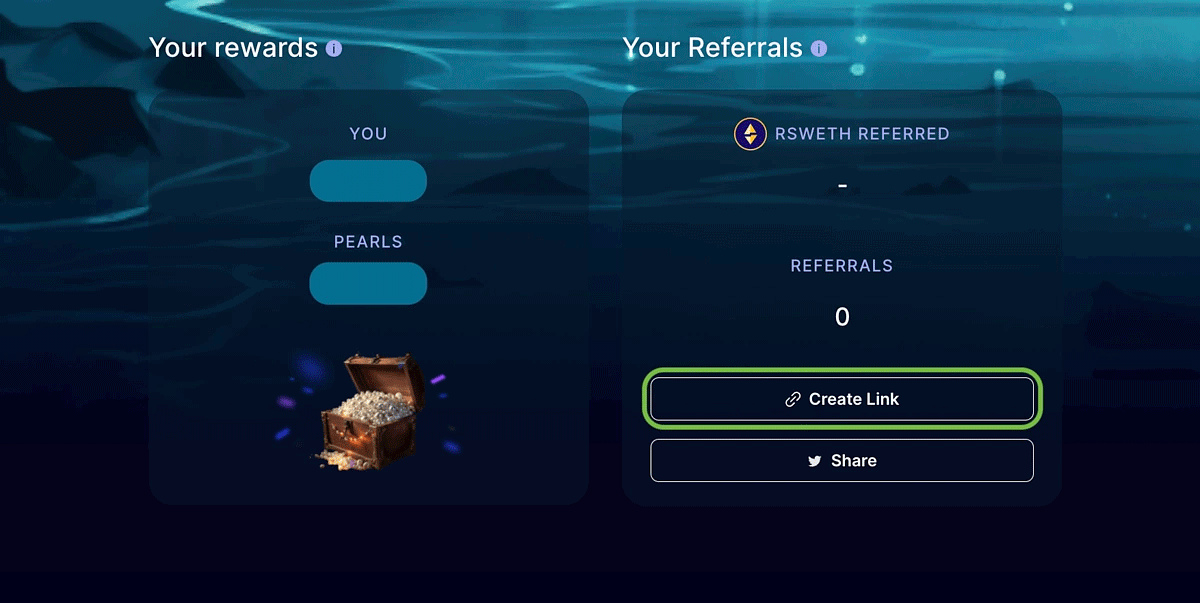
Both you and the invited user will earn 10 ‘pearls’ for every swETH minted.
Step 10: Swell L2
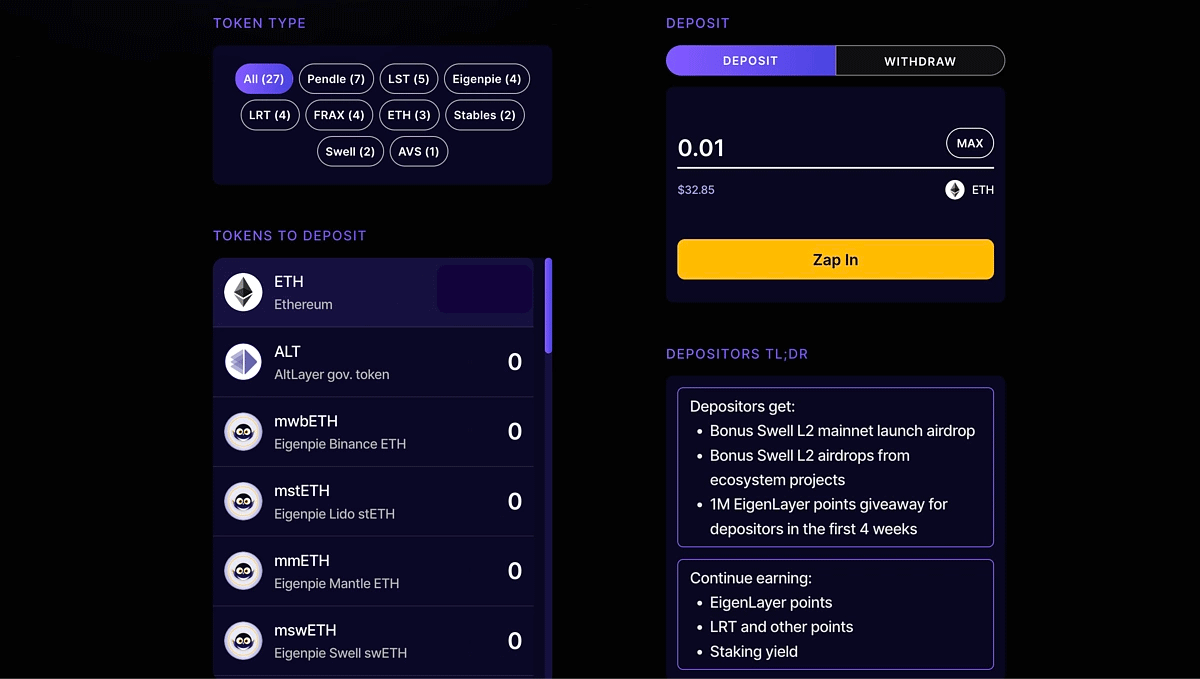
In the top-left of the site, open the Swell L2 section. It lists tokens you can deposit into Swell L2 — ETH, USDe, stETH and so on.
Select a coin to deposit, enter the amount, click Zap In and confirm the transaction in your wallet.

Step 11: restake ETH
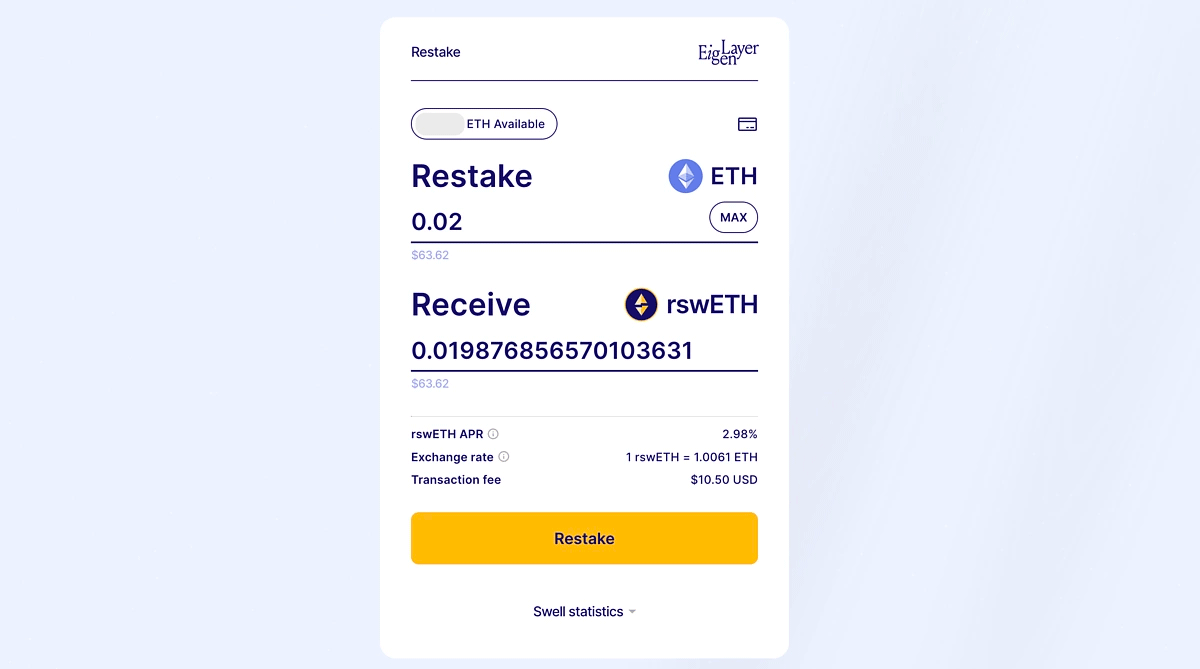
In the top-left of the site, open the Restake section. Here you can restake ETH via EigenLayer and receive rswETH.
Simply enter the amount, click Restake and confirm the transaction in your wallet.

Notes
The number of ‘pearls’ you collect largely depends on how long you interact with the platforms. The more swETH or LP tokens you hold, the more Pearls you will earn.
Note that you do not have to complete every step above to take part. Doing many activities at once will require locking up more assets, so you can focus on just a few platforms.
Conclusions
Swell Network is a decentralised Ethereum-based staking protocol. It offers liquidity and rewards for deposited ETH thanks to EigenLayer.
Users can join the Voyage programme, holding swETH or LP tokens from relevant pools to earn ‘pearls’. These can be exchanged for SWELL tokens once the team brings them to market.