



A wallet is software for storing, receiving and sending the original cryptocurrency. Since the genesis block was mined, a profusion of bitcoin wallets has emerged — standalone devices as well as apps for computers and smartphones.
Together with the team behind the bitcoin mixer Mixer.Money, we survey the most popular options and explain why bitcoin-only wallets make sense if you invest only in the first cryptocurrency.
Types of bitcoin-only wallets
Wallets are commonly grouped by several factors:
- by blockchain access — full wallets store a full bitcoin node, while light wallets query third-party nodes for blockchain data;
- by control of funds — access to non-custodial wallets is held only by their owners, while custodial wallets also grant access to third parties such as CEX;
- by key storage — hot wallets keep private keys on an internet-connected computer or smartphone, while cold wallets keep them in an isolated environment.
Cold wallets can be created on offline computers and even printed on paper. The most popular variant, however, has become hardware wallets, which generate the private key on a dedicated device.
In addition, bitcoin wallets come as desktop (Windows, macOS, Linux) and mobile (Android, iOS) apps. As the Lightning Network (LN) matured, Lightning wallets became a category of their own.
Why bitcoin-only wallets are often better
As the market has grown, wallet providers have sought to support as many networks as possible. If you intend to invest only in digital gold, bitcoin-only wallets offer several advantages:
- less code means a smaller attack surface. Supporting altcoins also forces more frequent firmware updates;
- multi-chain wallets typically pare back bitcoin functionality, for instance by omitting new address formats or not letting you manage UTXOs yourself;
- interfaces in most bitcoin-only wallets are uncluttered.
“Our experience shows that even bitcoin maximalists sometimes need other cryptoassets such as Tether (USDT). If your long-term investments consist mainly of bitcoin, then for security you can use two wallets — a bitcoin-only one and a multi-currency one. For example, we use Electrum for bitcoin and Ledger for altcoins,” say representatives of Mixer.Money.
Below we review bitcoin-only wallets in three categories: hardware, desktop and mobile with Lightning Network support.
Hardware bitcoin wallets
A hardware wallet is a physical device that stores private keys offline. To interact with the blockchain, users connect to a computer/smartphone via USB/NFC or pass PSBT transactions using an SD card or QR codes.
Among the most popular devices are Coldcard, Jade, Trezor, Bitbox, as well as the DIY projects SeedSigner and Specter.
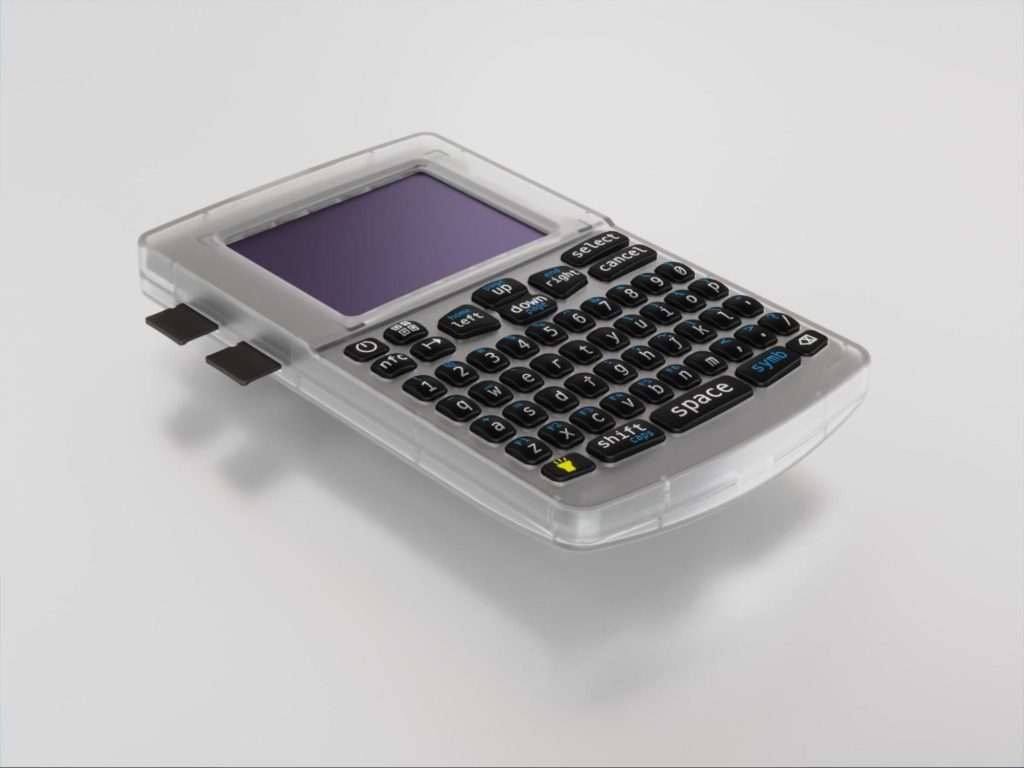
Coldcard is a line of hardware wallets from Canadian manufacturer Coinkite. Current models: Coldcard Mk4 and Coldcard Q.
Key features:
- open-source firmware;
- two secure elements from different manufacturers minimise potential vulnerabilities;
- signing via SD cards avoids direct interaction with online devices;
- NFC support for signing transactions.
A full QWERTY keyboard on the Coldcard Q simplifies entering the seed phrase and passphrase.


Jade is a hardware wallet from Blockstream. In addition to bitcoin’s mainnet, it supports the Liquid Network sidechain.
Key features:
- a fully open platform — advanced users can assemble a DIY version of Jade;
- instead of a closed-source secure element, the wallet uses a “virtual” secure element — the blind oracle model;
- a camera scans QR codes to verify addresses and sign transactions, avoiding direct interaction with other devices (air-gapped).
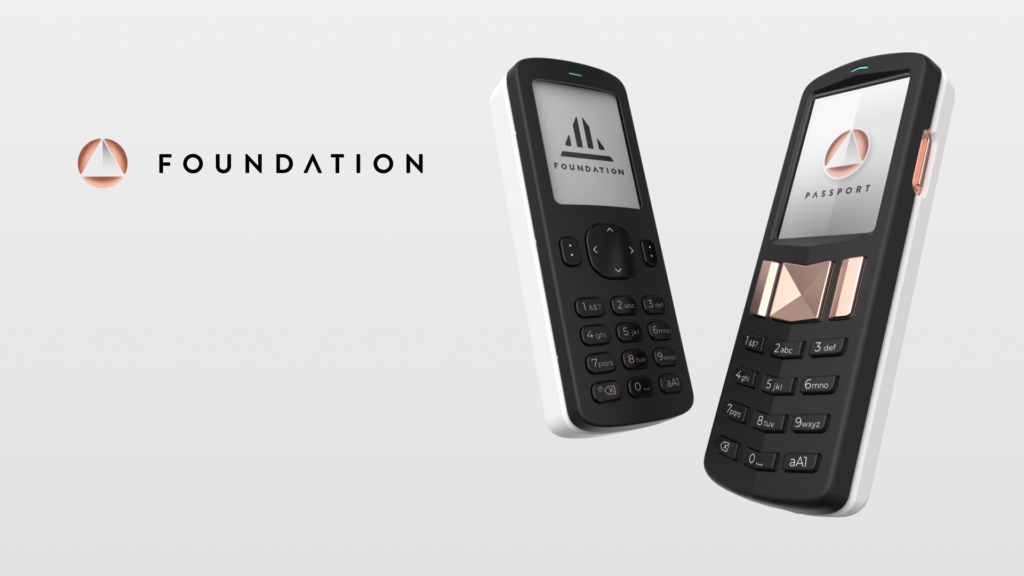
Passport is a line of hardware wallets from the US firm Foundation. Two models have been released: Passport and Passport 2.
Key features:
- the form factor of a button mobile phone. Passport 2 uses a Nokia BL-5C as a replaceable battery, while Passport uses two AAA batteries;
- no data exchange via USB or Bluetooth; transactions are signed via the QR camera or an SD card;
- fully open-source firmware.


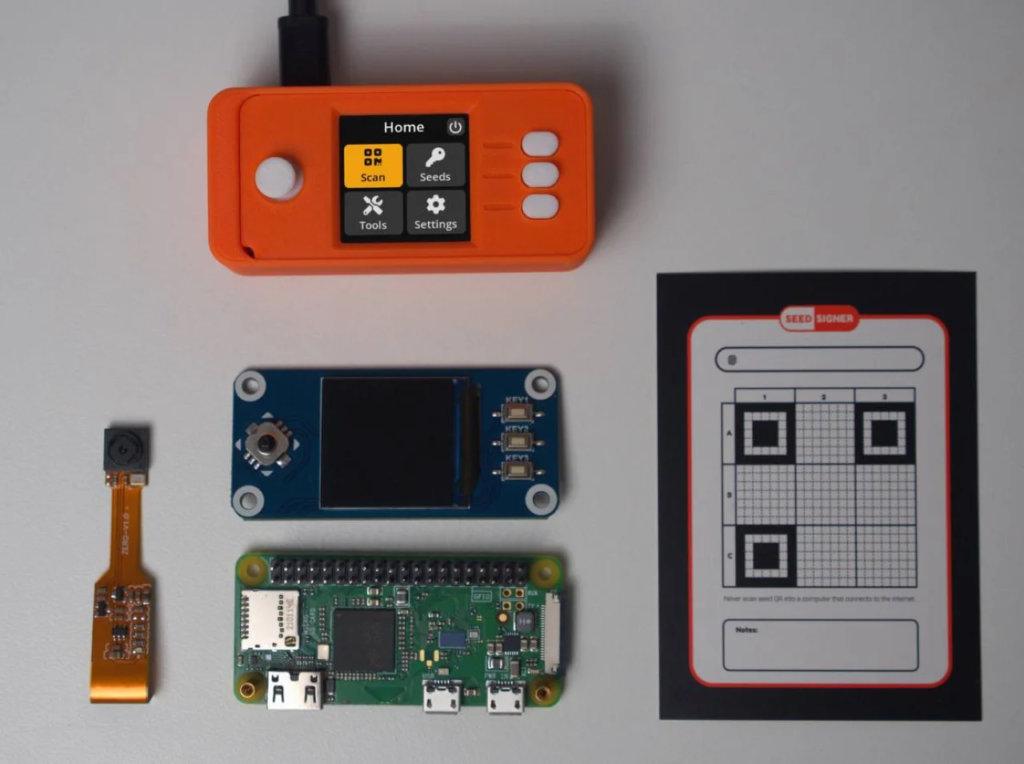
SeedSigner and Specter DIY are projects that provide software and guides for building a hardware wallet from readily available components.
For example, to assemble a SeedSigner you need a Raspberry Pi Zero, a compatible camera module, a WaveShare LCD and an SD card. You can 3D-print the Orange Pill enclosure.
Beyond DIY devices, Specter offers desktop and hardware wallets under the Specter Shield brand.


Trezor and Bitbox (bitcoin-only) are hardware wallets from the Czech company Satoshi Labs and Switzerland’s Shift Crypto, respectively.
Both manufacturers ship two firmware versions for current models — a universal/multi-currency build and a bitcoin-only one.
All of the above devices work not only with companion apps such as Trezor Suite and BitBoxApp, but also with hot desktop wallets.
Desktop bitcoin-only wallets
The first bitcoin wallet for Windows, Bitcoin 0.1 (now Bitcoin Core), was released by Satoshi Nakamoto on January 9, 2009. It also functioned as a full node.
Since then, developers have introduced numerous light clients for PCs that connect to the provider’s nodes or your own, including Electrum, Sparrow, Wasabi and Liana.
Electrum is the first light bitcoin client, released by Thomas Voegtlin in November 2011. It remains one of the most popular desktop wallets despite a series of phishing attacks in which users lost millions of dollars.
In 2020 the developers added Lightning Network support. A mobile version of Electrum exists for Android and iOS.
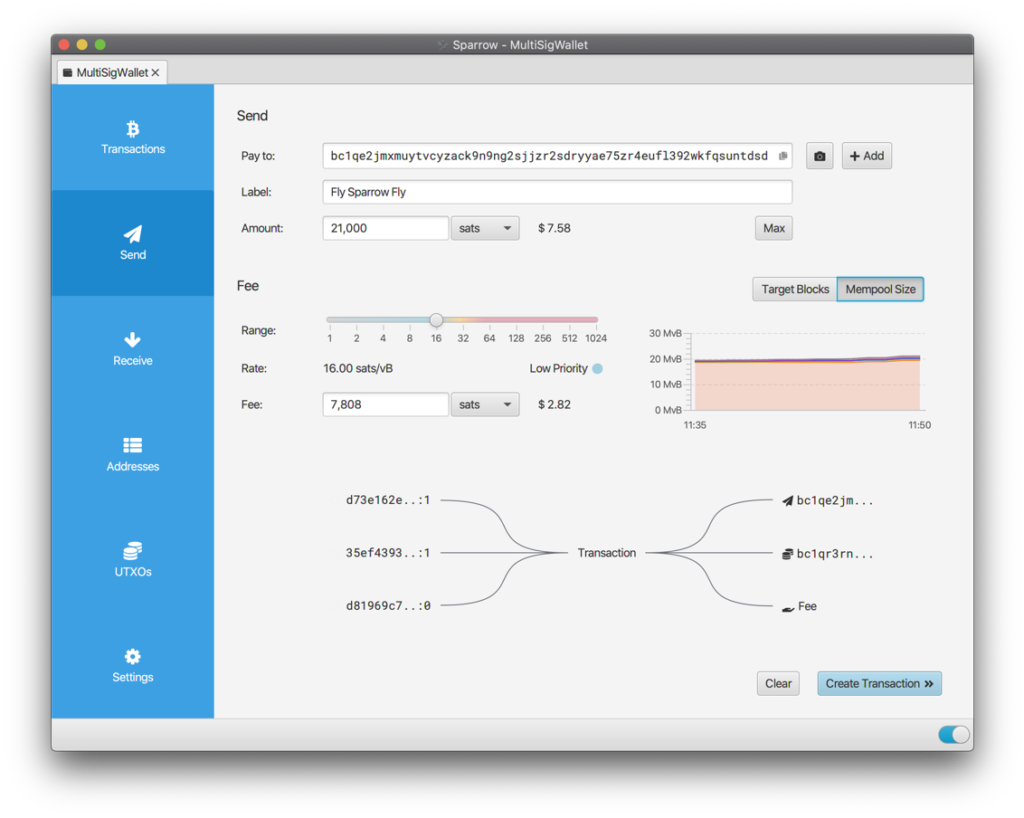
Sparrow is a desktop wallet with an emphasis on UTXO management and privacy, released in April 2020 by developer Craig Raw.
Key features:
- supports connecting to a Bitcoin Core node;
- works with most hardware wallets: Coldcard, Jade, Passport, SeedSigner, Ledger, Trezor, Keystone;
- offers coin mixing via the Samourai Whirlpool CoinJoin service.


Wasabi is a wallet from zkSNACKs focused on privacy via CoinJoin transactions, thanks to an integrated mixing protocol called WabiSabi.
Liana is a desktop client from Wizardsardine introduced in May 2023. It supports Miniscript descriptors, enabling additional wallet-recovery options.
With Liana, users can arrange to pass on bitcoin after death without disclosing the seed phrase. To do so, add relatives’ public keys to a time-locked script when generating the wallet.
Next of kin gain access to funds if the owner does not use Liana for a set number of blocks.
Mobile Lightning wallets
Mobile wallets suit those who want to make everyday payments on bitcoin’s base layer and via the Lightning Network. Notable examples include Green, muun, Phoenix and Wallet of Satoshi.
Green is one of the oldest mobile wallets, launched in 2015 as GreenAddress. A year later, Blockstream acquired GreenAddress, and in 2019 released an updated version called Blockstream Green.
At the end of 2023 the developers added Lightning Network support as an experimental feature (Greenlight).
muun is a “hybrid” wallet supporting on-chain payments and LN. To simplify the user experience, muun’s interface merges off-chain and on-chain bitcoin into a single balance.
The wallet offers an unconventional backup scheme using 2-of-2 multisig: coins are spent only with two signatures — those of the owner and muun.
Even so, users retain full control over their funds thanks to the Emergency Kit — a PDF with instructions for spending the coins independently.


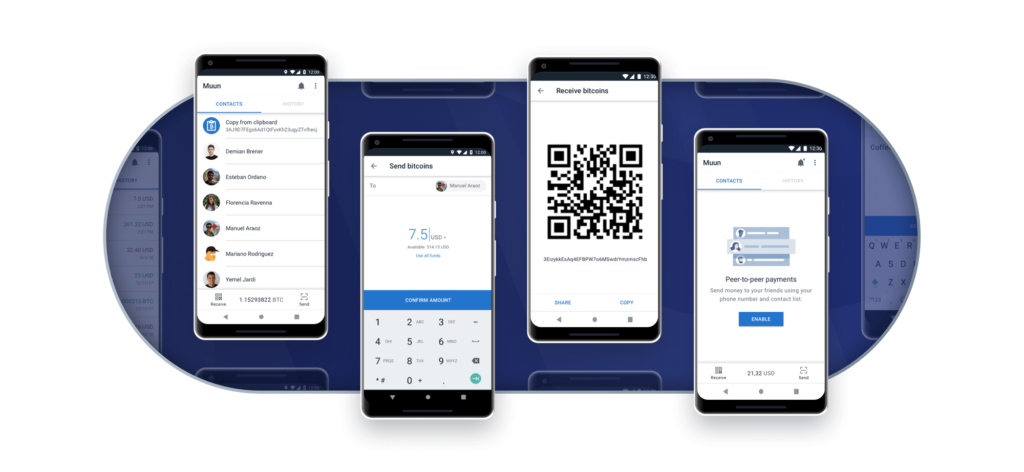
Phoenix is a non-custodial Lightning wallet from ACINQ. It operates as a self-contained Lightning node running on the phone.
Wallet of Satoshi is a custodial wallet focused on ease of use. It lets users accept Lightning payments immediately after installing the app.
Recommendations for using bitcoin wallets
The bitcoin mixer Mixer.Money has been on the market since 2016. Over that time, the team has built extensive experience with bitcoin-only wallets.
The team offers beginners the following advice:
- Download software and updates from trusted sources. Hackers often spoof popular wallet websites and send phishing emails.
- Choose hardware wallets for savings. If you have accumulated a significant number of coins, invest in security and buy a hardware wallet. Download software and updates only from developers’ websites.
- Forget paper wallets. This is an outdated cold-storage method. Hardware wallets let you spend in a safer environment and provide better backup methods.
- Do not reinvent the wheel. Do not devise your own security models, such as splitting a seed phrase into parts or turning an old smartphone into a hardware wallet. You are likely to make a mistake and lose access to your coins forever.
- The seed is paramount. When creating a wallet, pay proper attention to storing the seed phrase. If you suspect the backup could be accessed, add a passphrase — an extra word/password only you know.
- Mind your privacy. Talk about your savings only with those closest to you. Exchanges and exchangers are not your friends. They should not know how much bitcoin you hold or whom you send it to.
To enhance privacy on bitcoin’s blockchain, mixing services such as Mixer.Money can break transaction chains.
In “Full Anonymity” mode, the mixer sends clients “clean” coins from large exchanges to prevent receiving their own assets back or coins of dubious provenance.