



You’ve heard of DeFi but aren’t sure how to approach it? The path into this rapidly evolving field begins with mastering decentralised exchanges running on an Automated Market Maker (AMM).
The first such exchange to achieve widespread popularity is Uniswap. It has become the template for dozens of clone projects and remains to this day the most popular decentralised exchange (DEX) on the Ethereum network.
To put it in perspective: this platform has been used at least once by more than 1.5 million people, and the combined daily trading volume of the two parallel protocol versions, v2 and v3, regularly exceeds $2 billion.
For newcomers taking their first steps in the world of crypto assets, ForkLog has prepared a detailed guide on how to trade assets on Uniswap and similar DEXs in the Binance Smart Chain (BSC) and Polygon networks.
Getting to know Uniswap
Uniswap enables exchanging any ERC-20 tokens for which there are liquidity pools — special smart contracts that hold asset pairs (for example, UNI-ETH or LINK-USDT).
Users of Uniswap can swap more than 2,100 assets. Many of them are not traded on centralised exchanges at all.
Uniswap has a very simple user interface. Trading can be done without registration or KYC.


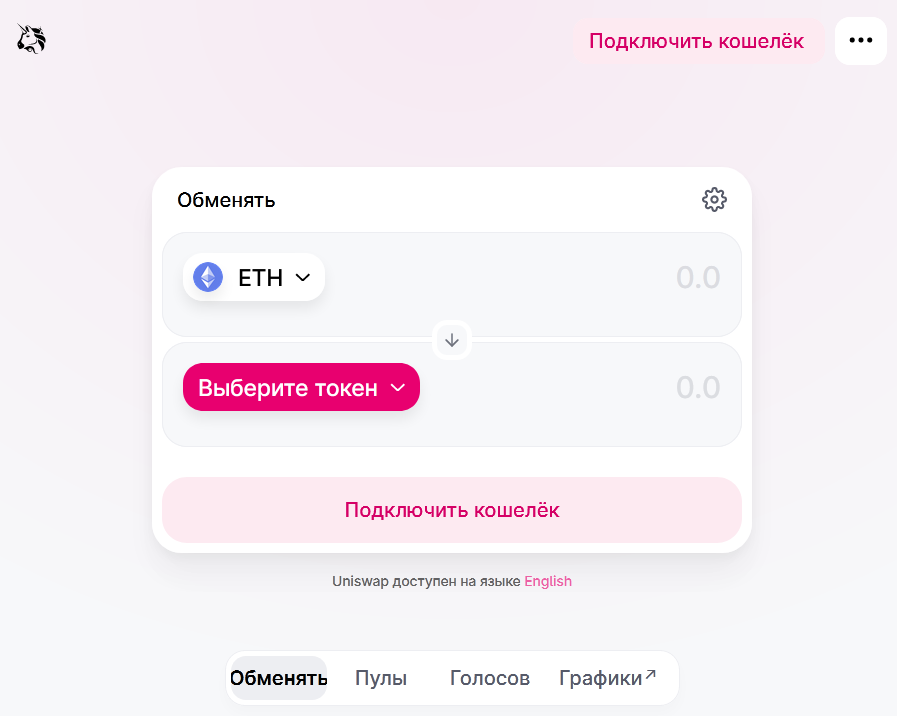
The first thing you need to start using Uniswap is to connect one of the Ethereum wallets capable of interacting with decentralised applications.
For newcomers, the popular wallet MetaMask is best, its user base has already surpassed 10 million. Desktop users will find it easiest to use the MetaMask extensions for web browsers Chrome, Firefox, Brave and Edge.
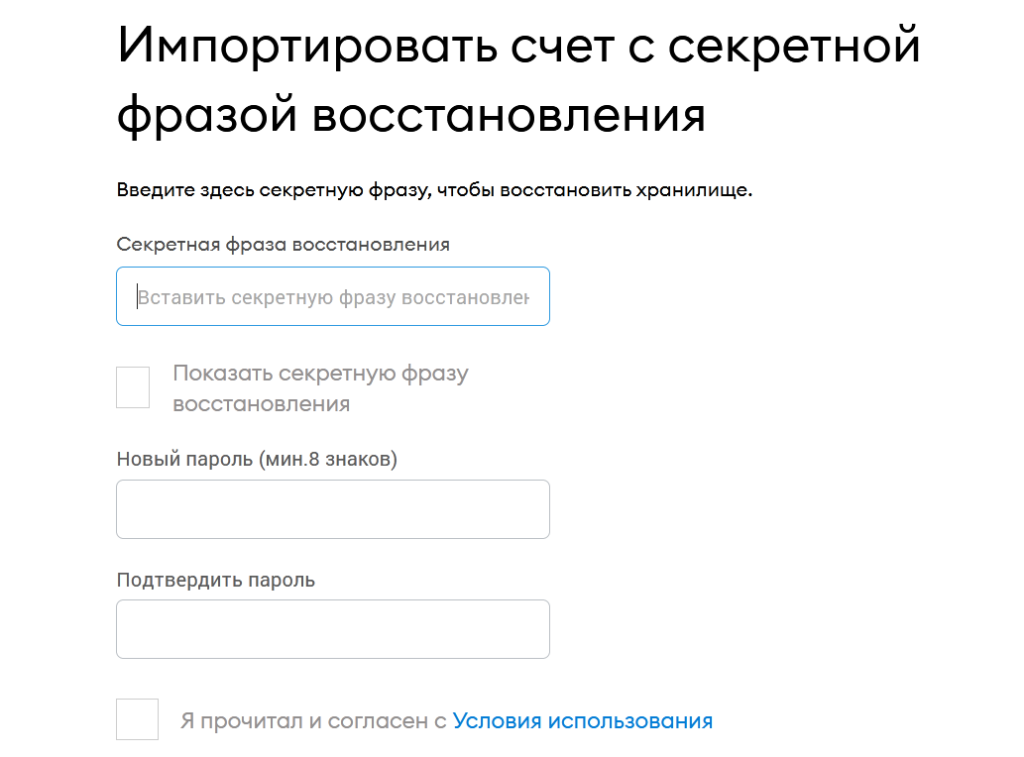
On first launch, MetaMask requires either generating a new wallet or importing an existing one by entering a seed phrase.


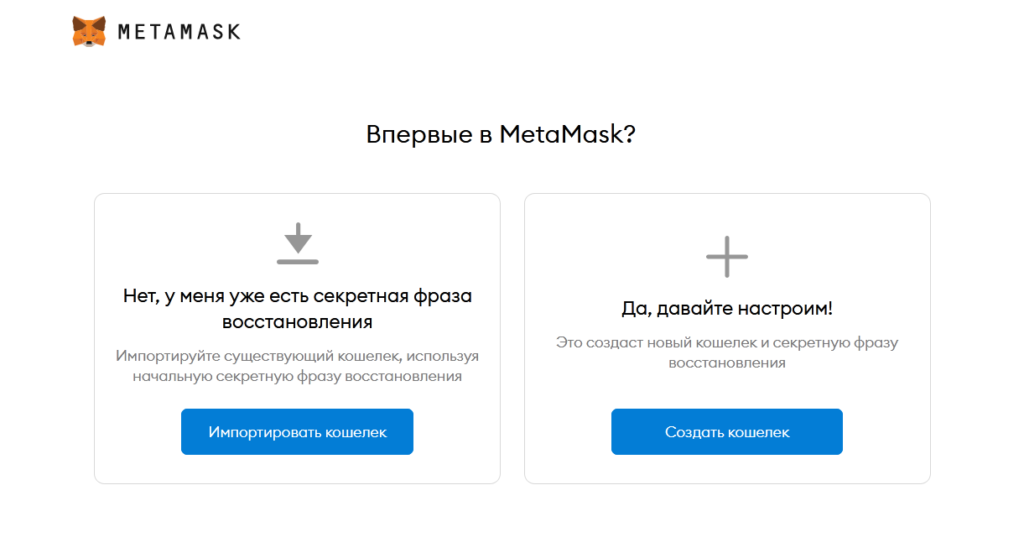
After creating a new wallet you must write down and securely store the 12-word recovery phrase. It can be viewed at any time in Settings – Security and Privacy.
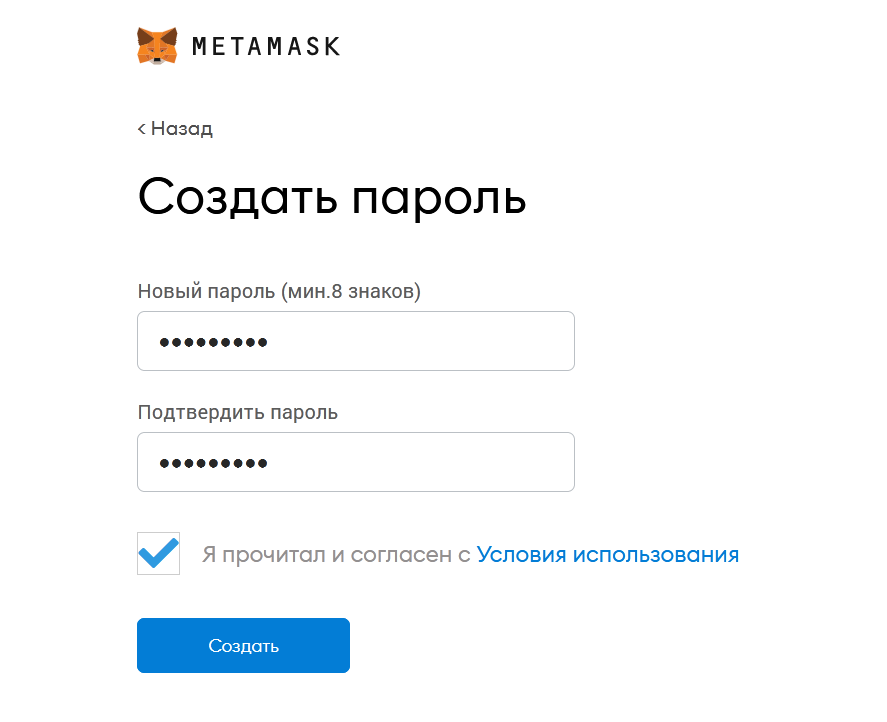
In either case you will need to create a password for MetaMask at every subsequent launch.


Later you can connect other Ethereum wallets through the “Import Account” section by entering the seed phrase or private key.


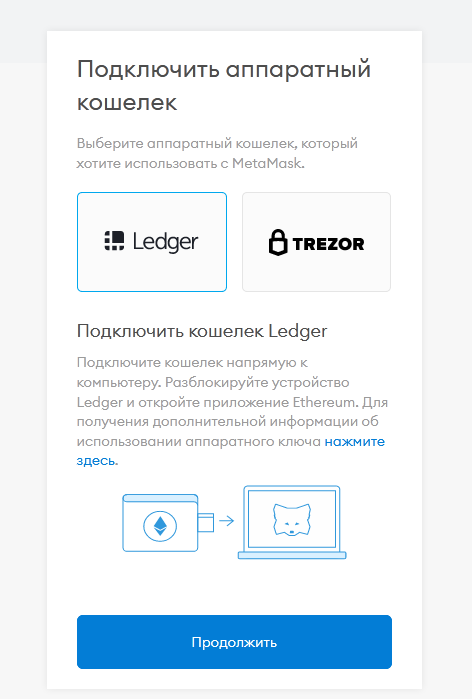
In MetaMask you can work with hardware wallets such as Trezor and Ledger, connecting to them via the “Connect Hardware Wallet” section.


For any swap on Uniswap you pay gas in ETH, charged by the Ethereum blockchain. So before you start trading you should fund your wallet with ETH worth at least $80–$100.


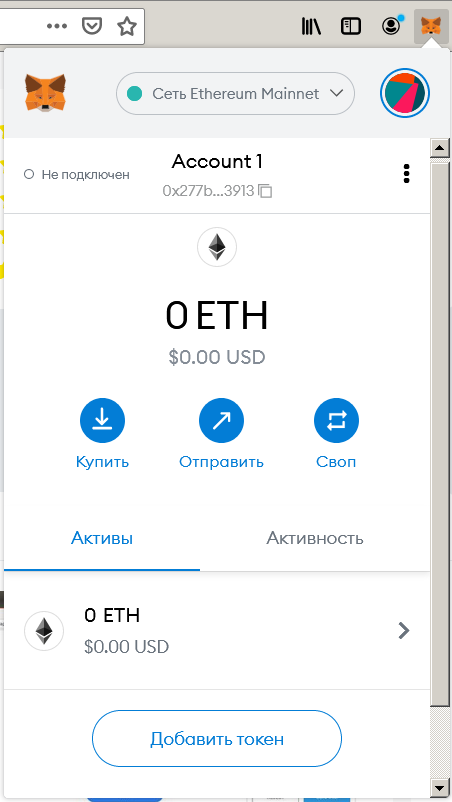
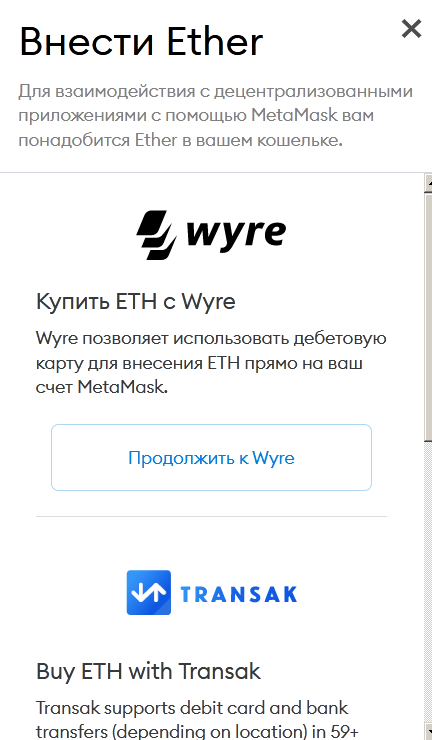
Or press the “Buy” button to purchase ETH with a card through MetaMask’s partners. However, you will have to provide not only the card number but also other personal data — full name, home address and phone. This option is not suitable for those who value anonymity.


To monitor the current Ethereum network gas fees for swaps and other operations you can use Etherscan.io gas tracker.


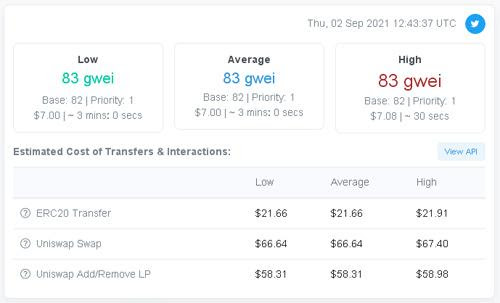
Due to network congestion, each swap can reach $100 or more (depending on gas prices) plus the Uniswap fee. In version v2 the fee is 0.3%; in version v3 — it depends on the expected volatility of assets and can be 0.05%, 0.3% or 1% of the swapped amount.
The first swap and other risks
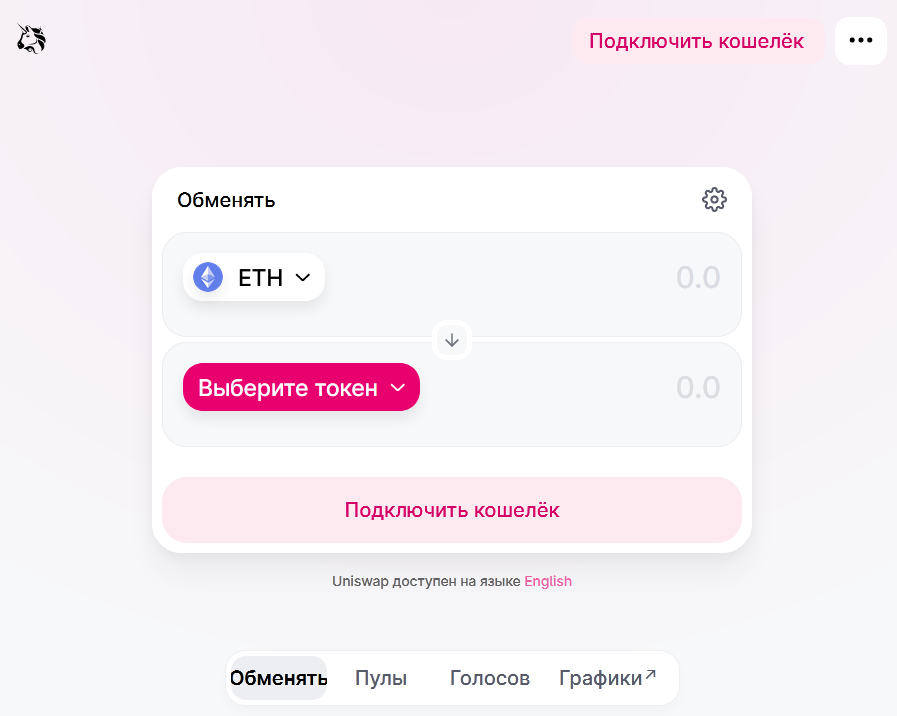
So you have some ETH in your wallet and you want to buy a specific token. Open the Uniswap app in your browser and click the “Connect Wallet” button.
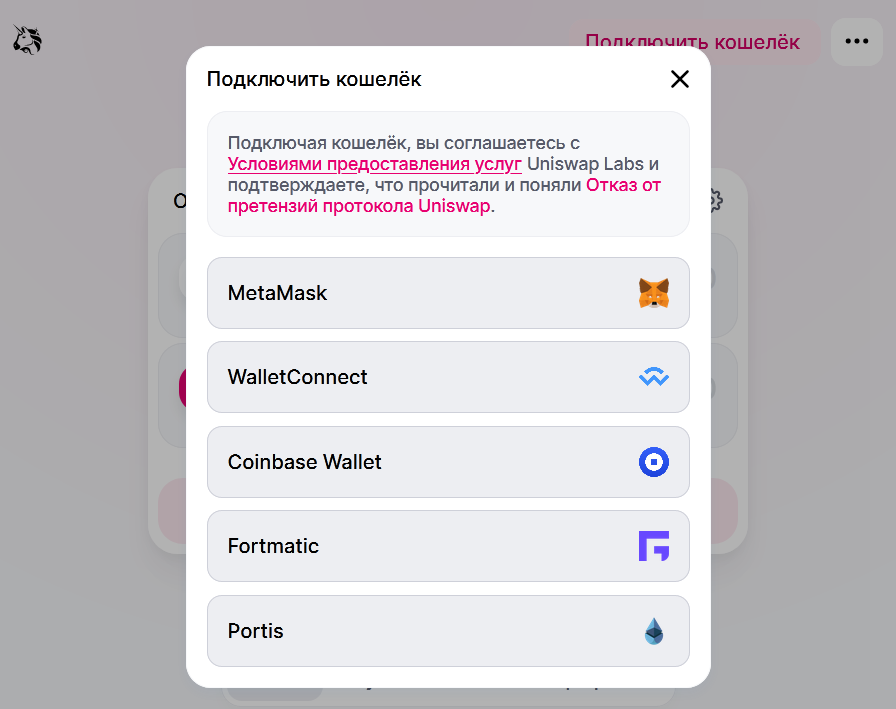
From the list of supported wallets, choose MetaMask.


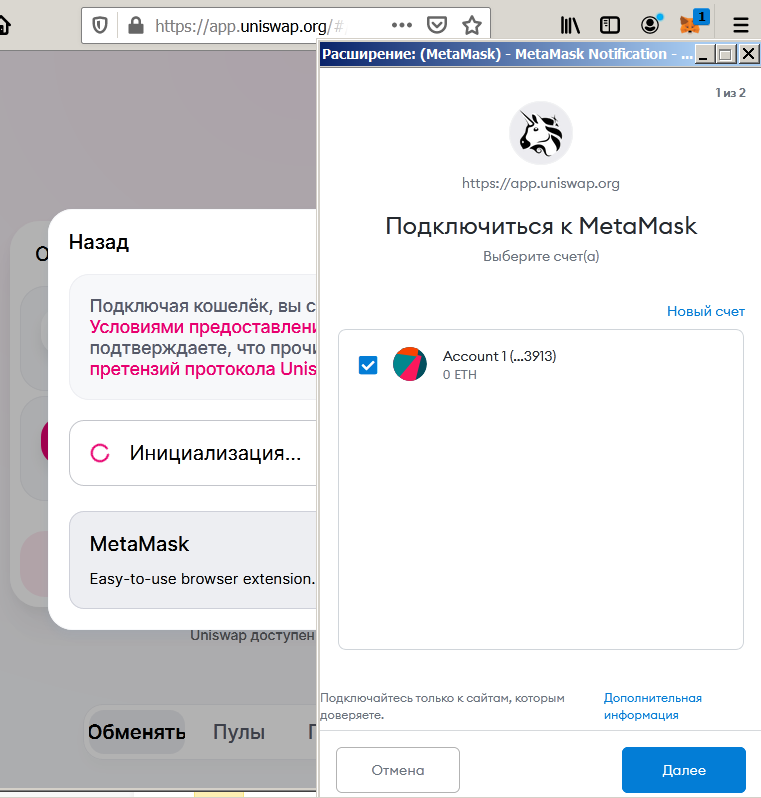
In the opened MetaMask interface, allow Uniswap to connect to the wallet by clicking “Next”.


The Uniswap interface shows a “Select Token” button. Pressing it opens a dropdown menu with dozens of popular coins. Here you can enter the full name, the ticker symbol, or the token’s address in the 0x… format.


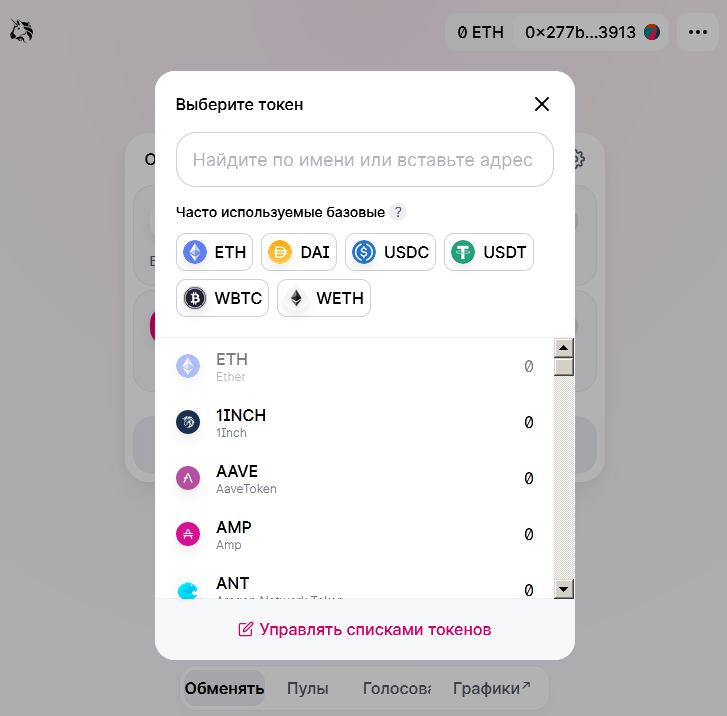
At this stage a non-obvious danger awaits beginners. A common problem with Uniswap and other similar projects are counterfeit tokens. Anyone can issue a token with the same name and ticker as well-known crypto projects and open a liquidity pool.
To avoid counterfeits, tokens should preferably be searched by their 0x… address, which cannot be faked. Uniswap also allows importing token addresses from the aggregator CoinGecko.


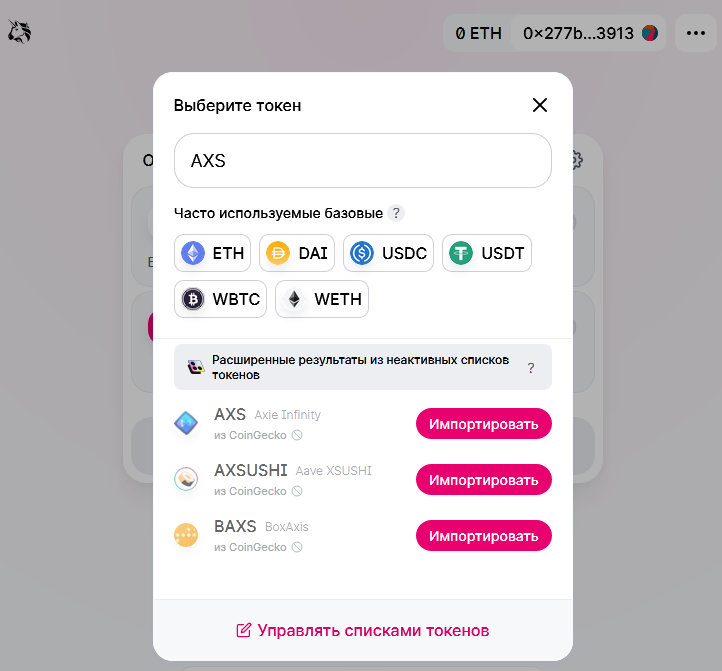


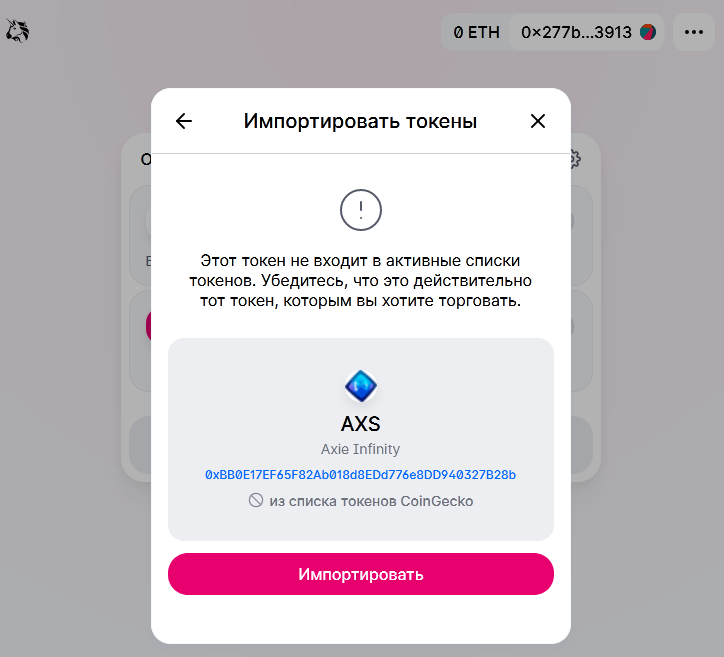
If the token has not yet appeared on CoinGecko, you will need to search for the genuine contract address on the project’s site or other official channels.


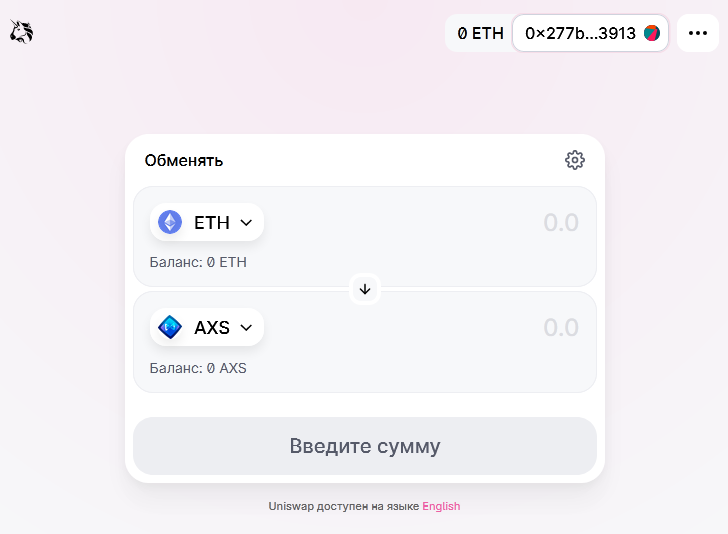
After locating the token you can manually enter the amount of ETH you are prepared to spend, or the amount of tokens you wish to buy.


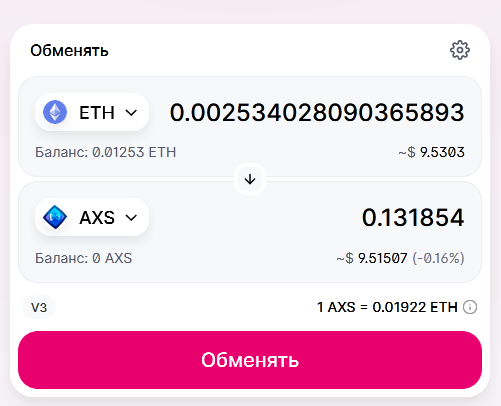
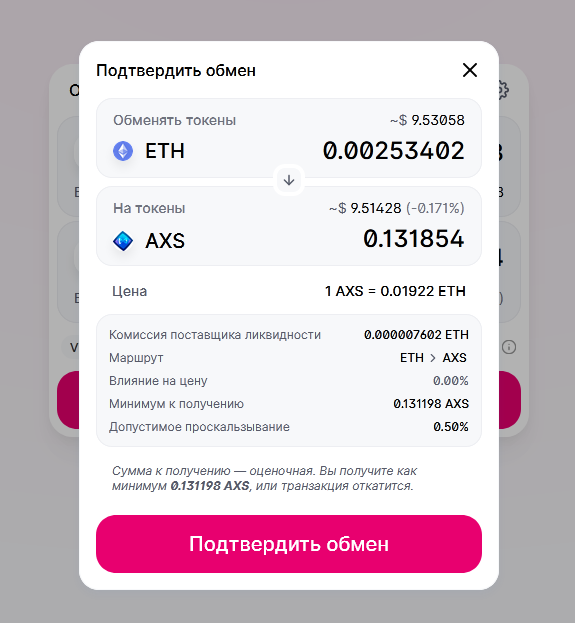
Clicking the “Swap” button will open a confirmation window with the final exchange parameters.


When you click “Confirm Swap”, a MetaMask confirmation window will open, showing the Ethereum network fee and the full trade amount including the Uniswap fee.


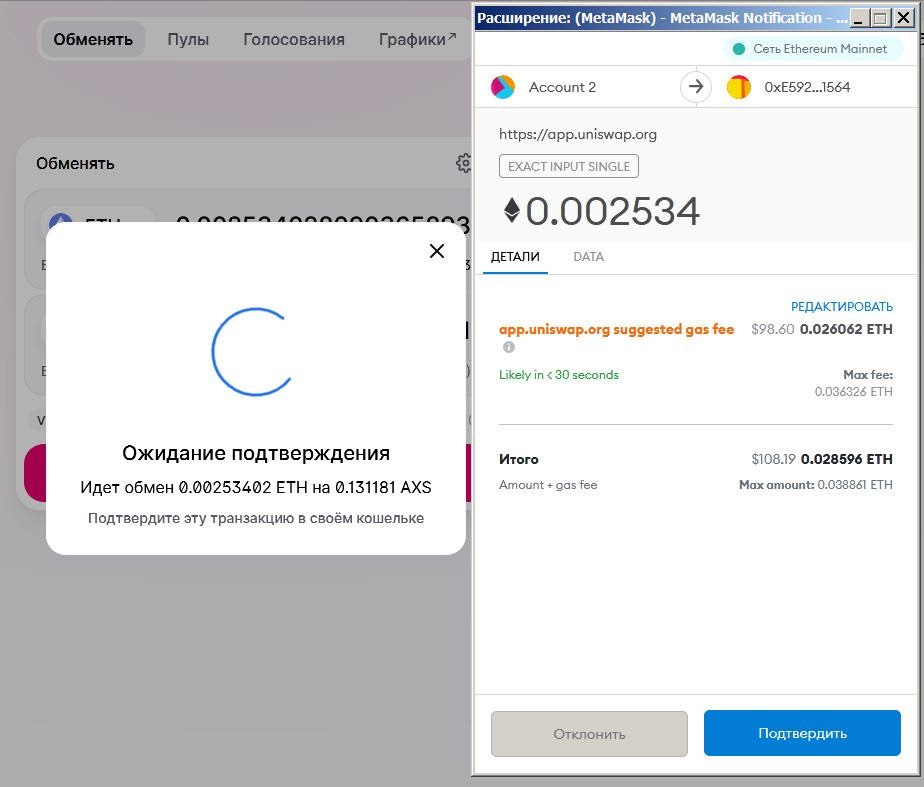
If everything is fine, press “Confirm”. If the fee seems too high, you can wait a few hours or days hoping for lower network congestion.
After the swap completes you will see pop-ups from Uniswap confirming the successful operation and from MetaMask confirming the transaction, and your wallet balances will update.
Currently, enormous Ethereum network fees make swapping small amounts (less than a few thousand dollars) prohibitively expensive. However, when dealing with large sums or illiquid assets, slippage can become a problem—the token’s price can rise significantly during the purchase.
The default Slippage Tolerance is set at 0.5%. You can view it by clicking the gear icon in the swap window.


If the actual slippage turns out higher than this value, the transaction will be rejected. In that case it is advisable to raise the allowable slippage in small steps (0.5–1%) and try confirming the swap with new parameters.
Now that you own the token, you can store it, sell it via Uniswap or other AMM-DEXs, send it to any Ethereum wallet, or use it in decentralised lending services and blockchain games.
If the token is not visible in the wallet, the easiest way to add it is via the token’s page on CoinGecko or CoinMarketCap, by clicking the MetaMask icon next to the token address.


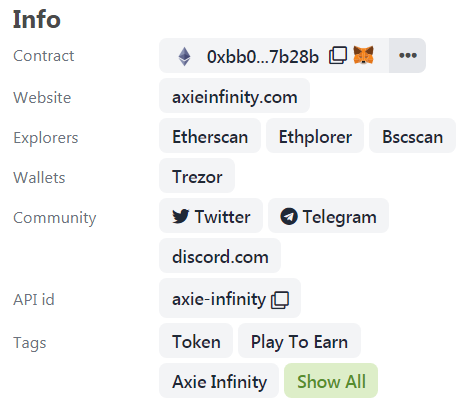
Then you must approve its addition to the wallet.


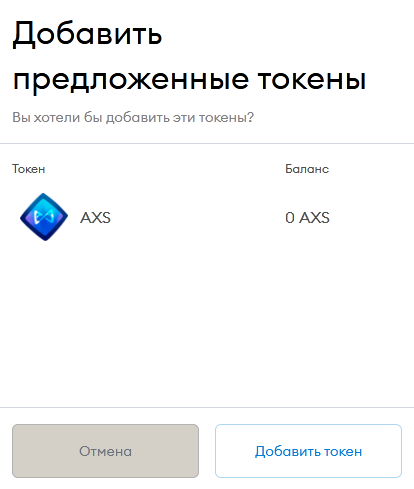
If the token hasn’t appeared yet, use the “Custom Token” option to provide the contract address, ticker and decimals.
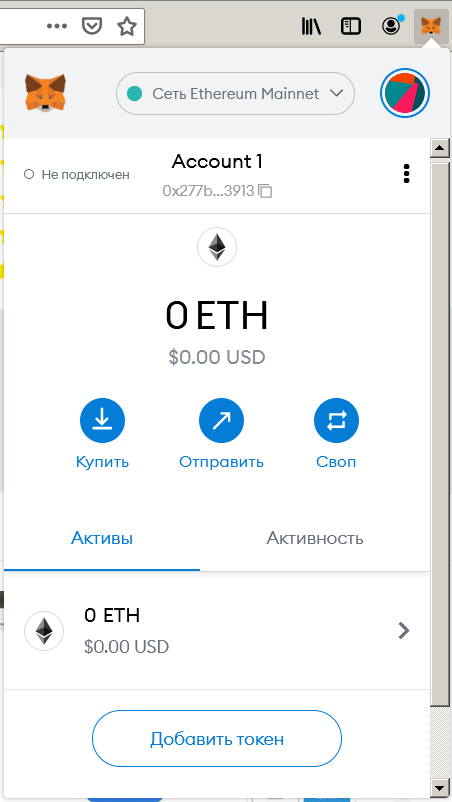
If the token is not found by name or address, you should use the “Custom Token” tab and enter the contract address, ticker and decimals (Decimals).


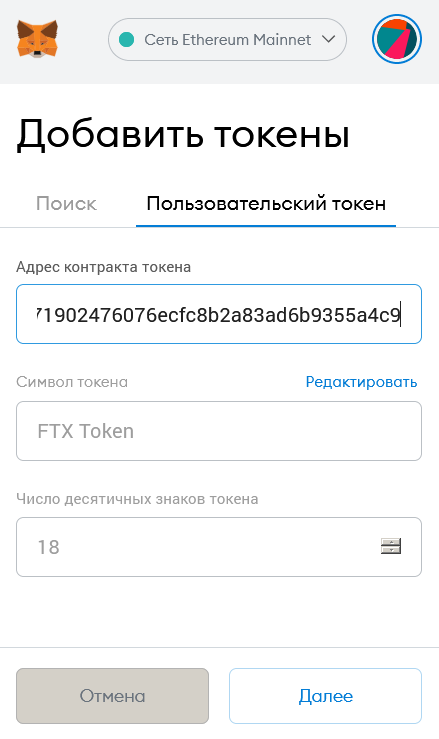
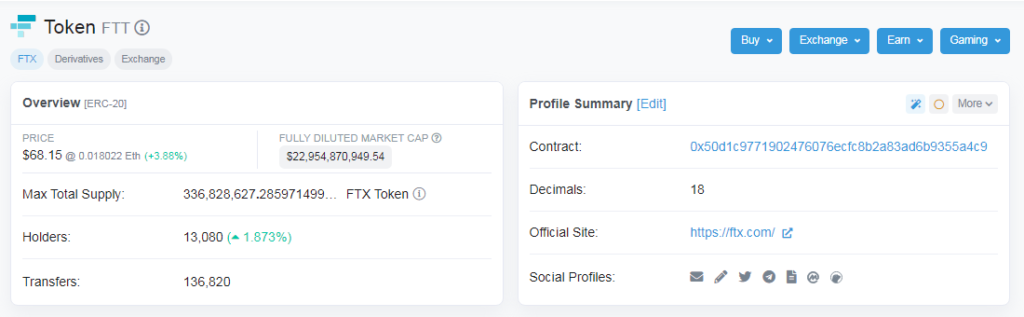
All these parameters can be viewed on Etherscan.io on the token’s page.


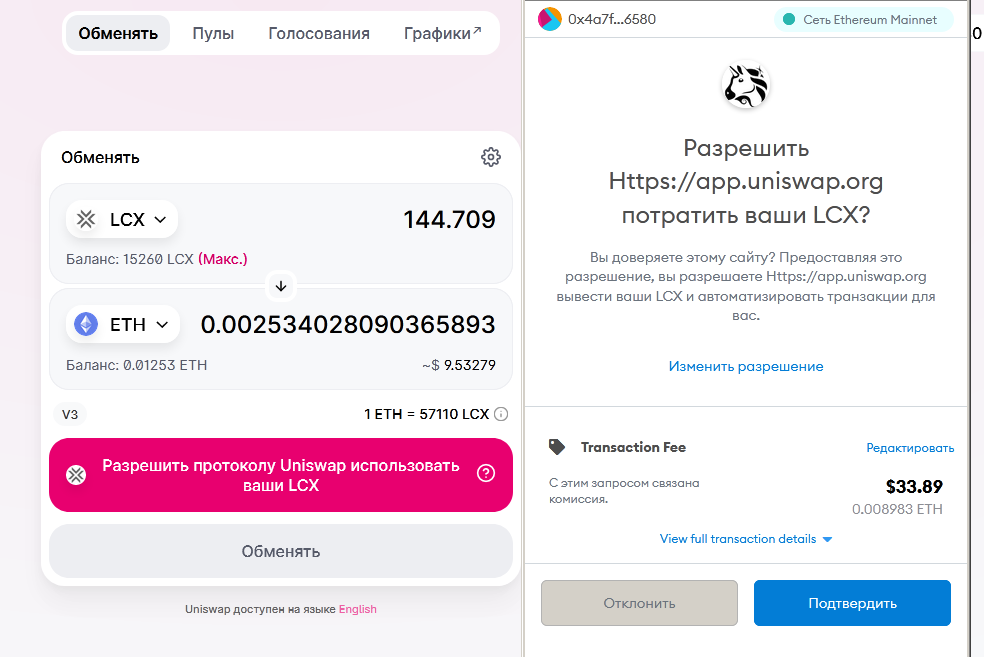
It’s important to note that when you first swap a token in this wallet you must grant Uniswap permission to use it. Since this action is processed as a transaction on the Ethereum network, a fee is charged, similar to the fee for sending ERC-20 tokens.


Using AMM DEX on Alternative Blockchains
The open-source code of Uniswap has been widely borrowed to create competing DEXs in the Ethereum ecosystem (for example, SushiSwap), and on alternative EVM-compatible blockchains. For most of them you can work via the MetaMask wallet. You will need to manually add settings to connect to the relevant blockchain.
Let’s start by connecting MetaMask to the decentralised Binance Smart Chain (BSC) network, which in recent months has shown record activity, processing up to 5–10 million transactions per day.
This can be done from the Networks drop-down menu, where you should select the line “Custom RPC”.


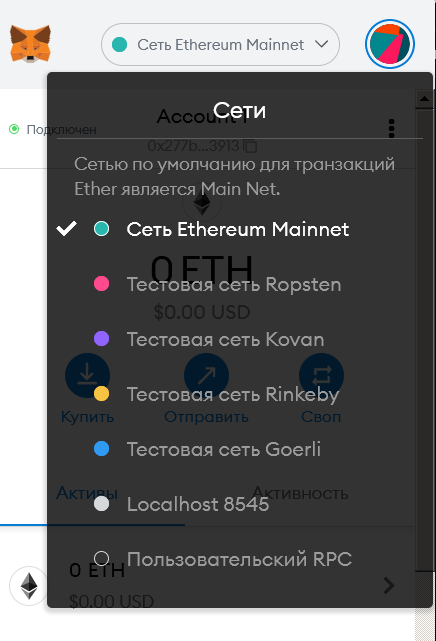
And fill in all fields in the opened form.


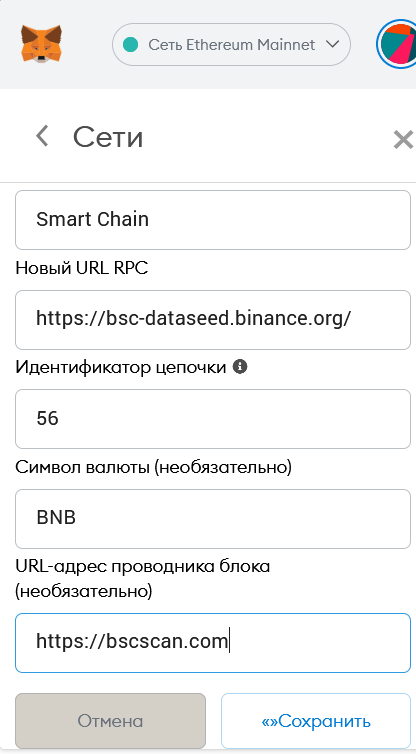
- Network name: Smart Chain.
- New RPC URL: https://bsc-dataseed.binance.org/.
- Network ID: 56.
- Symbol: BNB.
- Block explorer URL: https://bscscan.com.
Also the new network can be added as: “Settings – Networks – Add Network”


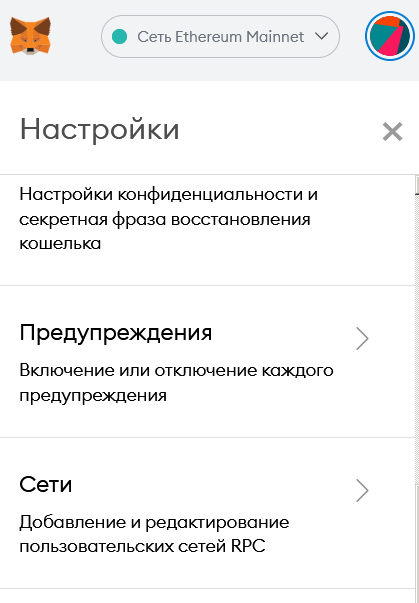


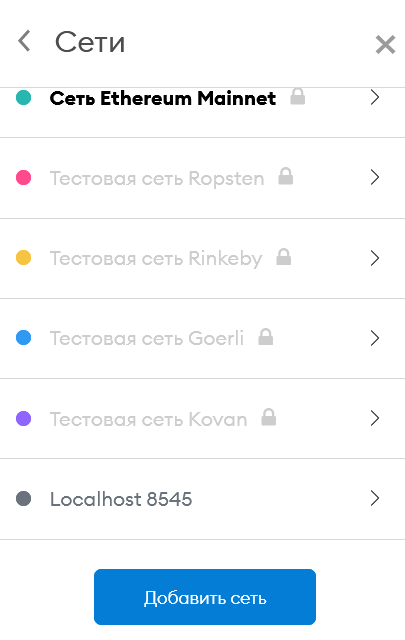
Since gas payments on the BSC network are made in Binance Coin, you should transfer some BNB to the wallet address. When sending BNB from centralised exchanges, be sure to choose the BSC network (often designated by the BEP20 token standard).
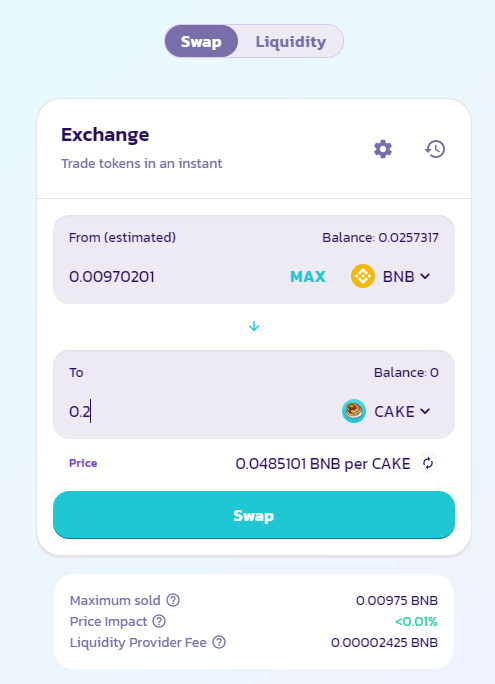
The largest AMM-DEX in the BSC ecosystem is PancakeSwap. We will carry out the swap there. With minor design differences, the swap mechanics are identical to Uniswap.
Choose a pair of assets and their amounts.


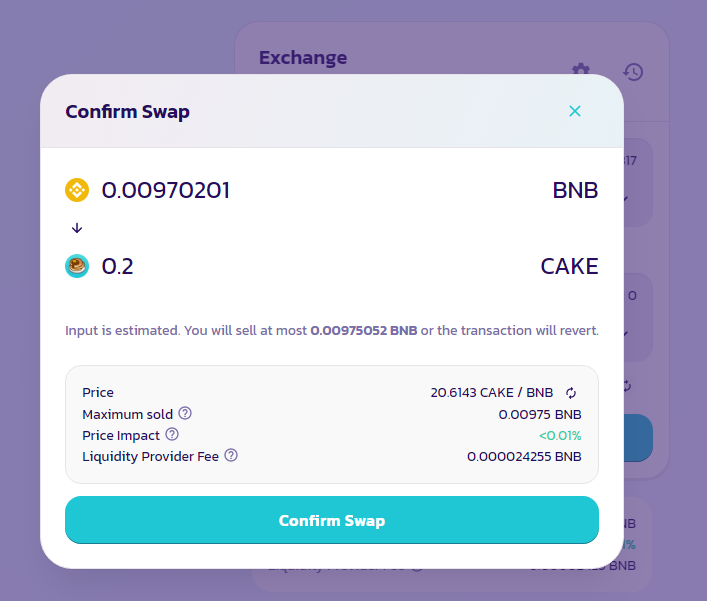
Confirm the swap in PancakeSwap’s interface.




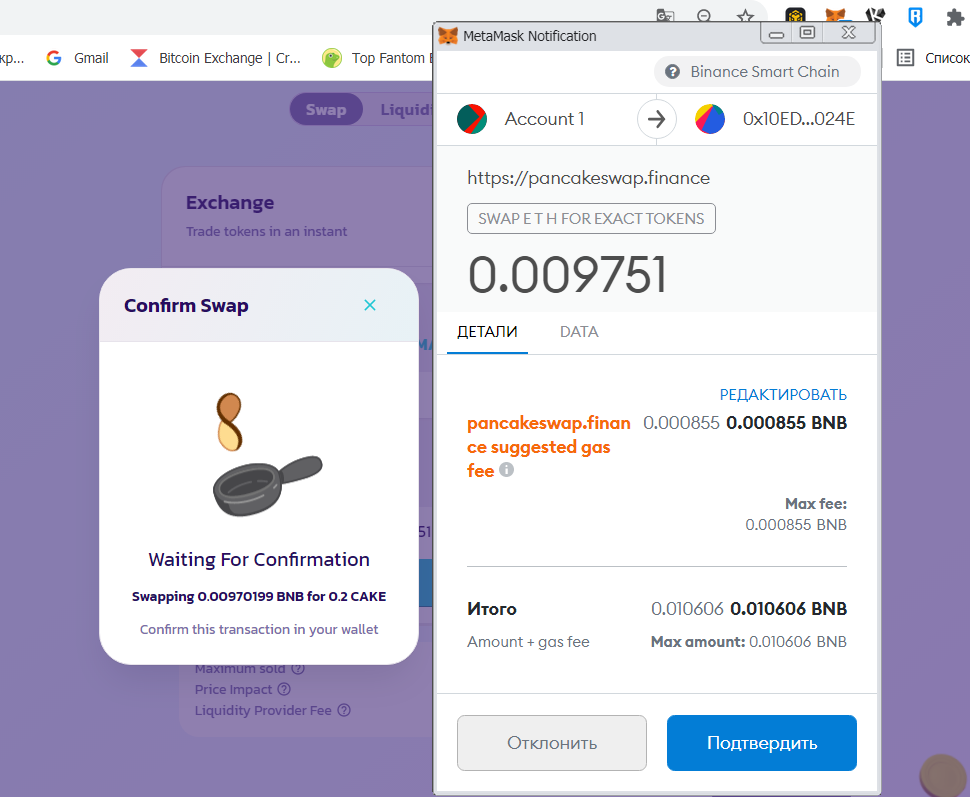
The main difference with PancakeSwap is that all user operations are significantly cheaper. As of early September 2021, average transaction fees on the BSC network were around 0.001 BNB, i.e. less than $0.50. Moreover, all transactions are confirmed much faster, in just a few seconds.
Another popular decentralised network, Polygon, handles up to 6 million transactions per day. The largest AMM-DEX on this network is QuickSwap, whose creators proudly claim that it is a full clone of Uniswap, down to the last digit in the code.
To begin using it, connect MetaMask to the Polygon network in the familiar way.
- Network name: Matic Mainnet.
- New RPC URL: https://rpc-mainnet.maticvigil.com/.
- Network ID: 137.
- Symbol: MATIC.
- Block explorer URL: https://polygonscan.com/.
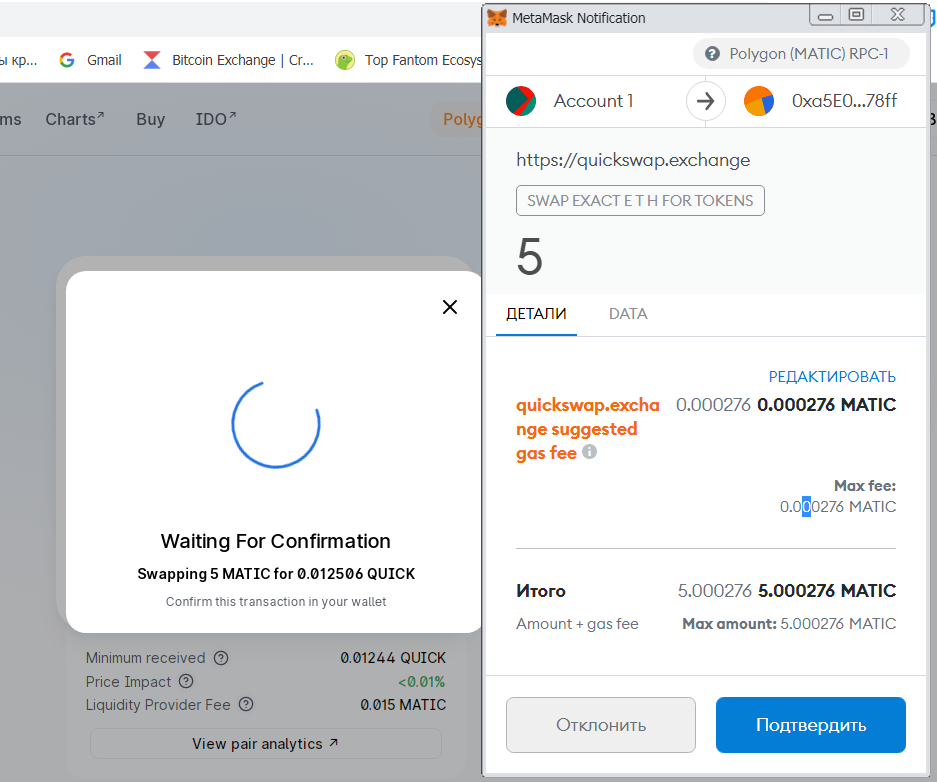
Gas fees on Polygon are charged in the base cryptocurrency MATIC, but for initial swaps you need only a small amount. Average fees on the Polygon network are fractions of a cent.
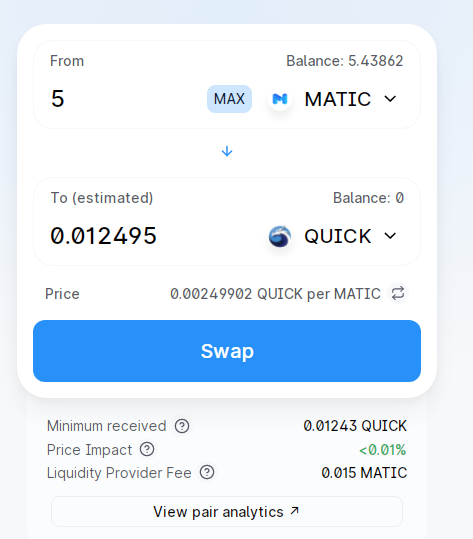
The swap itself works exactly as on Uniswap and PancakeSwap.
Choose a pair of assets and their amounts for swap.


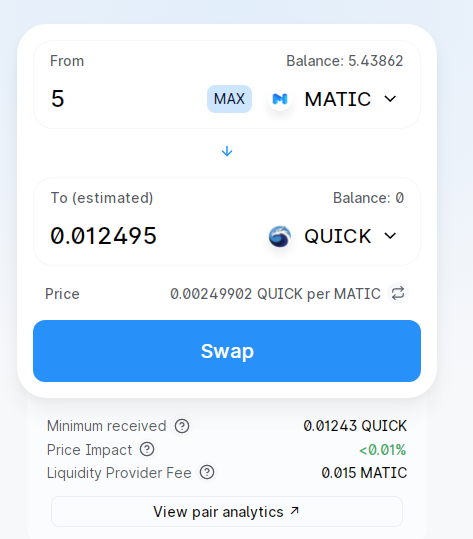
Confirm the swap in the QuickSwap interface.
And confirm the transaction in the MetaMask window, enjoying minimal fees and high swap speeds.


Having mastered these DEXs, you will be able to connect to and operate in other EVM-compatible networks, such as Fantom, Avalanche, HECO Chain, Harmony, and xDai.
Mastering AMM-DEX is only the first step toward exploiting the vast array of DeFi services. Thanks to DEXs and MetaMask, investors unlock a wonderful new world of blockchain-based games, lotteries, prediction markets, crypto-collateral lending, and yield farming доходном фермерстве.
Subscribe to ForkLog’s news on Telegram: ForkLog Feed — full news feed, ForkLog — the most important news, infographics and opinions.