



Amid the popularity of meme tokens on the Solana network, the Phantom wallet became one of the most downloaded apps for Android and iOS in 2024. Beyond Solana, however, it supports only Bitcoin, Polygon, Sui, Ethereum and Base.
For those who want a more universal option with support for popular blockchains, the mobile wallet Gem Wallet is worth a look. Together with the project team, we examine its capabilities and put it to the test.
What Gem Wallet offers
Gem Wallet is an open-source wallet for iOS and Android. It is a non-custodial solution—the owner retains full control of their funds. The app’s source code is available on GitHub.
At the time of writing, Gem Wallet supports:
- 39 blockchains and L2 solutions, including The Open Network, TRON, Sui, NEAR, Dogecoin, Arbitrum, Base and Optimism;
- staking for Solana (SOL), BNB (BNB), Tron (TRX), Celestia (TIA), Cosmos (ATOM), Injective (INJ), Osmosis (OSMO), Polygon (POL), Sei (SEI) and Sui (SUI);
- stablecoins Ripple USD (RLUSD), Tether (USDT), USDC and DAI.
The Gem Wallet team’s plans for new features are public on the roadmap. In particular, in the first quarter of 2025 the developers plan to add NFT support on Ethereum and Solana, as well as swaps on the TON and Sui networks.
“Right now we are focusing on building functionality comparable to competitors that launched three to four years earlier. All resources are directed towards this goal,” the Gem Wallet developers comment.
Cryptography in the wallet is implemented using the Trust Wallet Core library. Other functions (prices, notifications, etc.) are handled by the team’s own Gem Wallet Core library, written in Rust. According to the roadmap, in future the client will interact only with Gem Wallet Core.
The wallet team has also implemented additional safety mechanisms to warn users about potential scams.
“A vivid example is a multisig-wallet scam on TRON. Users are given the seed phrase of a wallet with a certain amount of USDT, but it is impossible to withdraw those funds. We added a warning when importing such wallets so that, under no circumstances, do users top them up with their own assets,” the developers state.
Staking is implemented through direct interaction with partner validators. For example, when staking Solana the wallet recommends Stakin and Everstake, but users can also choose other services from the list of active validators.


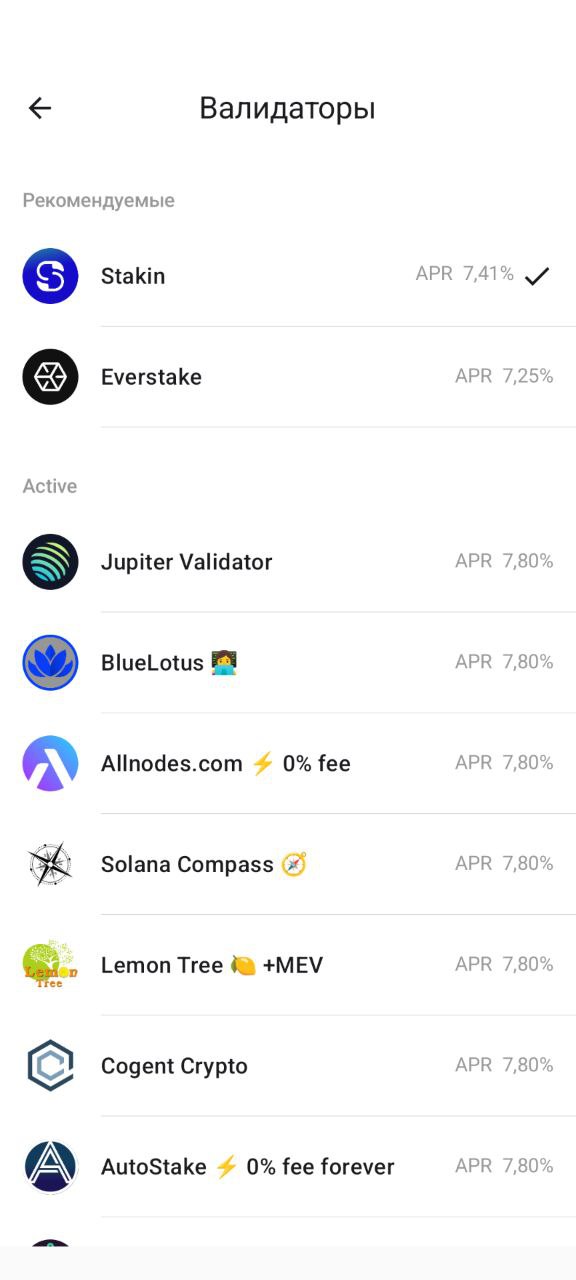
“The main goal of the partnership is marketing and protecting users from low-quality validators. To maintain decentralisation, we plan to recommend at least three partners for each coin. Gem Wallet does not charge additional fees for staking,” the developers note.
At the time of publication, Gem Wallet had been included in the wallet lists on the websites of Ethereum, Solana and TON.
Testing the wallet
We tested the Android app: we received and sent SOL, and carried out a swap via a DEX.
Gem Wallet supports 20 languages, including Russian and Ukrainian. After installation the app offers to create a new wallet or import an existing one. In the latter case we can import a multi-currency wallet or a single-coin wallet.

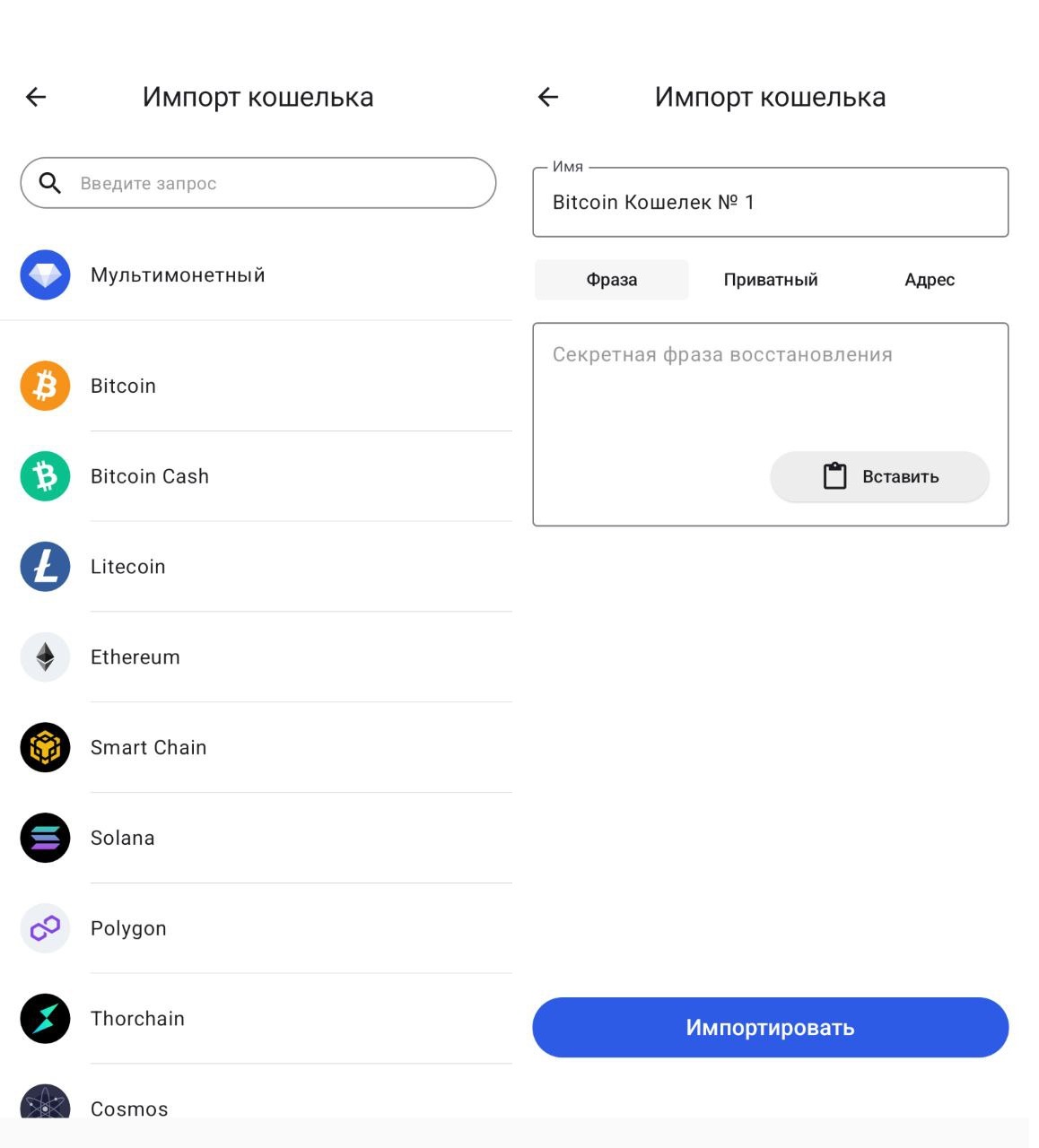
To import a multi-currency wallet only a seed phrase (or recovery phrase) is available. When importing an individual cryptocurrency, users can also choose the private key option or an address.
When creating a new wallet the app generates a 12-word seed phrase. It should be written down on paper and stored safely, out of others’ reach. This step is critical and should not be ignored; to protect users, the wallet checks the correctness of the seed phrase.
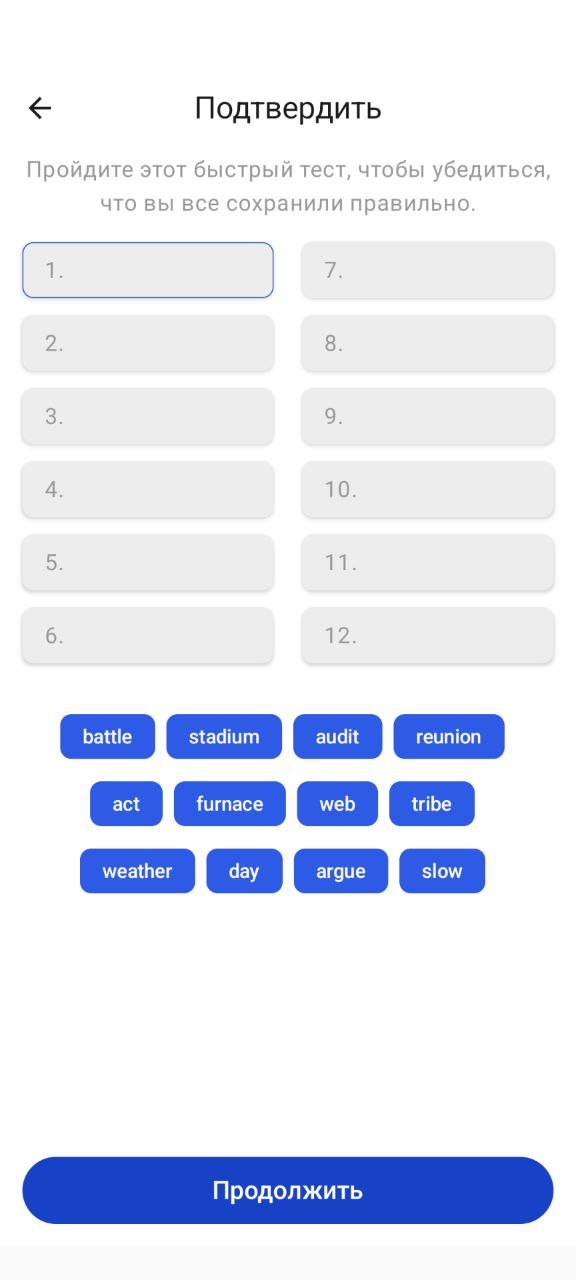
After verifying the recovery phrase we explored the Gem Wallet interface. The home screen shows the total balance, a list of favourite assets, and buttons to receive and send coins.
Buying cryptocurrency with fiat is also available via Mercuryo, Ramp, MoonPay, Transak and Banxa. The minimum order is $20. If it is hard to choose an amount, you can tap the dice emoji—the app will set a random value automatically.
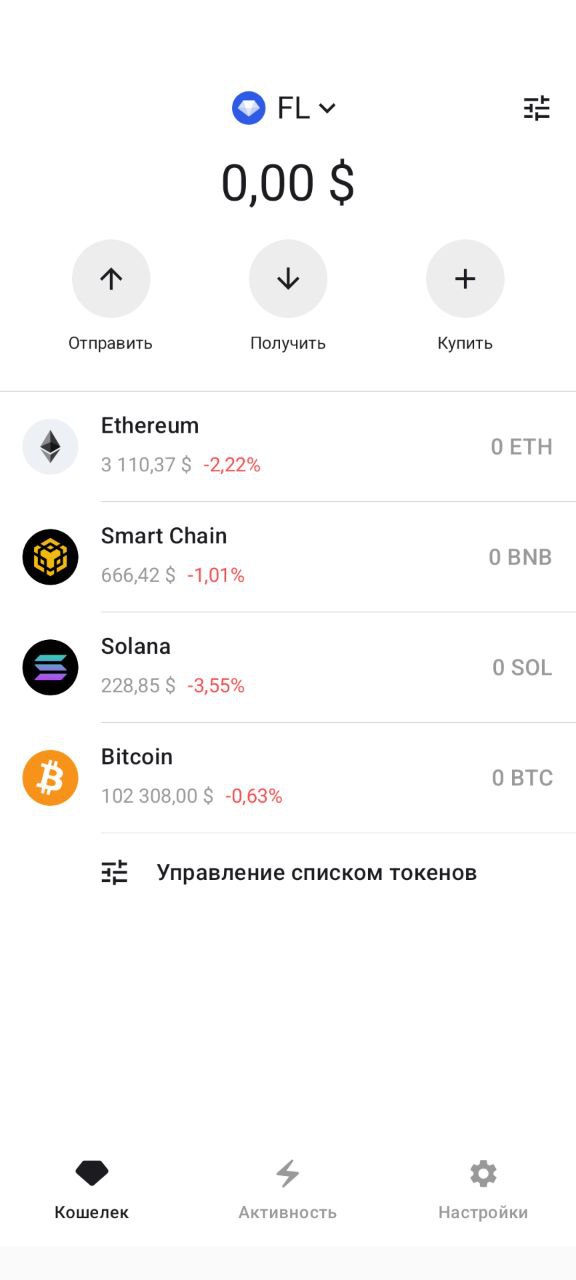
We tested receiving crypto and swapping in the wallet via a DEX. We tapped “Receive”, selected Solana from the list of assets and sent 0.03 SOL to Gem Wallet. The funds arrived almost instantly.
We then tapped “Swap” and searched for Official Trump (TRUMP). We set the amount (0.02 SOL), checked the provider (Jupiter), the fee (0.003 SOL, ~$0.71) and confirmed.
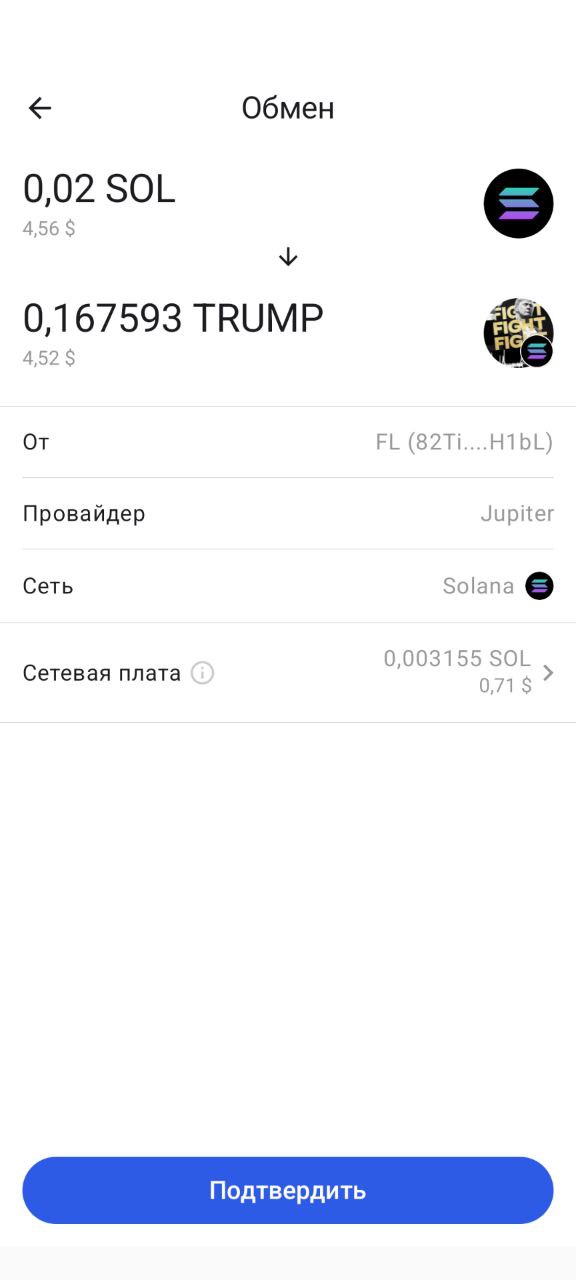
We received 0.16 TRUMP to the wallet almost instantly. Tapping the TRUMP icon shows basic project information: price, capitalisation, circulating supply and a link to CoinGecko.
“Gem Wallet allows both standard swaps within blockchains and cross-chain swaps via Thorchain. For example, users can directly swap BTC for USDT on the Ethereum network and back,” the wallet’s developers emphasise.
After the swap we tested sending tokens. We selected TRUMP and entered the recipient’s address, tapped “Continue” and moved to the fee selection. By default the app set “normal”, but we could change it by tapping the fee field.
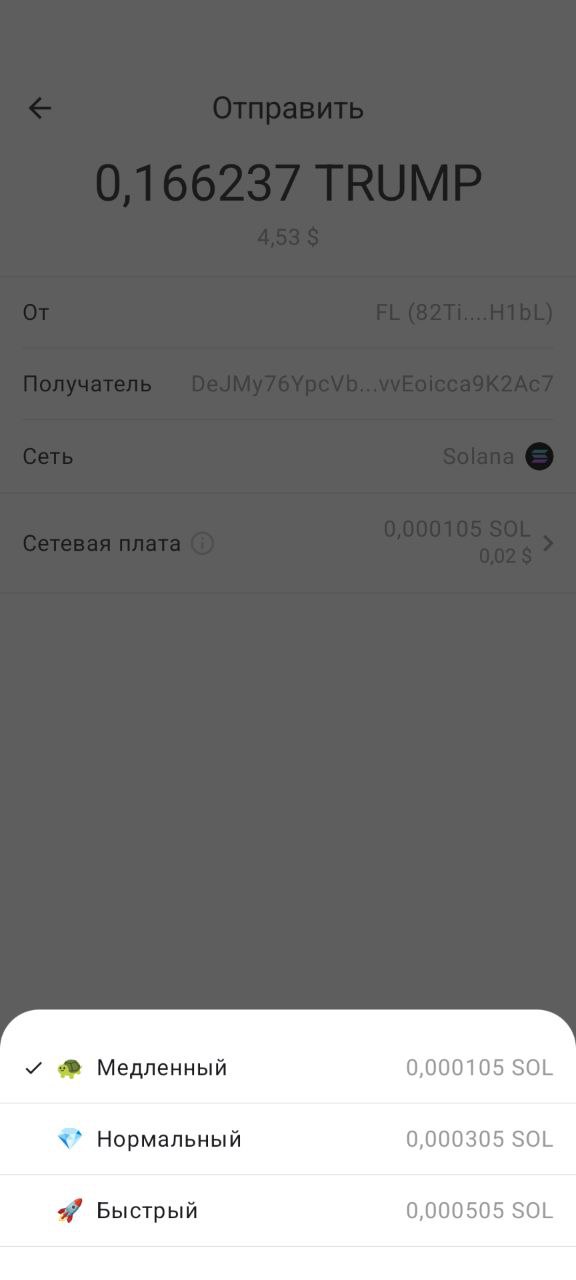
We chose the “slow” option (0.000105 SOL) as we were in no rush. After three minutes, however, the transaction still had not hit the blockchain—the app threw an error. A repeat transaction with the “normal” fee settled in a matter of seconds.
The Gem Wallet team regularly updates the documentation, adding educational materials on using the wallet and interacting with different blockchains.
Conclusions
Gem Wallet is a non-custodial wallet with open-source code. It has a minimalist design and supports almost 40 networks.
It is a handy option for users who want to store, stake and swap assets via a DEX in a single app. The developers regularly add new features and blockchains, and the update process remains fully open to the community.