




What happened?
In early May 2022 the algorithmic stablecoin UST, issued on the Terra blockchain, and its native coin LUNA plunged in value after a series of events.
Developers decided to launch a new blockchain — Terra 2.0. The plan was to rebuild the ecosystem from scratch and restore confidence. The mainnet went live on May 28.
Holders of UST and LUNA are being compensated via an airdrop of Terra 2.0 (LUNA), the new network’s native asset. The issuance of “LUNA 2.0” is 1 billion coins. The asset has been listed on many exchanges, and its page has appeared on CoinMarketCap and Coingecko.
What happens to the old coins?
The new chain’s cryptocurrency trades under the old ticker, LUNA.
The old assets have not disappeared; many venues kept their trading pairs. Their symbols were changed to Terra Classic (LUNC) and TerraClassicUSD (USTC).
Who gets how much?
All holders of USTC and LUNC who bought before May 26 automatically take part in the airdrop. They will receive Terra 2.0 coins for free. USTC locked in Anchor must not exceed 500,000 tokens.
The precise amount depends on how many coins you held and when you bought them:
1. LUNC and USTC bought before block 7544910 (produced on May 7, around 15:00 UTC)
2. LUNC and USTC acquired after May 7 but before block 7790000 (added to the chain on May 26, around 16:38 UTC).
Exact conversion ratios:
If the cryptocurrencies were bought before May 7, 15:00 UTC
| In wallet (on account) | LUNA airdrop amount | |
| USTC (locked in Anchor) | 1 | 0.01827712143 |
| LUNC | 1 | 1.034735071 |
According to Binance, for holders of UST bought before May 7 and not locked in the Anchor protocol, the airdrop ratio differs: 1 USTC = 0.01468985 LUNA.
If the cryptocurrencies were bought between May 7 and May 26, ~16:38 UTC
| In wallet (on account) | LUNA airdrop amount | |
| USTC | 1 | 0.02354800084 |
| LUNC | 1 | 0.000015307927 |
Example
Before May 7 you bought 1,000 USTC and 3 LUNC. You are entitled to:
1,000 USTC x 0.01827712143 + 3 LUNC x 1.034735071 = 18.27712143 LUNA + 3.104205213 LUNA = ~21.38 LUNA.
On May 12 you also bought another 100,000 LUNC after its price crashed. You will also receive:
100,000 LUNC x 0.000015307927 = ~1.53 LUNA.
In total, the airdrop amounts to 21.38 LUNA + 1.53 LUNA = 22.91 LUNA.
Will I receive all the coins at once?
Initially, participants are credited with only 30% of their allocation. The remaining 70% vests: the coins are randomly delegated to validators, who stake them. Airdrop recipients also receive staking rewards from these LUNA, every Terra 2.0 block.
Vesting depends on your LUNC balance:
- fewer than 10,000 LUNC — unlock over 24 months, starting in December 2022;
- 10,000 to 1 million LUNC — unlock over 24 months, starting in June 2023;
- more than 1 million LUNC — unlock over 48 months, starting in June 2023.
So I can only withdraw the airdrop in at least two years?
Not quite. First, funds are not fully locked: via Terra Station you can manage your airdrop stake, including redelegating it to another validator.
Second, after six months you can start withdrawing gradually. To do so, undelegate the available coins in Terra Station and wait another 21 days.
What if I held LUNA and UST on an exchange or in a protocol?
You will also receive the cryptocurrency for free. Leading trading platforms and DeFi applications (including Anchor) announced support for the new project. On centralized platforms the airdrop is distributed by the administrators. For example, Binance announced it would distribute LUNA by May 31, 8:30 UTC.
My LUNC or USTC are on Cosmos. What should I do?
If you held LUNC and USTC in a Cosmos wallet, you are also eligible for your full share of the airdrop. Here is what to do if your coins were in Keplr.
1. First, check whether your address participates in the airdrop here: https://finder.terra.money
If everything is in order, the service will show how much LUNA you receive immediately (30%) and how much is vested:


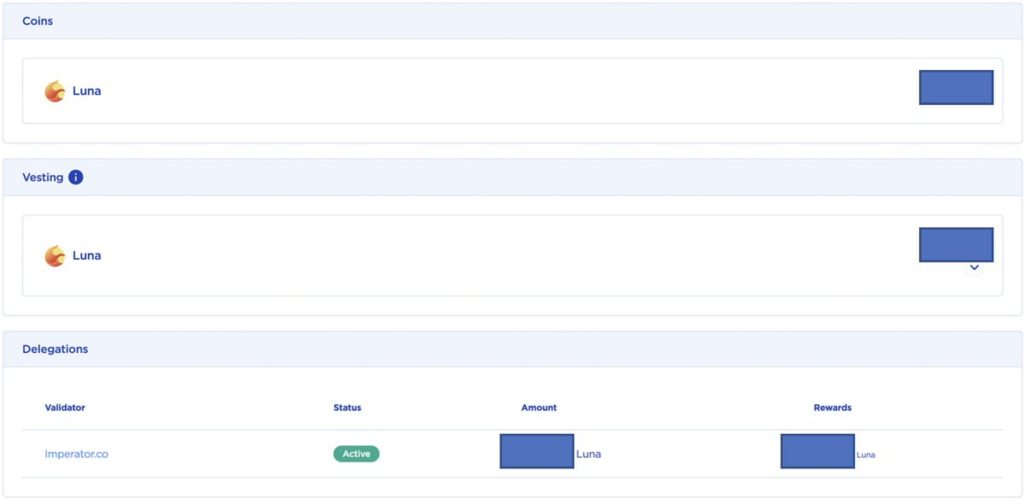
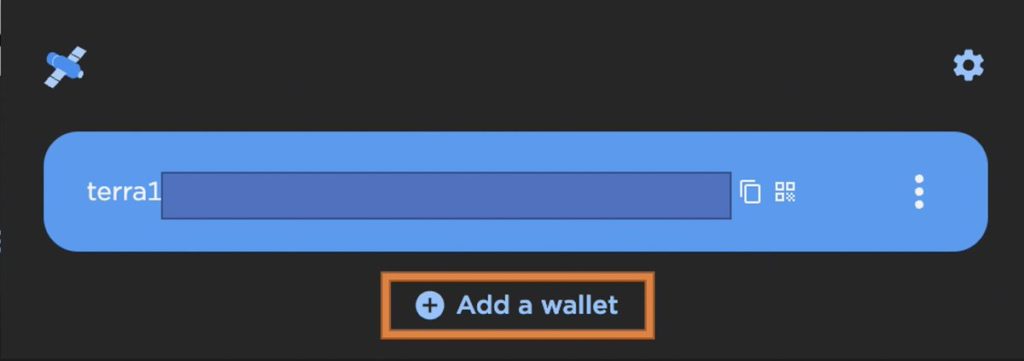
2. Add the wallet in the Terra Station browser extension:


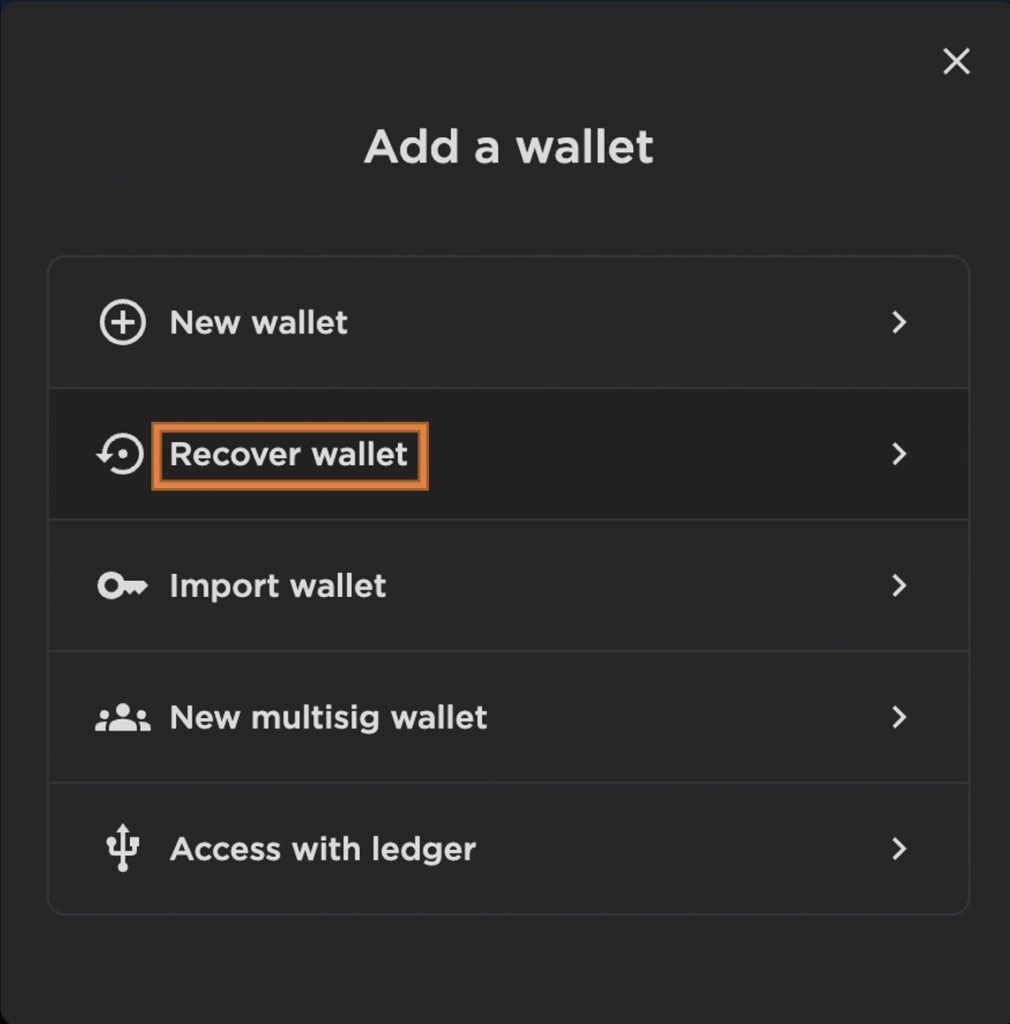
3. Click the “Recover wallet” button (“Recover wallet”):


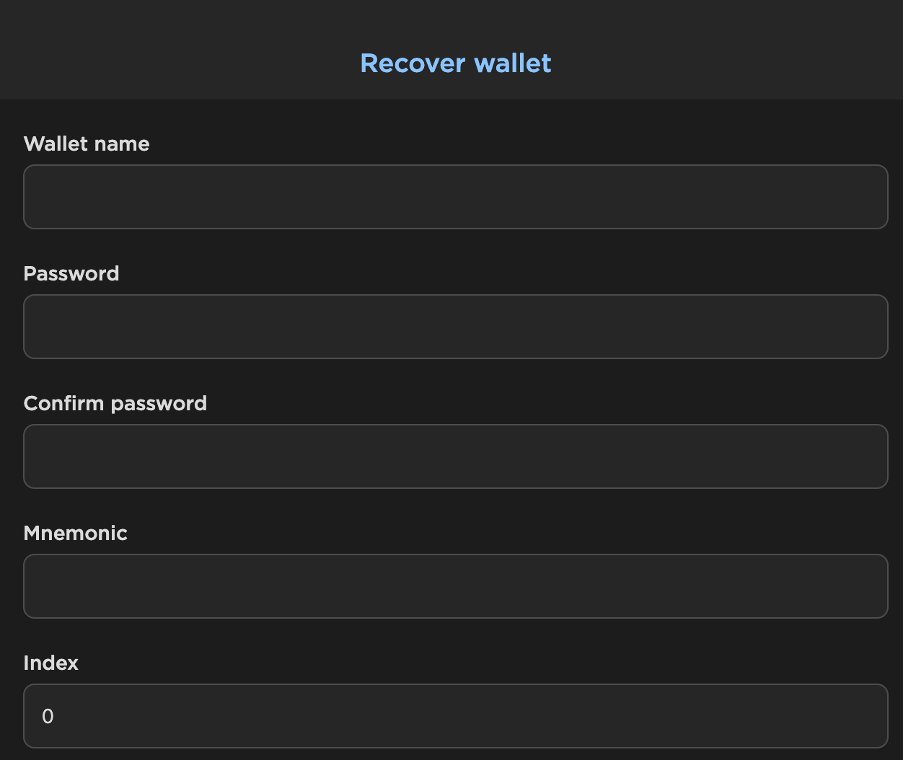
4. Fill in the fields:
- Wallet name — any.
- Password — your choice.
- Mnemonic phrase — make sure you use the one for your Keplr address.


5. How to find the mnemonic.
— Go to your profile in the Keplr wallet by clicking the icon:



— Click the ellipsis and in the drop-down menu select “View Mnemonic Seed”.
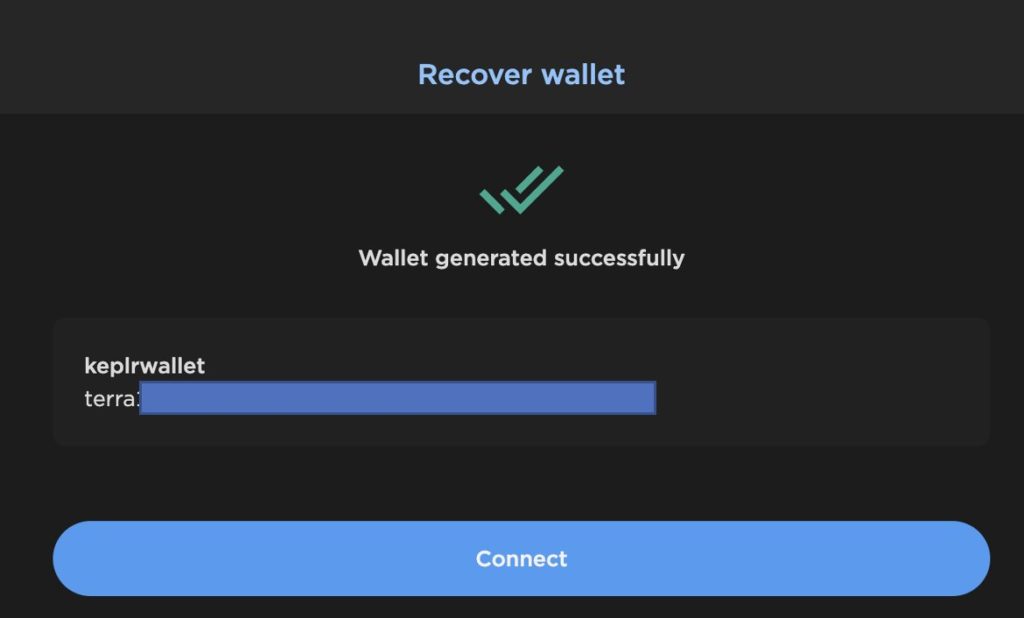
6. Done! Your wallet has been added to Terra Station:


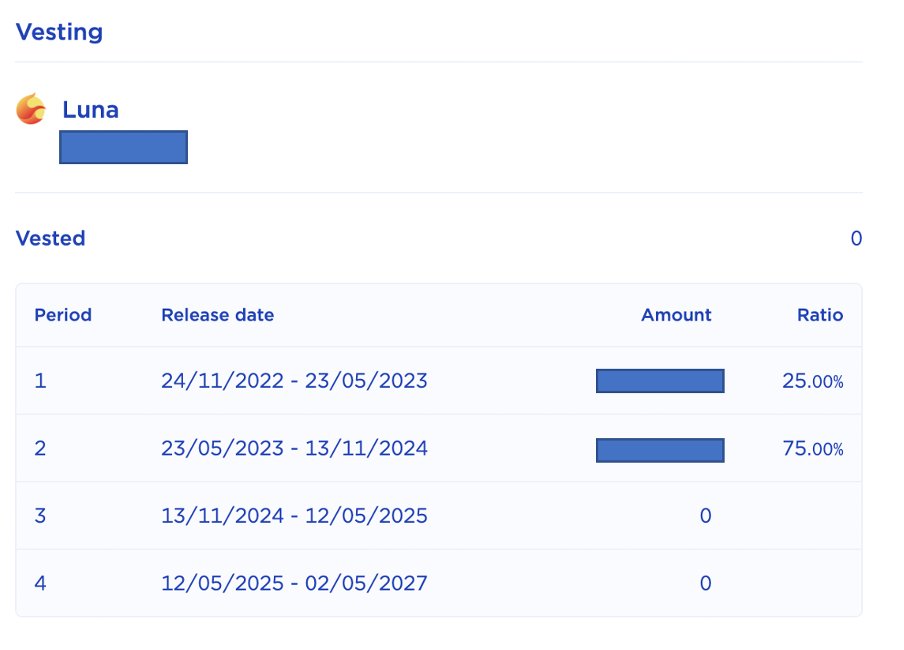
7. Now check your address again here: https://station.terra.money/wallet
The service should display the vesting schedule details.


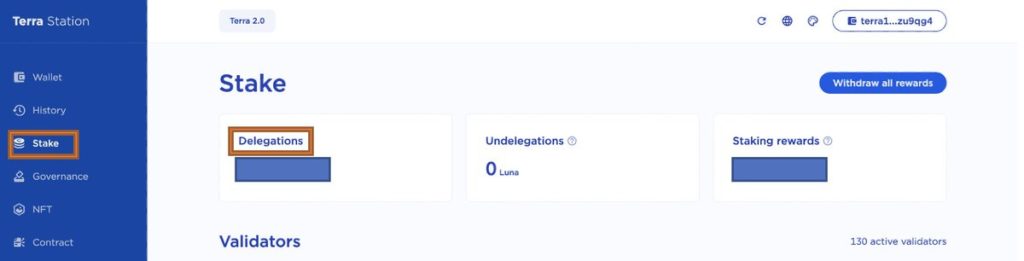
8. Note: 70% of the locked coins were delegated to a random validator. You can choose another. In Terra Station select “Stake”, then click “Delegations”, after which you will see the validator holding the remainder of your airdrop.


9. To change the validator, find the one you need — for example, by name in the search bar:


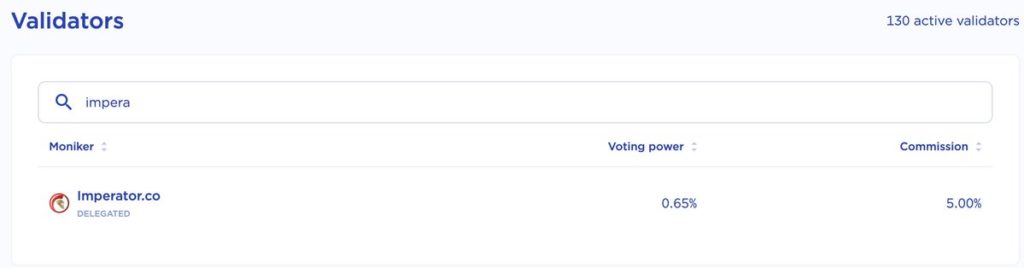
Select the desired validator, click “Redelegate” and send your stake to it.
If your LUNC and USTC are in the Osmosis protocol, you can manage them, for example, via this unofficial service: https://terra.imperator.co/welcome