


How to withdraw ETH from staking
Key points
- After the Shapella upgrade went live on Ethereum’s mainnet, users gained the ability to withdraw cryptocurrency from staking.
- Lido, Rocket Pool and Binance let users lock up ETH for yield. Withdrawing funds from these services is straightforward and intuitive, requiring only a few steps.
- The Web3 wallet MetaMask enables users to stake and withdraw ETH by interacting with Lido and Rocket Pool.
What is Ethereum staking?
Staking—derived from the English “stake”—is a way to earn passive income on coins that use the Proof-of-Stake (PoS) family of consensus mechanisms.
Put simply, staking means participating in transaction validation and the creation of new blocks using cryptocurrency. It is seen as an attractive, relatively safe alternative to leaving digital assets idle in a wallet.
Ethereum staking involves locking a certain amount of ether (ETH) to support the security and functioning of the Ethereum blockchain. This became possible when the second-largest cryptocurrency transitioned from Proof of Work to PoS, a shift completed with The Merge in September 2022.
In December 2020 the developers launched the Beacon Chain, a signalling network. This PoS blockchain ran in parallel with Ethereum’s mainnet for almost two years, with no economic activity beyond ETH staking. The Merge effectively combined the two chains.
The full switch to PoS was the most important and complex upgrade in the chain’s history.
What changed after the Shapella upgrade?
In April 2023 Ethereum’s developers activated the Shapella upgrade on mainnet. Users gained the ability to withdraw cryptocurrency from staking.
For nearly two years—between December 2020 and September 2022—users could only deposit for staking, either by running a validator node (which requires 32 ETH) or via services such as Lido.
Shapella also reduced gas costs for certain transaction types, optimised on-chain data storage, introduced a number of EVM-related improvements and added new cryptographic primitives.
Net inflows into staking since Shapella’s activation have exceeded 1.5m ETH.
How to withdraw ETH from Lido
Lido Finance is a liquid-staking service.
The protocol lets users deposit coins into a staking contract and receive an equal amount of “derivative” tokens in return. These can be used in various financial operations—for example, added to liquidity pools to boost returns.
The most popular asset among Lido users is ETH. In return you receive the stETH token, which in turn is supported by many popular DEX.
On May 15th 2023 the Lido team deployed version two of the protocol. The upgrade received 100% support from the community.
The main changes in Lido v2 were:
- the ability to withdraw Ethereum by burning stETH at a 1:1 rate;
- the launch of the Staking Router, designed to diversify the validator set and further decentralise the protocol.
The withdrawal option lets users redeem both their stETH and wstETH. Holders of the former typically receive “native” ether 1:1.
For wstETH, users receive ETH based on the wstETH/stETH exchange rate. Before that, the “wrapped” tokens are automatically unwrapped.
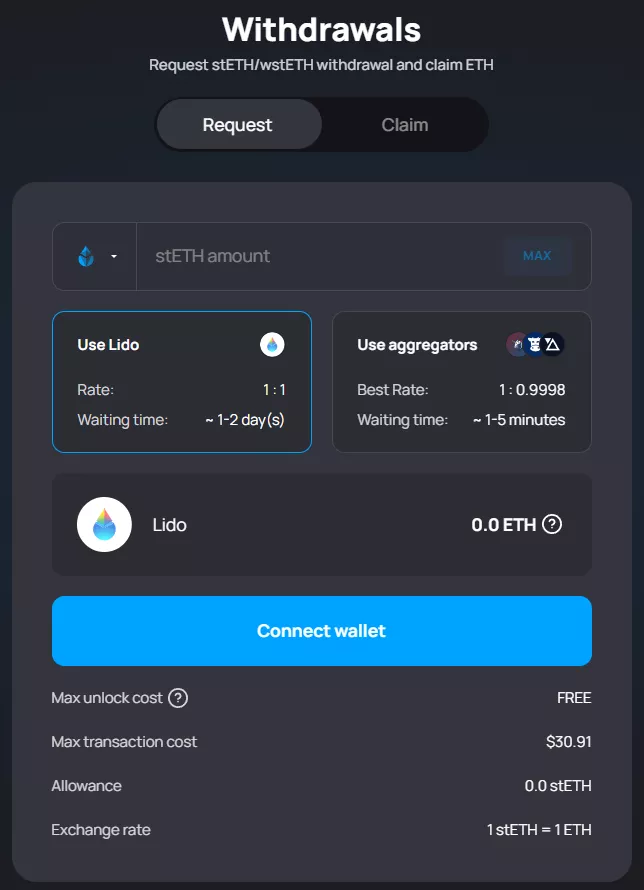
The withdrawal process is simple; it consists of two steps:
- Request: once submitted, stETH and wstETH are locked. The protocol supplies the necessary amount of ETH, and the corresponding number of liquid tokens is burned. You can then claim ether. This step takes 1–5 days.
- Claim the coins once the withdrawal request has been processed.
After connecting a MetaMask-style Web3 wallet on the Ethereum network, your stETH balance will be displayed. Enter the desired amount below, or click Max to withdraw everything.
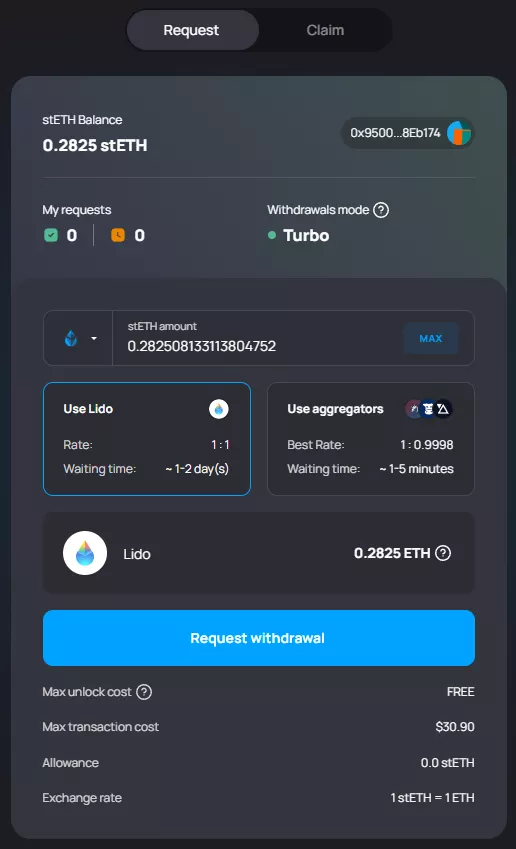
The page also shows:
- the estimated waiting time (usually 1–2 days, up to 5 days);
- the final amount of ETH;
- the maximum cost of the operation.
After clicking Request withdrawal, a MetaMask pop-up will prompt you to sign the transaction.
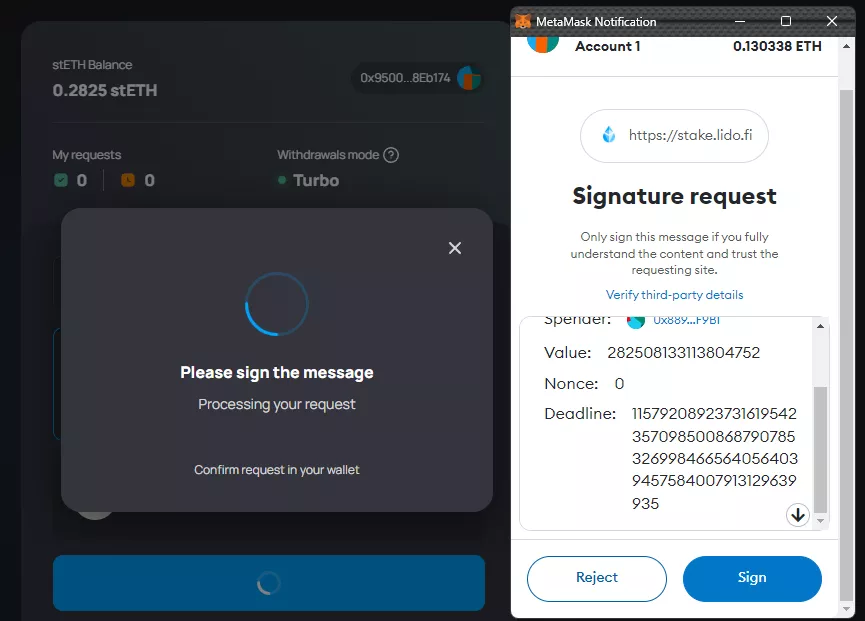
Clicking Sign opens a new pop-up showing the gas cost and the estimated time to complete the operation.
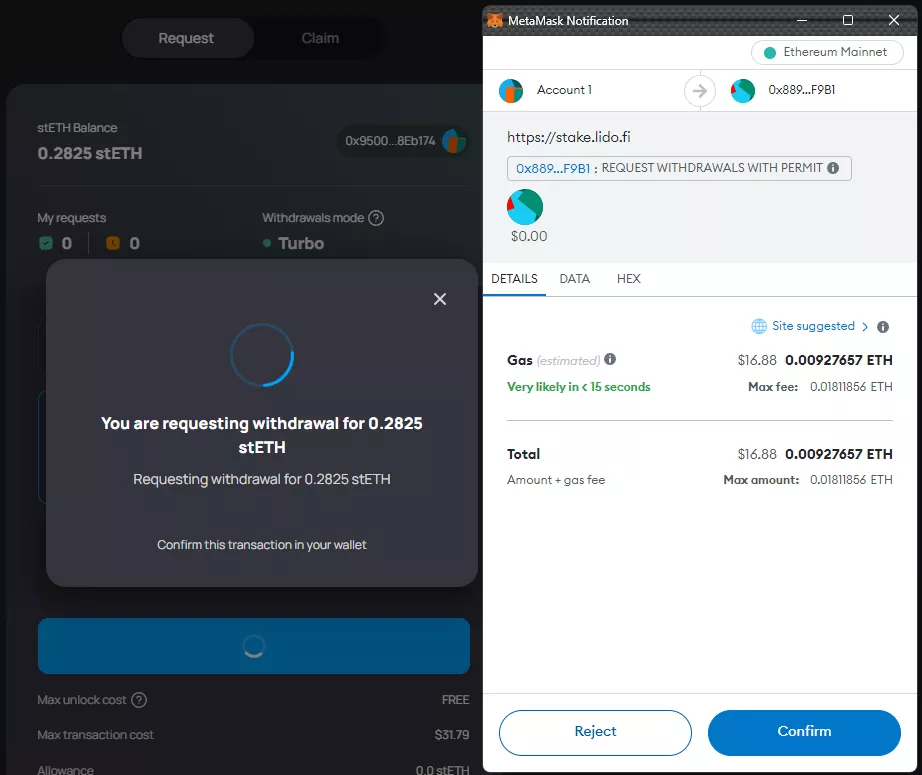
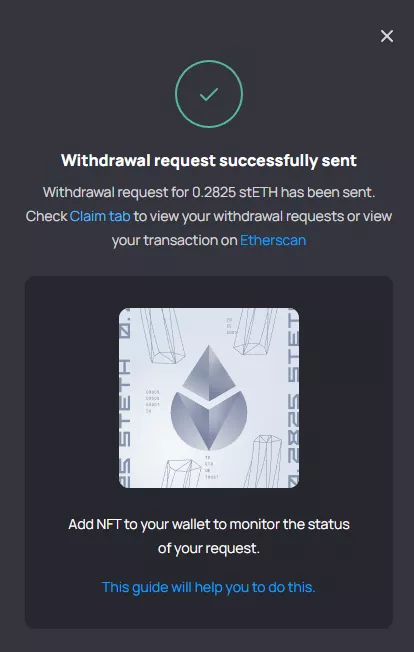
Once the transaction is confirmed, the platform will report that the request was sent successfully and prompt you to switch to the Claim tab.
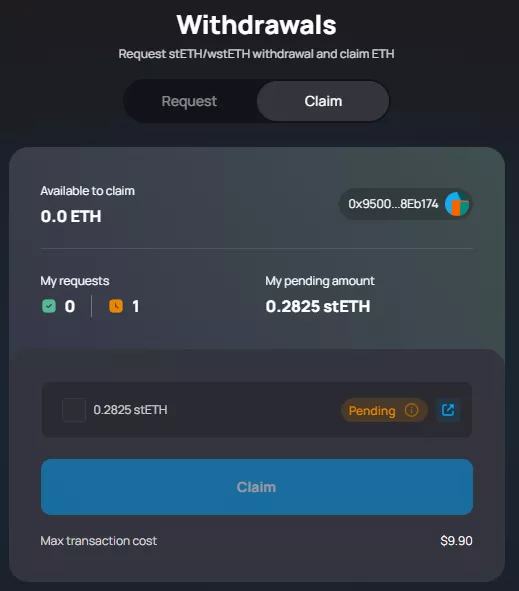
The Claim tab displays the withdrawal request and its status.
In our case, after roughly a day the yellow label Pending changed to green—Ready to claim. The blue Claim button became active once we ticked the box next to the amount.
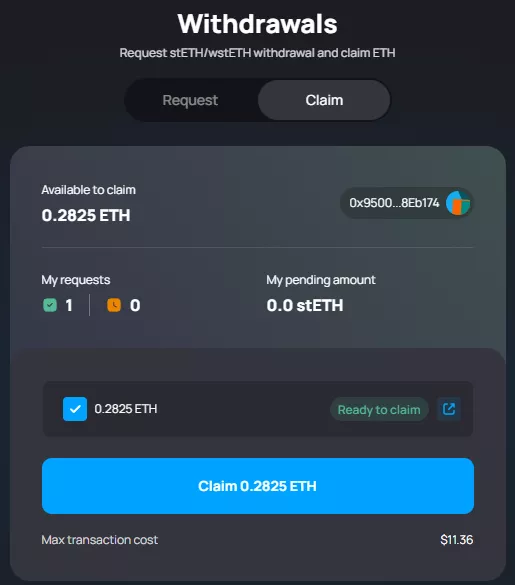
Clicking it opened a MetaMask pop-up asking you to confirm the operation.
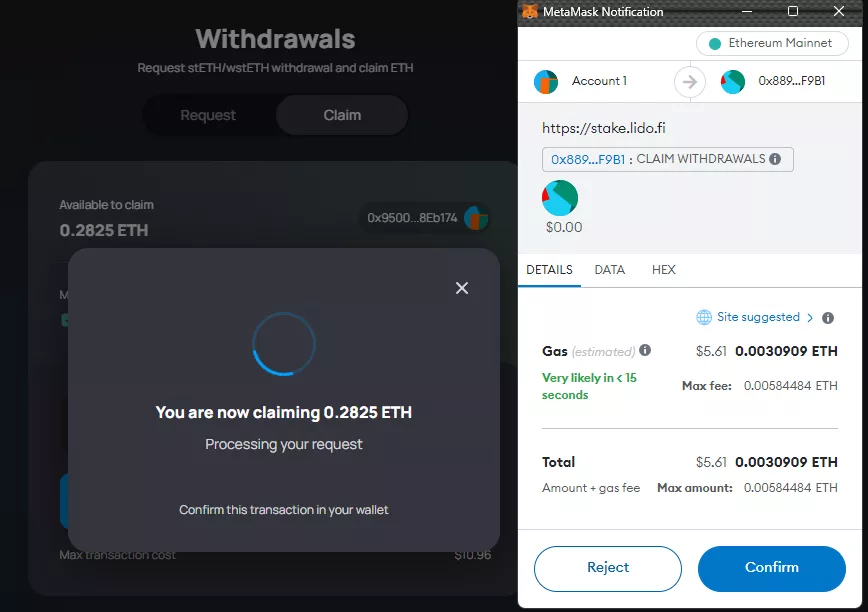
A few seconds after clicking Confirm, the funds appeared in the wallet.
How to withdraw ETH from Rocket Pool
To withdraw rETH from Rocket Pool, click the double-arrow icon on the project’s website. This flips the direction—from staking ETH to redeeming the “liquid” token.
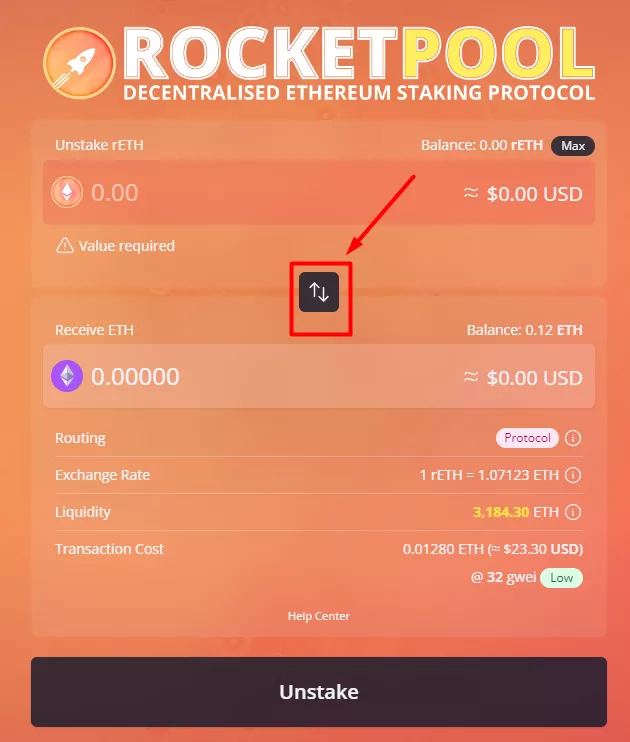
Then enter the desired amount of rETH and click Unstake. A MetaMask confirmation window will appear. Once the transaction completes, the corresponding amount of ETH will be credited to your wallet.
How to withdraw staked ETH with MetaMask
MetaMask Staking lets you withdraw locked ETH from the protocols supported in the app—Lido or Rocket Pool.
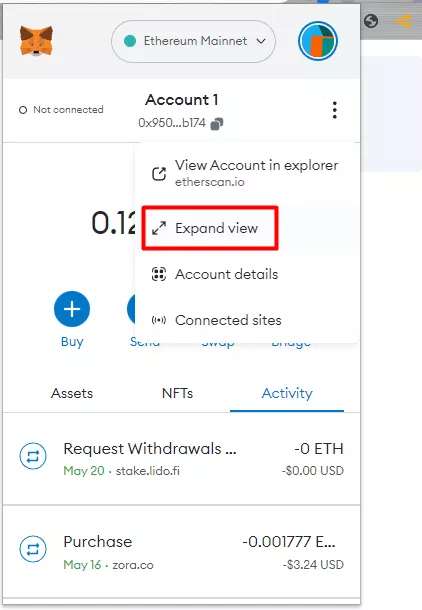
First, go to MetaMask Portfolio. Either switch to the expanded view or click the blue Bridge button in the wallet interface.
Then, on the left side of the MetaMask Portfolio page, select Stake. It will show your staked assets.
In the balances section, click the three-vertical-dots icon and choose Withdraw.
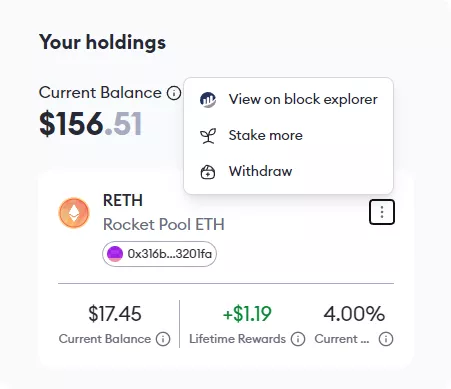
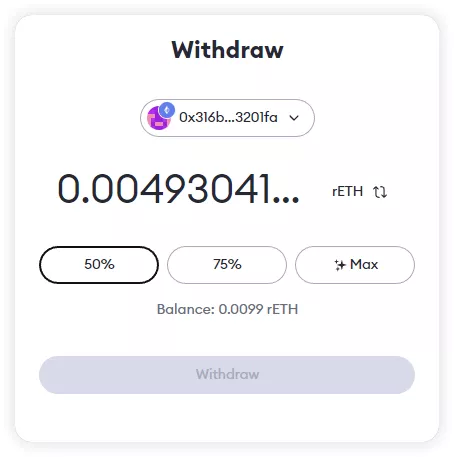
Next, enter the amount you want to withdraw and click Withdraw.
You will then see two options—Withdraw and Swap. The latter simply exchanges stETH or rETH for ETH.
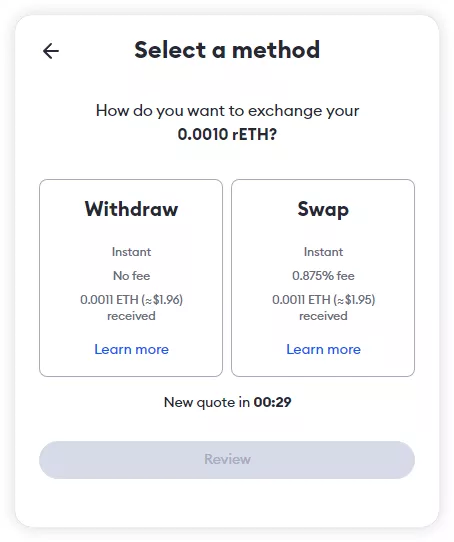
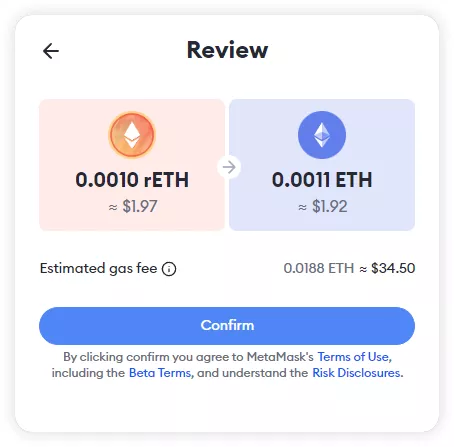
After choosing Withdraw, click Review. You will see the details: the amount of “liquid tokens” to be redeemed and the ETH you will receive once the process completes.
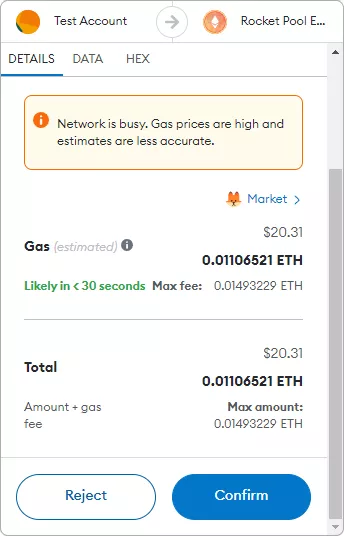
Several approvals are required in MetaMask: first to interact with the liquid token contract, and second for the withdrawal itself.
After clicking Confirm in the wallet window, the site will show “Transaction in progress”. Once the transaction is confirmed (for Rocket Pool), the screen will read “Transaction complete”. This means the funds are already in your wallet.
Withdrawing from Lido via MetaMask is similar. The key difference is the final step: after “Withdrawal request started” you must wait 1–5 days for processing. Then click Claim and pay gas to execute the transaction.
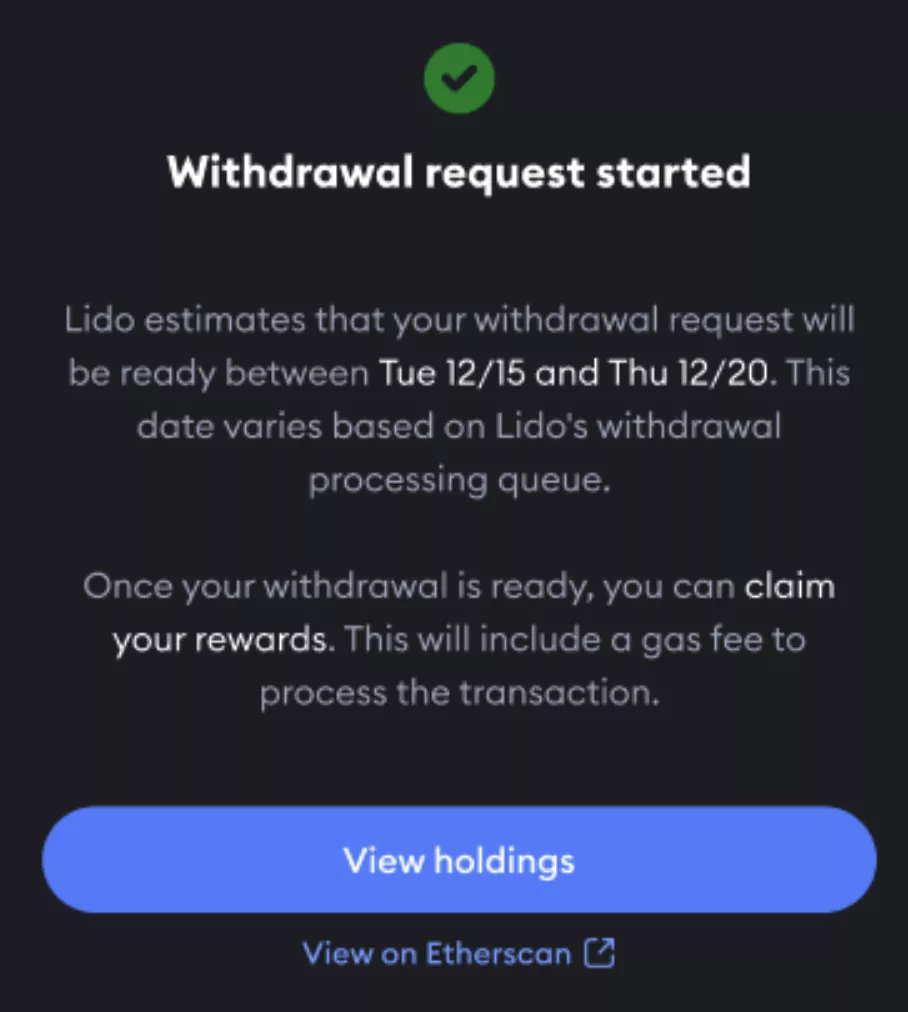
How to withdraw staked ETH on Binance
Binance is also a popular venue for staking Ethereum.
On the centralised platform a derivative token, BETH, is used. It represents a “tokenised representation” of staked ETH.
The “liquid” BETH token is analogous to the stETH or rETH discussed above. It can also be bought on the open market.
Binance regularly distributes staking rewards to BETH holders. The funds are credited to the platform’s spot account.
Users can redeem their BETH for “native ether” at a 1:1 rate. To withdraw ETH from staking, go to the relevant section and click Redeem.
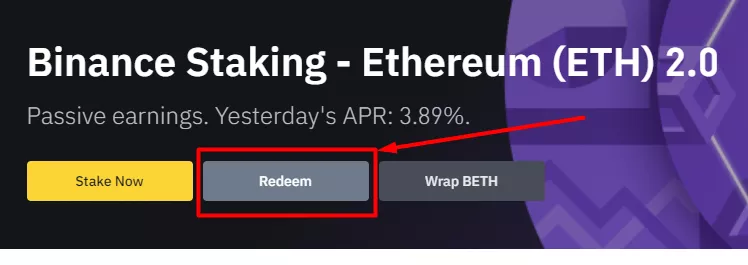
An ETH 2.0 Redemption window will appear. Enter the amount of BETH to redeem.
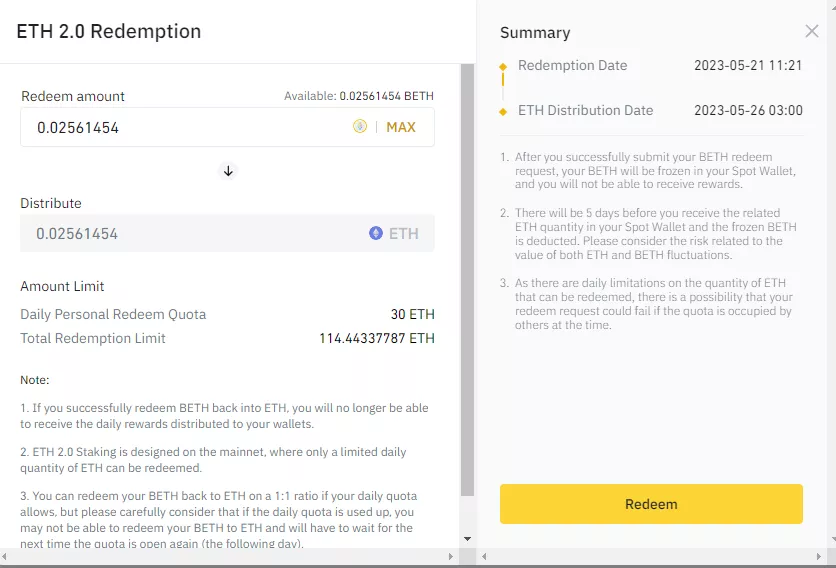
Distribute shows the corresponding amount of ETH to receive, while Summary shows the processing time (5 days).
After clicking Redeem, the platform will ask you to confirm that you have read the staking service terms.
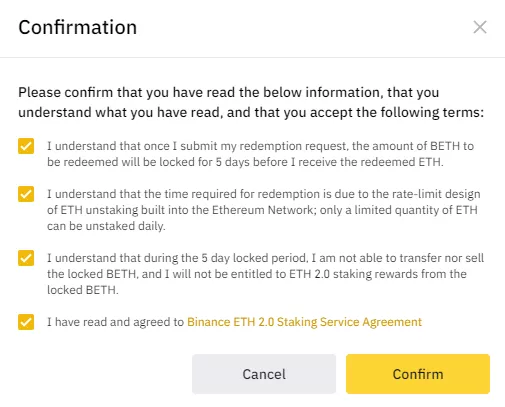
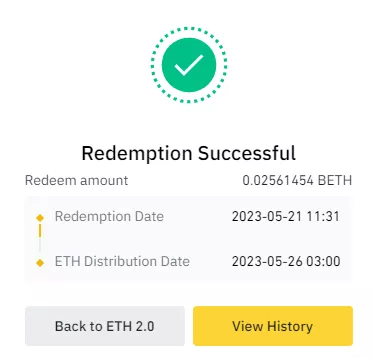
Upon clicking Confirm, you will see “Redemption Successful”. The redeemed BETH amount and the date you will receive ETH will also be shown.
What is WBETH?
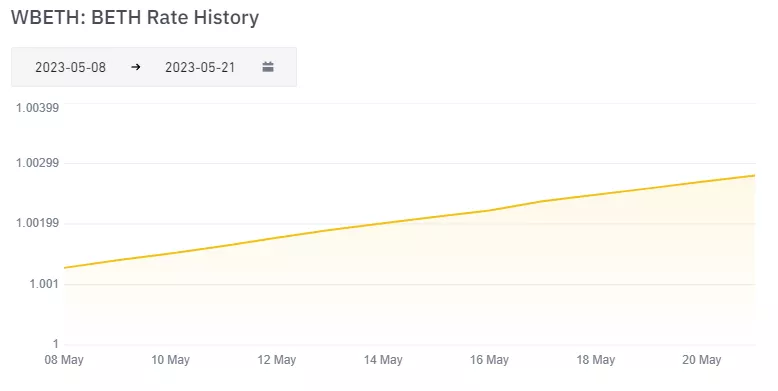
Wrapped Beacon ETH (WBETH) is a “wrapped” version of BETH. Its distinguishing feature is price appreciation—not an increase in quantity—as staking rewards accrue.
The chart below illustrates the steady change in the WBETH/BETH rate.
You can convert BETH to WBETH and back on the dedicated page.
The “wrapped” token can be transferred to a non-custodial wallet via the Ethereum or BNB Chain networks. WBETH’s value will continue to rise even when the coin is held off the Binance platform.
In addition, the “wrapped” token can be used in various DeFi applications to earn additional income.
Рассылки ForkLog: держите руку на пульсе биткоин-индустрии!